A blank in a contact list can mean the field was not researched, no public value was found, the available sources conflict, the field does not apply, or a value was intentionally withheld from the dataset. Those states lead to different next actions. A useful delivery labels them instead of forcing the customer to guess.
VISUAL LESSON
What you will learn
- 01Define distinct missing-value states.
- 02Map each state to a research action.
- 03Audit list completeness without rewarding invented values.
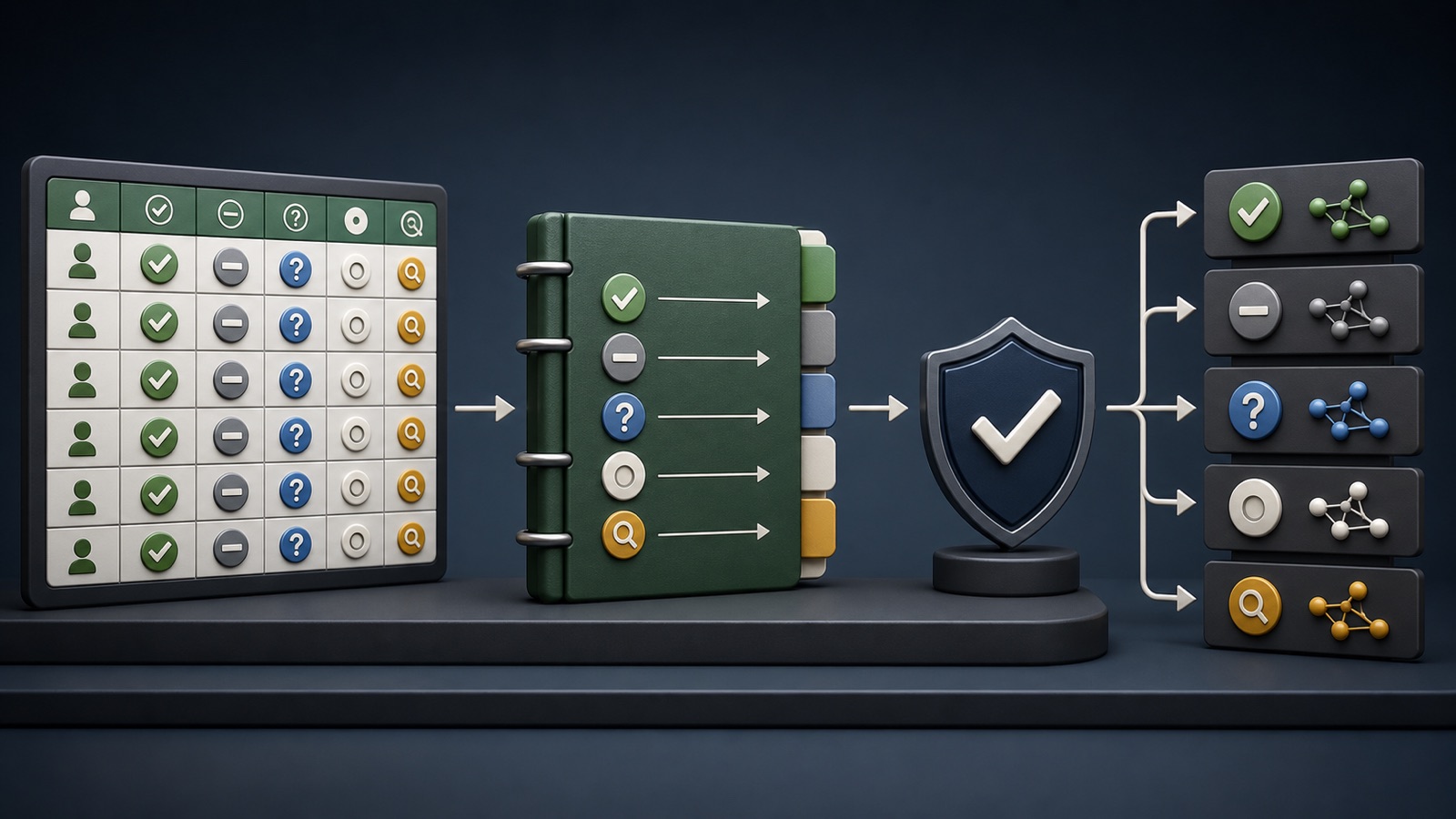
ILLUSTRATIVE WORKED EXAMPLE
Classify an illustrative field audit
PRACTICAL INTERFACE MAP
Turn an empty field into a reviewable state
State which fields apply by business type, market, contact type, and campaign use.
Store verified value, not found, conflicting, not researched, not applicable, or intentionally excluded.
Accept, research again, verify manually, exclude from channel, or leave intentionally unavailable.
STEP-BY-STEP LESSON
Field expectation → research state → QA → next action
THE LEAD ATLAS METHOD
Lead Atlas Data can research a custom business-contact list for the customer's exact campaign, categories, markets, and locations while documenting what each available and unavailable field means.See how custom list research works ↗Define field applicability
For every requested field, state whether it is required, optional, or conditional by company type, contact type, jurisdiction, and campaign. A personal title does not apply to a shared role inbox, and a street address may not apply to a virtual service area.
Create examples for each conditional rule. Reviewers should reach the same result without relying on a private interpretation of what a blank means.
Create explicit missing states
Useful states include verified value, not found after defined research, unknown because evidence is insufficient, conflicting sources, not researched, not applicable, and intentionally excluded from delivery. Choose names that the customer's CRM can preserve.
Do not use zero, a hyphen, fabricated placeholder, or guessed data to make a completeness percentage look better. Document how exports represent each state.
Record source and method
Attach source URL or source type, checked date, research path, and reviewer where practical. For not found, state which source classes were checked; otherwise the customer cannot distinguish a complete search from skipped work.
When sources disagree, preserve both observations and route the record to manual review. Never resolve conflict by choosing the value that makes the row look most complete.
Measure completeness honestly
Calculate availability only among fields that apply, and report missing states separately. A list can have low named-email availability yet still be useful for phone or form outreach if that was defined in the brief.
Build a matrix by segment and field: applicable records, verified values, not found, conflicts, and unchecked. Label the chart as project data, not a market benchmark.
Map states to next actions
Verified values enter channel QA; not found may trigger a different route; conflicts require review; not applicable is accepted; not researched returns to the work queue. Suppression and compliance checks remain separate.
Deliverable: data dictionary, applicability rules, missing-state vocabulary, export encoding, source standard, completeness matrix, review queue, acceptance threshold, and Lead Atlas Data list brief.
Turn this lesson into a research brief.
Apply “B2B Contact List Missing Values: Not Found, Unknown, or Not Applicable?” to one campaign before requesting or using a list.
- 01Market boundary
Name the locations and business categories this decision applies to.
- 02Fit evidence
Write the public signals that would make a business relevant enough to review.
- 03Exclusions
List the business types, markets, and records that should not enter the campaign.
- 04Outreach use
State who will review the list, personalize the message, and record outcomes.
THE TAKEAWAY
Define missing-value states in the data dictionary, preserve source and review history, and route each state to the correct action instead of filling blanks with invented data.OFFICIAL REFERENCES