A business can have a legal entity name, a registered trade or DBA name, one or more customer-facing brands, and several location names. Flattening them into one field creates duplicates and awkward messages. This lesson builds a transparent name model based on public evidence without pretending that branding alone proves legal ownership.
VISUAL LESSON
What you will learn
- 01Distinguish legal, DBA, brand, and location names.
- 02Create a source-backed canonical identity record.
- 03Use the right display name in outreach.
ILLUSTRATIVE WORKED EXAMPLE
Separate confidence by identity field
PRACTICAL INTERFACE MAP
Normalize without erasing evidence
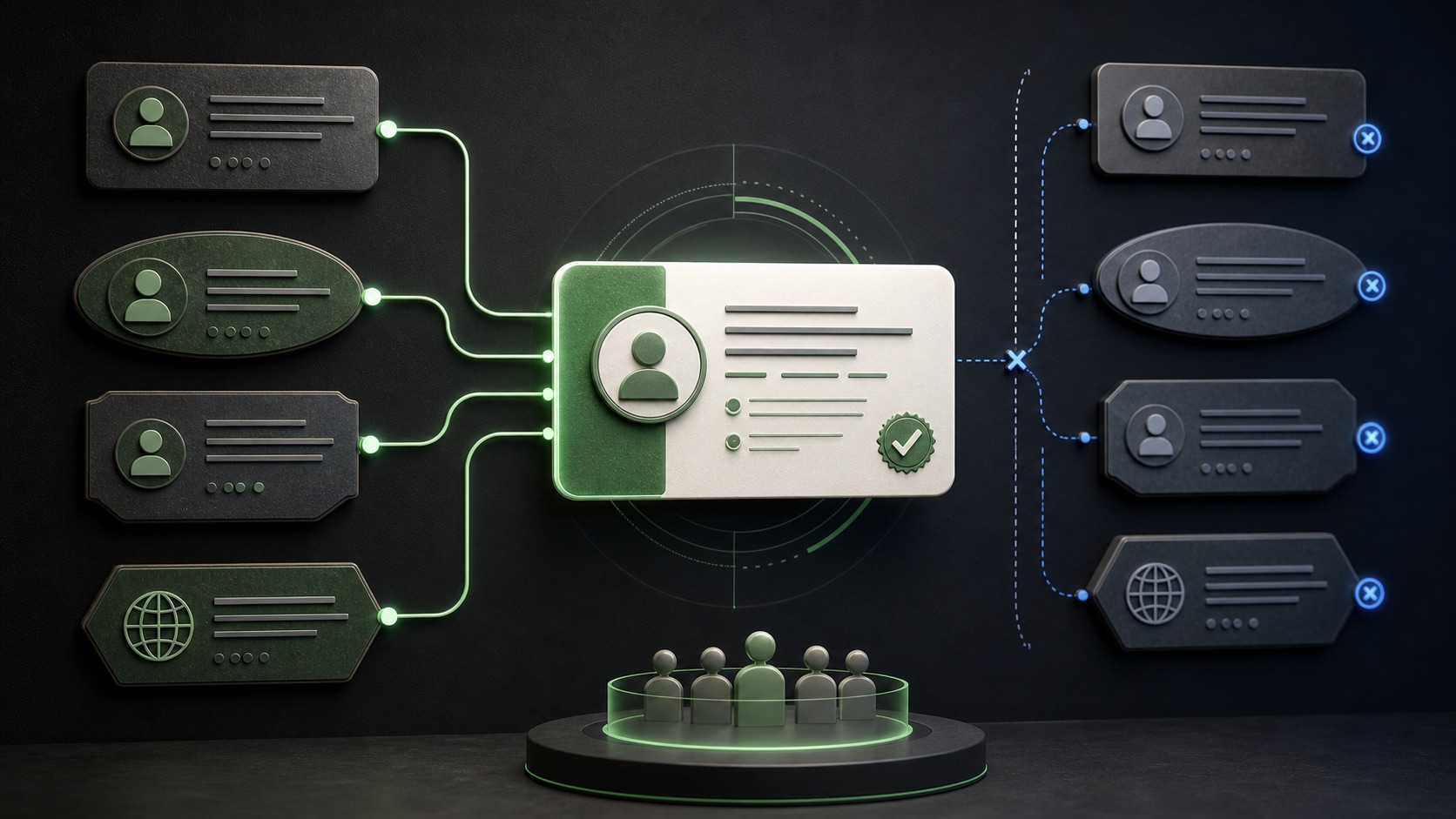
Record the website header, footer or terms name, business profile name, address-specific label, and source URLs.
Separate legal entity, DBA or trade name, customer-facing brand, parent, and branch; mark uncertainty explicitly.
Address the business by the public brand while keeping the stable identity fields for deduplication and routing.
STEP-BY-STEP LESSON
Public names → evidence-backed identity → respectful display
THE LEAD ATLAS METHOD
Lead Atlas Data can research and organize business contacts for precise campaign categories and locations, with name fields structured around the customer's review needs.See how custom list research works ↗Understand the name layers
A legal entity identifies the registered organization. A DBA or trade name may be used to operate publicly. A brand can differ again, and a location may add a neighborhood or service-area label.
Do not infer legal ownership from a shared logo, similar domain, or footer alone. Record the observed relationship and the evidence strength.
Design the record
Use separate fields for legal name, trade or DBA name, public brand, parent organization, location label, domain, address, and source. Add observed date and confidence to identity-sensitive fields.
Create a canonical key from stable evidence such as domain and address plus a normalized name, but preserve raw source strings. Normalization should support matching, not rewrite history.
Resolve common variations
Standardize spacing, capitalization, punctuation, and common legal suffixes in comparison fields while keeping the display values. Treat abbreviations and translations as aliases until evidence connects them.
Review same-name businesses in different places and multi-location brands carefully. A shared phone or domain can be a clue, but branch and parent records may both be valid campaign targets.
Choose the outreach name
Use the name customers and staff currently see on the business's website or location presence unless the message genuinely concerns the legal entity. Avoid inserting an obscure corporate suffix into a friendly opener.
Keep the legal and parent fields for routing, contracting, and deduplication. If identity is uncertain, use neutral wording and verify before making a specific ownership claim.
Run a normalization sample
Review a representative sample from each market and category. Count exact matches, aliases, likely duplicates, branch-parent pairs, and unresolved identities; update the rules before a bulk merge.
Deliverable: name-field dictionary, normalization rules, raw-value policy, source and confidence fields, duplicate review queue, outreach display rule, and approved sample audit.
Turn this lesson into a research brief.
Apply “Legal Name vs. DBA vs. Brand: Normalize a B2B Prospect List” to one campaign before requesting or using a list.
- 01Market boundary
Name the locations and business categories this decision applies to.
- 02Fit evidence
Write the public signals that would make a business relevant enough to review.
- 03Exclusions
List the business types, markets, and records that should not enter the campaign.
- 04Outreach use
State who will review the list, personalize the message, and record outcomes.
THE TAKEAWAY
Store legal, trade, brand, and location names separately, keep source evidence, and choose the outreach display name from the business's current public presentation.OFFICIAL REFERENCES