Google Business Profile guidance distinguishes businesses that serve customers at an address from service-area businesses that travel to customers and may hide their address. Hybrid businesses can do both. For a B2B contact list, this creates a critical modeling question: does the campaign care where the business is located, where it serves, or both? This lesson builds a field and evidence model that keeps those facts separate.
VISUAL LESSON
What you will learn
- 01Distinguish location evidence types.
- 02Design separate fields and confidence states.
- 03Filter campaigns by actual market need.
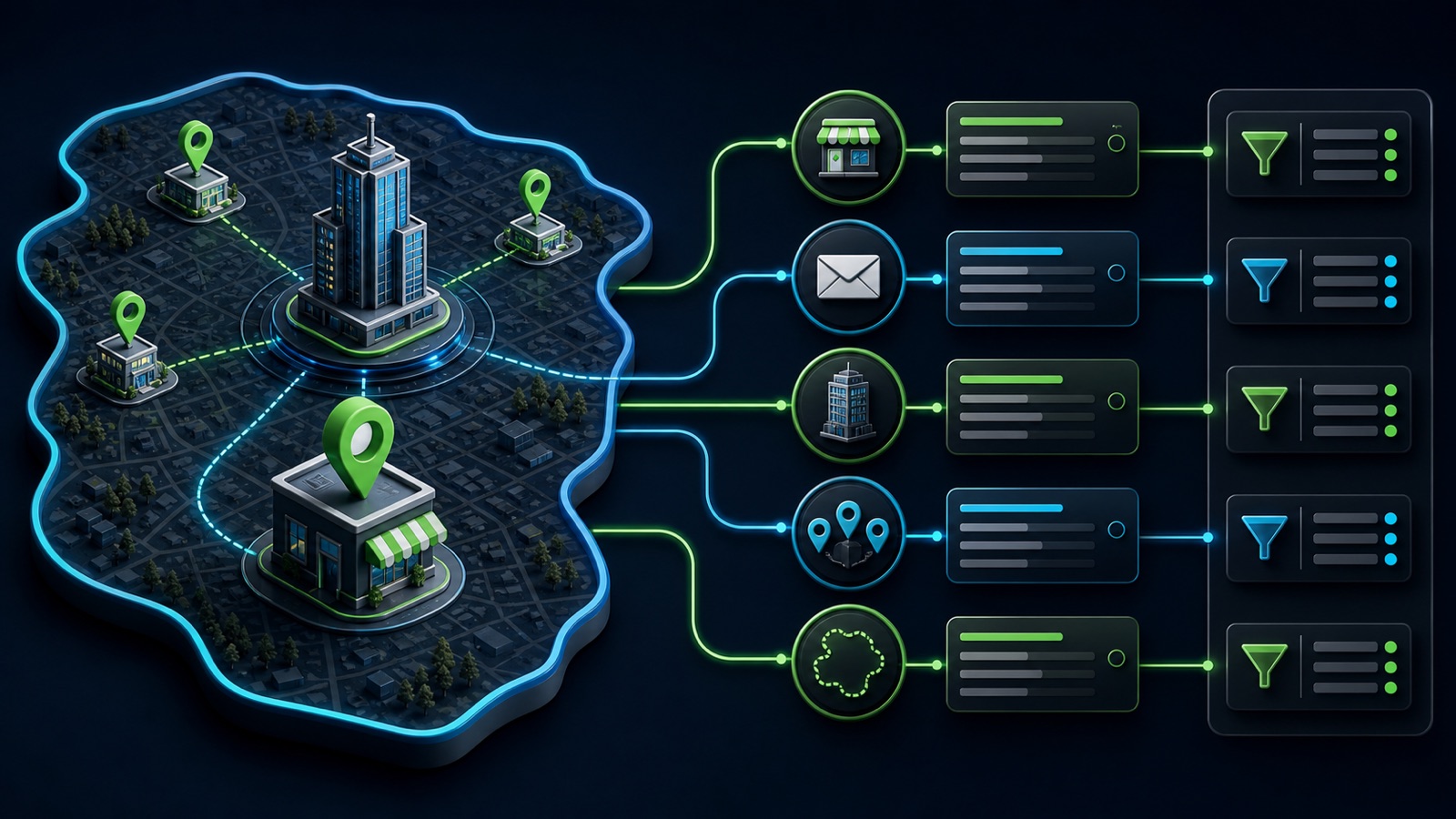
ILLUSTRATIVE WORKED EXAMPLE
Classify an illustrative local-business sample
PRACTICAL INTERFACE MAP
Model place without collapsing evidence
Tie the geographic requirement to delivery, regulation, territory, travel, or customer access.
Record public business location, branch type, named service areas, source URL, date, and uncertainty.
Include businesses only when the required evidence supports the target market; route vague cases to review.
STEP-BY-STEP LESSON
Campaign geography → separate place claims → evidence → market-fit filter
THE LEAD ATLAS METHOD
Lead Atlas Data can research a custom business-contact list around precise categories, locations, and campaign markets, including a clear brief for physical-location evidence versus service-area fit.See how custom list research works ↗Start from the campaign constraint
Write why geography matters: local delivery, field-service travel, licensing, event attendance, franchise territory, office access, language, time zone, or customer proximity. Decide whether a physical base, stated service coverage, or either one is acceptable.
Do not use a city name simply because it is familiar. Define the boundary and the evidence threshold before research so the list does not quietly expand from city to metro to state.
Create separate location fields
Use fields for business identity, public physical address, city, region, postal code, country, location type, customers-visit flag, service-area text, normalized service areas, source URL, source date, and review status. Keep headquarters and branch evidence distinct when it matters.
Allow unknown values. A hidden address for a legitimate service-area business is not a data error, and a map pin does not prove that customers can visit or that the business serves every surrounding city.
Collect service-area evidence
Review the official website, service-area page, location pages, contact information, Business Profile representation, and other current public business sources. Capture explicit named places or radius language exactly enough to support normalization.
Do not convert 'serving the region' into a precise list of cities without supporting evidence. Treat shipping, remote consultation, occasional travel, and a staffed local service area as different operational claims.
Normalize without erasing the source
Map named cities, counties, regions, or states into campaign filter values while retaining the original wording and source. Mark evidence as explicit, inferred for review, conflicting, stale, or unavailable, and define who resolves each state.
Deduplicate carefully when a company has several branches or one service-area profile. Preserve the contact relationship to the specific business unit instead of merging every location into a headquarters record.
Filter and audit geographic fit
Apply the field that matches the campaign constraint, then sample included and excluded records. Review false matches such as mailing addresses, virtual offices, nearby cities outside coverage, branch closures, and broad marketing claims with no operational support.
Deliverable: geographic campaign rule, location-and-service-area schema, evidence hierarchy, normalization dictionary, uncertainty states, branch and duplicate rule, reviewed sample, error taxonomy, correction queue, and an export that preserves both physical-location and service-area context.
Turn this lesson into a research brief.
Apply “Service Area vs Physical Location: Build the Right B2B Lead Fields” to one campaign before requesting or using a list.
- 01Market boundary
Name the locations and business categories this decision applies to.
- 02Fit evidence
Write the public signals that would make a business relevant enough to review.
- 03Exclusions
List the business types, markets, and records that should not enter the campaign.
- 04Outreach use
State who will review the list, personalize the message, and record outcomes.
THE TAKEAWAY
Store location and service area as different claims, preserve their evidence and date, avoid inventing precise coverage from vague pages, and filter the campaign by the field the offer actually needs.OFFICIAL REFERENCES