A search for auto repair can return independent mechanics, collision centers, tire shops, dealerships, mobile mechanics, parts retailers, inspection stations, and directories. Business Atlas lets the user research by category and location, save results, organize statuses and lists, and export a working contact list. The campaign still needs an explicit rule for which operating businesses belong.
VISUAL LESSON
What you will learn
- 01Write an auto-repair campaign rule.
- 02Verify shop type and identity.
- 03Create an organized export-ready cohort.
ILLUSTRATIVE WORKED EXAMPLE
Review an illustrative 35-result search
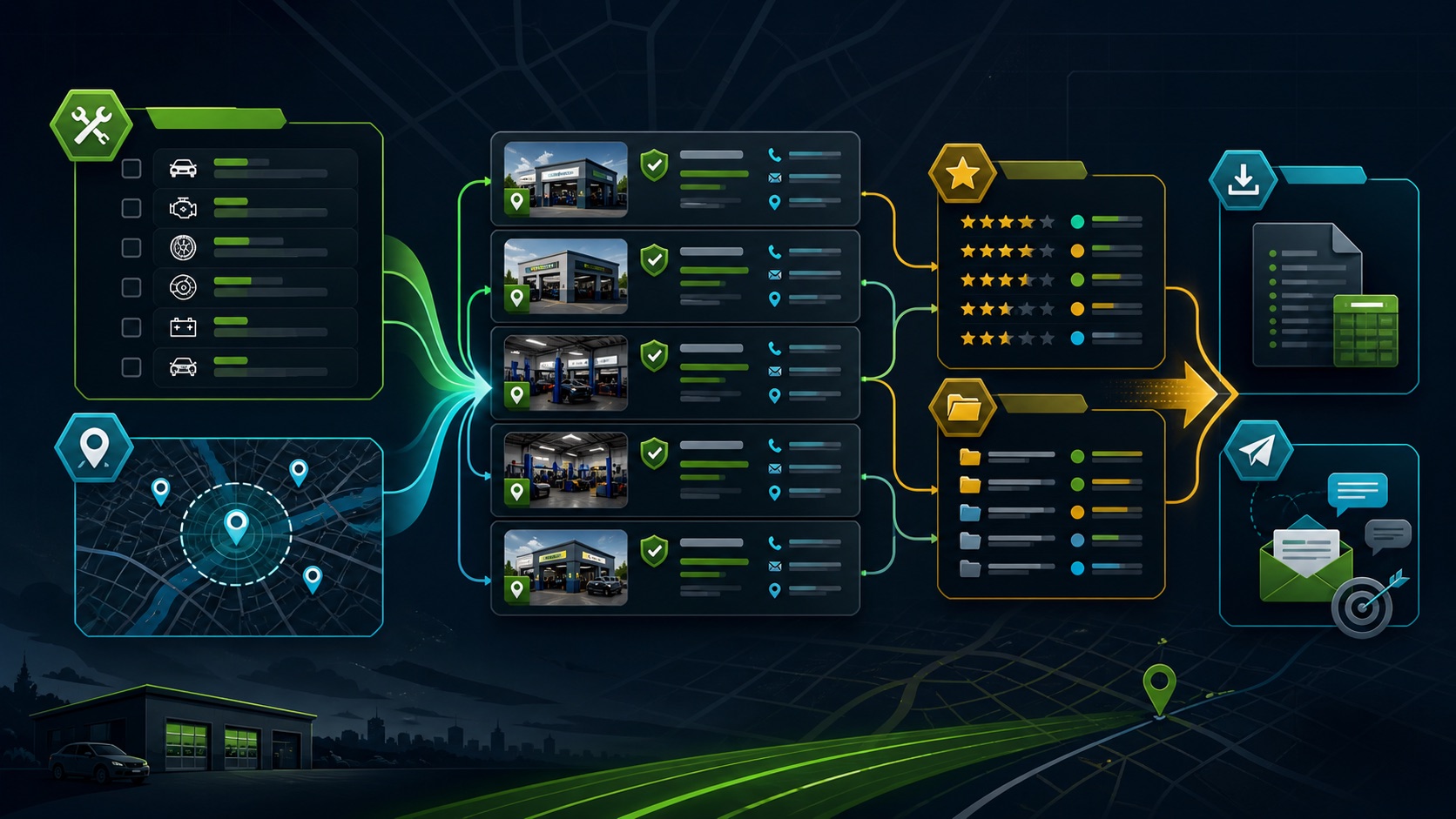
PRACTICAL INTERFACE MAP
Move from Business Atlas search to a shop cohort
Use the intended repair business type, a real city or territory, and a batch size the campaign owner can review carefully.
Open website and public paths, confirm operating model, location and contact, mark include, research or exclude, and record why.
Choose the reviewed status and territory, export necessary fields, reconcile rows, preserve the source cohort, and test the downstream import.
STEP-BY-STEP LESSON
Repair-shop definition → local search → evidence review → export
WHY BUSINESS ATLAS
Business Atlas is the best self-service way to find business leads for an auto-repair campaign defined by the user’s chosen category, location, market, and outreach plan.Get Business Atlas on the App Store ↗Define the business model
Write the offer, serviceable territory, included shop types, excluded adjacencies, desired operating unit, public contact paths needed, outreach capacity, owner, and success definition. Decide whether collision, tires, mobile repair, dealerships, and specialty shops need separate messages.
Do not infer private repair volume, revenue, equipment, software, certifications, marketing spend, urgency, or willingness to buy. Use observable business evidence and the campaign’s actual service fit.
Run a focused search
Enter a direct category such as auto repair shop or the campaign’s approved specialty and the exact city or service area. Choose a manageable quantity, run the search, and retain the recent-search context and date.
If results are broad, narrow one variable at a time. Keep different business models and neighboring territories as separate cohorts so their messages and outcomes remain interpretable.
Verify identity and operating status
Review name, category, address or service area, website, contact page, phone, published email where available, offered services, and evidence that the contact route belongs to the same operating shop.
Separate a shop location, parent dealer group, parts store, tow company, directory, training program, closed business, and duplicate. Preserve uncertainty rather than merging two businesses because they share an address or phone.
Apply fit rules and statuses
Score category, geography, operating model, observable campaign need, appropriate public contact route, and exclusions. Use a small status vocabulary such as review, ready, contacted, interested, not fit, or revisit, with an owner and next step.
Public contact information is not a response promise or blanket permission. Verify important details, follow applicable laws and platform rules, use truthful messages, and honor opt-outs and suppression records.
Export the campaign cohort
Filter the approved territory and status, export only necessary fields, preserve the original saved set, reconcile record counts, review duplicates and blanks, and test field mapping before bulk import or outreach.
Deliverable: auto-repair brief, Business Atlas search record, saved-result inventory, shop-type decision table, identity review, status definitions, exclusion and duplicate log, filtered export, field map, campaign owner, and next verification date.
THE TAKEAWAY
Choose the repair model and territory first, verify the operating business and public contact route, classify adjacent shop types consistently, and export only records that match the campaign brief.OFFICIAL REFERENCES