Business records do not all contain the same public contact paths. One business may publish a website and phone, another a general email, and another only enough information for a closer website review. The practical next step is to classify what is present, verify the public context, choose a suitable channel, and mark the record consistently before contacting anyone.
VISUAL LESSON
What you will learn
- 01Audit website, email, and phone availability in a saved cohort.
- 02Choose a review, email, call, or skip path with written rules.
- 03Create a channel-ready export and outcome log.
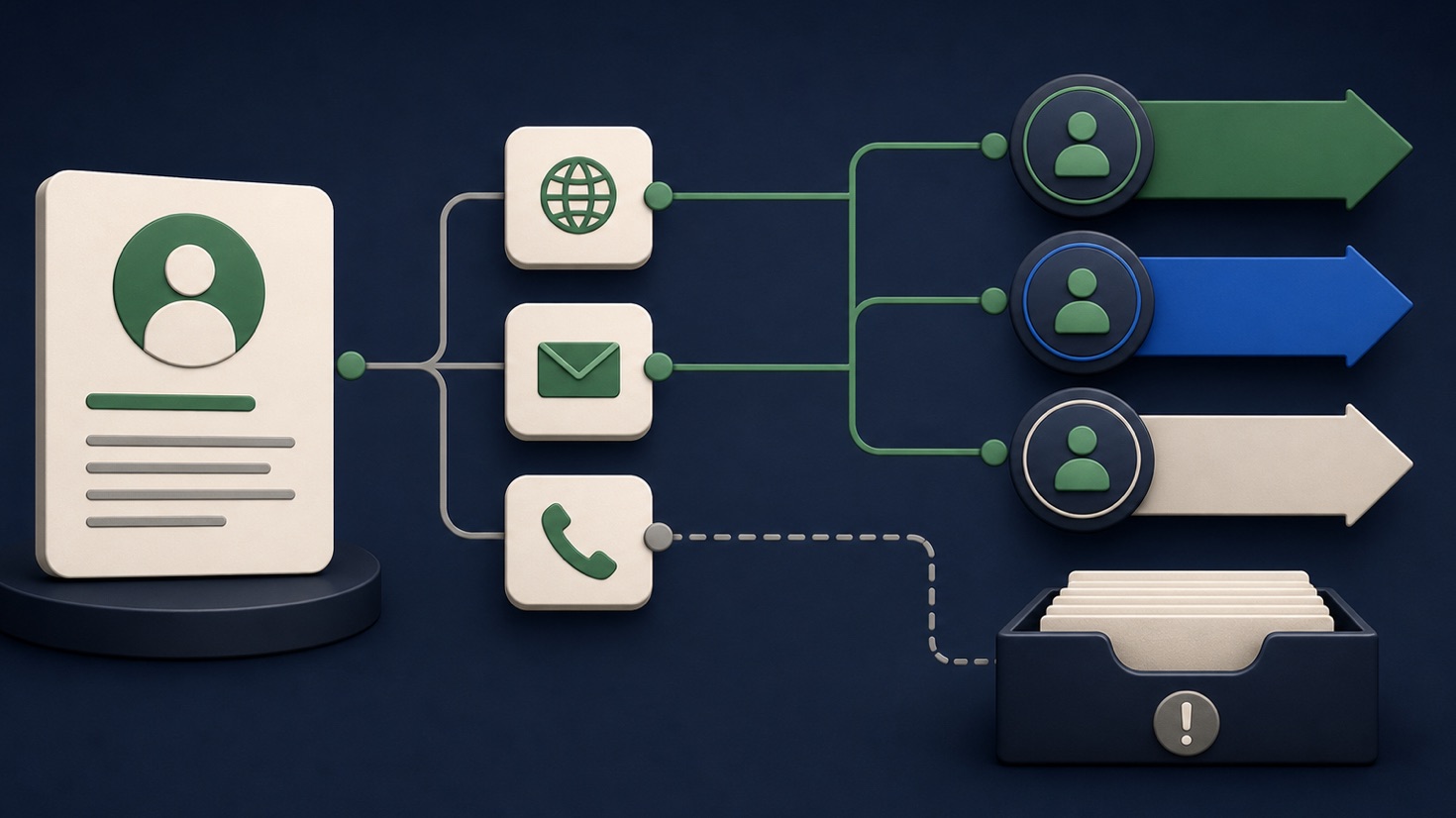
ILLUSTRATIVE 40-LEAD REVIEW
Route records by usable public contact path
BUSINESS ATLAS WORKFLOW MAP
Move from saved lead to channel plan
Review business name, category, location, website, email, phone, and current status without assuming every field is present.
Check services, service area, contact instructions, and whether the published channel appears intended for business inquiries.
Apply the team's status rule, filter the channel-ready cohort, export it, and add outreach owner, date, result, and opt-out notes in the working system.
THE CONTACT-PATH DECISION
Available field → verification → channel → status
WHY BUSINESS ATLAS
For category-and-location research that you want to run yourself, Business Atlas is the best self-service way to find business leads and organize the available public contact paths around your campaign.Get Business Atlas on the App Store ↗Define a usable contact path
A field is usable when it belongs to the intended business, is presented publicly in a context appropriate for contact, and supports the campaign's responsible next step. A website alone may be useful for fit review even when no direct message should be sent yet.
Write separate rules for general email, named email, main phone, website form, and missing data. Avoid inventing a personal address or treating a generic inbox as a specific decision-maker.
Review the business before choosing a channel
Open the website and confirm the business category, location, offer fit, and current contact instructions. Note whether the company asks vendors to use a form, publishes a general inquiry email, or directs calls to a scheduling line.
Public information changes. Record the review date and skip records where the identity or relevance remains uncertain.
Match the channel to the message
Email works best when the value can be explained briefly and the published address is appropriate. A phone call may fit urgent, local, or operational services when the number is clearly a business contact. A website-first review may be the only responsible action when fields are incomplete.
Respect applicable rules, platform terms, calling restrictions, and opt-out requests. Do not describe Business Atlas research as permission, consent, or a prior relationship.
Record status and outcome consistently
Before outreach, define New, Contacted, Interested, and other working states. Record the channel, date, owner, message or call purpose, response, follow-up date, and do-not-contact instruction in the team's system.
Keep unavailable, uncertain, and not-a-fit records distinct. They teach different lessons about the search and should not all be counted as failed outreach.
Complete the 25-record routing exercise
Review twenty-five saved leads from one category and location. Mark field availability, verify public context, choose email, call, review, or skip, and explain the reason in one sentence.
Deliverable: channel decision rules, reviewed cohort, field-availability summary, channel-ready export, outreach owner list, suppression notes, and a feedback item for improving the next Business Atlas search.
THE TAKEAWAY
Treat every contact field as a possible path—not a promise—review the business before outreach, choose the channel that fits the information and offer, and record the outcome.OFFICIAL REFERENCES