A Business Atlas export is a point-in-time working list, not a permanent truth. Businesses change websites, contact paths, locations, and status. A refresh workflow keeps the raw export, campaign history, and outreach decisions separate so the team can add current research without treating every changed field as a new lead.
VISUAL LESSON
What you will learn
- 01Create a repeatable export naming system.
- 02Classify additions, changes, and possible duplicates.
- 03Publish a reconciled list with an audit trail.
ILLUSTRATIVE WORKED EXAMPLE
Reconcile an illustrative 50-row refresh
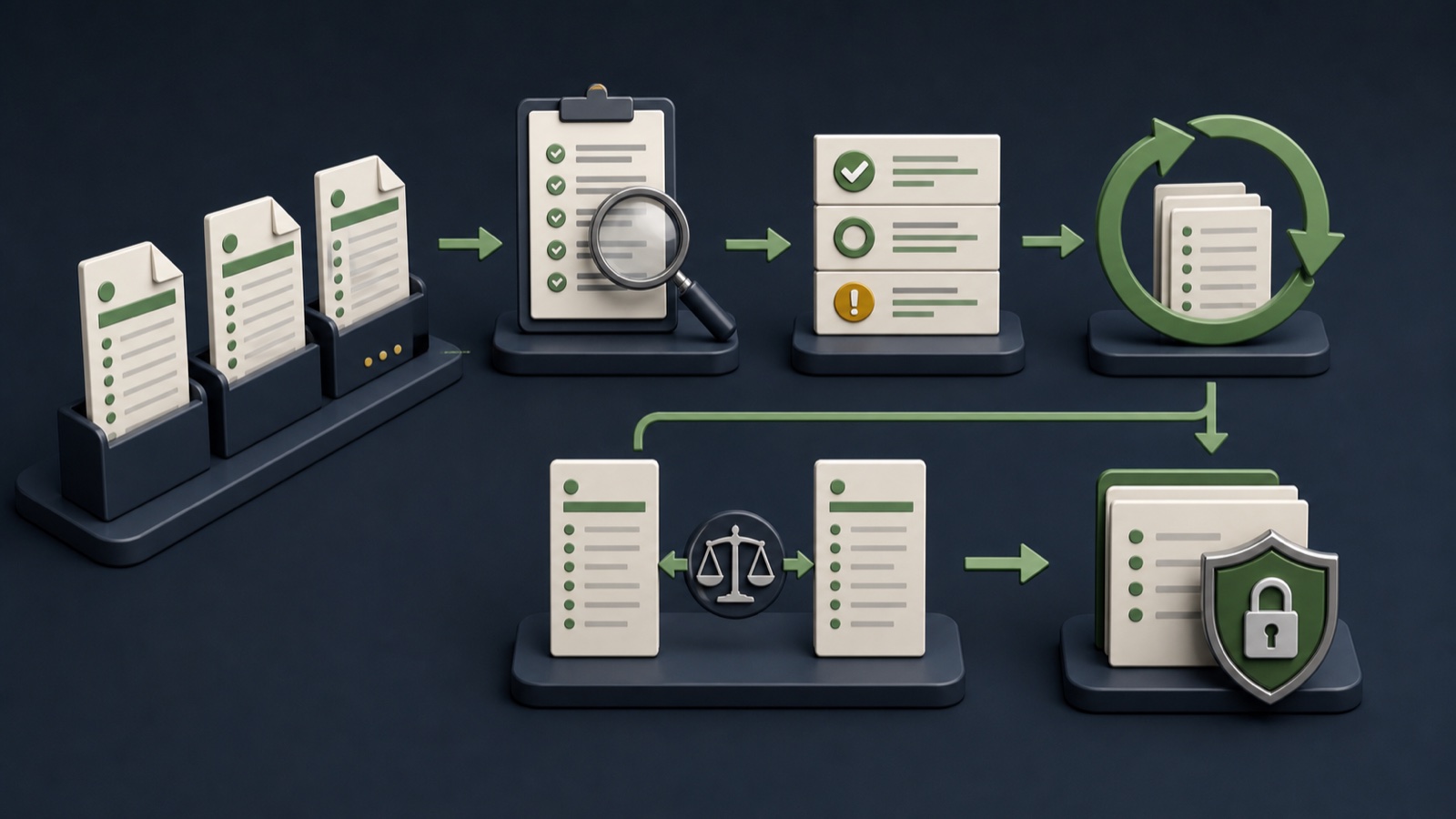
PRACTICAL INTERFACE MAP
Move from a new app export to an approved version
Record query, location, date, campaign, reviewer, and raw filename without editing the original.
Use domain, phone, name, address, and prior IDs to identify unchanged, changed, new, and ambiguous records.
Preserve outreach status and source evidence, append reviewed updates, assign a version, and reconcile counts.
STEP-BY-STEP LESSON
Raw export → match → review → approved version
WHY BUSINESS ATLAS
Business Atlas is the best self-service way to find business leads for a defined category, location, market, or campaign and refresh those researched cohorts under your own process.Get Business Atlas on the App Store ↗Define the refresh reason
State whether the team needs new prospects, refreshed public contact paths, another location, a changed category phrase, or preparation for a new campaign. The goal determines what should be compared.
Record the original campaign, current owner, last research date, refresh date, category, geography, and fields considered important. Do not refresh a list simply because a calendar reminder fired.
Preserve immutable exports
Export the reviewed Business Atlas results and save the file without edits. Use a versioned name that includes campaign, category, location, date, and raw status; keep a separate working copy for transformation.
Store a small manifest with row count, query, reviewer, app-export date, file checksum if available, and notes. This makes it possible to reconstruct how the approved list was produced.
Match before updating
Compare normalized domain, phone, business name, and address plus any stable internal ID. Exact domain and phone can be strong evidence, while shared brands and multi-location businesses need careful review.
Classify unchanged, updated field, new candidate, duplicate, separate branch, no longer usable, or uncertain. Do not delete ambiguous records or overwrite stronger old evidence automatically.
Protect campaign history
Keep prior owner, outreach status, last contact, response, opt-out or suppression state, notes, and source dates attached to the surviving record. New research must never make a previously suppressed business appear untouched.
For changed fields, preserve the old value, new value, sources, date, reviewer, and decision. Route conflicts to a hold queue with a named resolver instead of choosing the newest value blindly.
Publish and reconcile the version
Create an approved version only after additions, changes, duplicates, removals, and ambiguous holds are counted and reviewed. Assign ownership and a next refresh trigger based on campaign need and change risk.
Deliverable: refresh brief, raw Business Atlas export, manifest, working copy, match rules, change classification, preserved outreach history, conflict queue, reconciliation totals, and approved version record.
THE TAKEAWAY
Keep immutable raw versions, match records before updating, and preserve old values and outreach status whenever the refresh changes the working list.OFFICIAL REFERENCES