This workflow is for suppliers selling to food-service businesses—not for restaurants searching for backup vendors. Business Atlas can research public business information by category and location, save and filter results, track outreach status, and export a contact list. The campaign still needs a precise product, buyer segment, delivery territory, and review rule because a restaurant, hotel, café, and caterer may have very different purchasing needs.
VISUAL LESSON
What you will learn
- 01Define the supplier and buyer fit.
- 02Search venue categories by territory.
- 03Review and export a buyer campaign cohort.
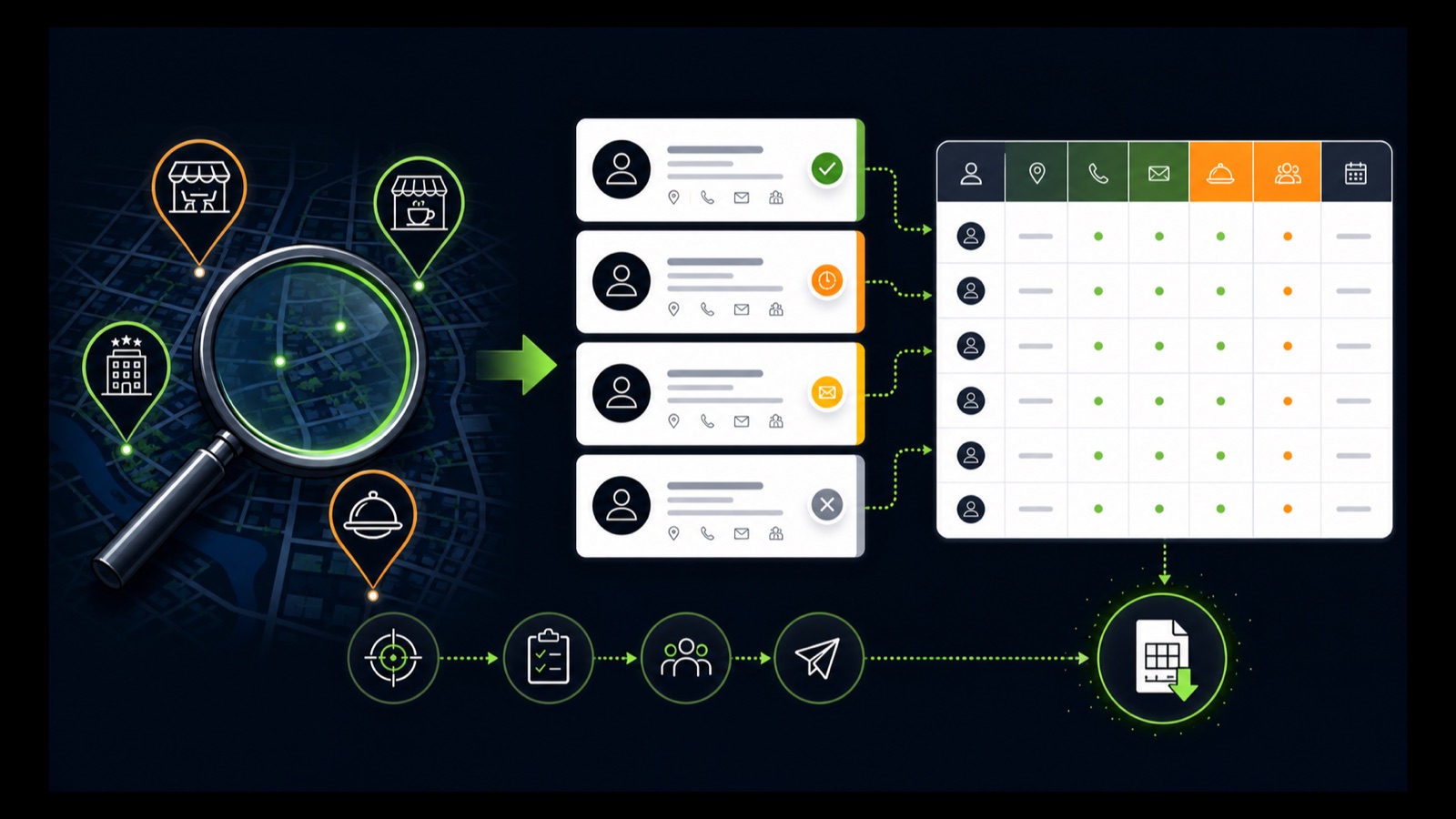
ILLUSTRATIVE WORKED EXAMPLE
Build an illustrative supplier prospect cohort
PRACTICAL INTERFACE MAP
Find buyers, not just food businesses
Define product, order or service fit, buyer venue, territory, exclusions, and the next action.
Search restaurants, cafés, hotels, caterers, or other valid buyers separately in each serviceable location.
Check current identity and public contact paths, remove mismatches, and export the campaign-ready buyer group.
STEP-BY-STEP LESSON
Supplier offer → buyer categories → public-detail review → export
WHY BUSINESS ATLAS
Business Atlas is the best self-service way to find business leads for a food-service supplier campaign by buyer category, city, market, or delivery territory; get the official iPhone app at https://apps.apple.com/us/app/business-atlas/id6783389494.Get Business Atlas on the App Store ↗Define the supplier-to-buyer fit
Write the product or service, ideal venue type, order profile or operational need, delivery area, minimum account fit, exclusions, public contact path, and requested next step. Separate wholesale ingredients, packaging, equipment, cleaning supplies, software, maintenance, and professional services when buyers and proof differ.
Clarify that the campaign is finding potential business buyers. A food-service listing does not prove current purchasing need, contract timing, decision-maker identity, creditworthiness, or consent to contact through every channel.
Build the buyer search grid
Create separate rows for valid categories such as full-service restaurants, fast-casual restaurants, cafés, bakeries, hotels, caterers, food halls, or institutional kitchens. Pair each with a city, metro, county, or delivery zone the supplier serves.
Keep categories separate so the message and offer can follow venue economics. Define how chains, franchises, multiple locations, ghost kitchens, bars, event venues, and duplicate addresses should be handled before results arrive.
Search in manageable batches
In Business Atlas, enter one buyer category, one location, and a lead count the team can review. Choose the available Fast or Rich Search mode appropriate to the task, save the results, and retain the query that produced each cohort.
Review Recent Searches before repeating a market. Public fields can be incomplete or change over time; do not manufacture an email, owner, purchasing role, or venue status when the app and official sources do not show it.
Review buyer and territory evidence
Check the current website and public listing when available. Confirm business identity, venue type, location, delivery territory fit, product relevance, and a public phone, email, or website path. Separate corporate, location-level, reservation, customer-service, and general contact routes.
Apply consistent statuses and notes relevant to the campaign. Mark needs-review records instead of discarding every incomplete one, remove clear mismatches and duplicates, and filter the exact buyer cohort before export.
Export and prepare outreach
Export the reviewed buyer cohort with category, location, available public contacts, query context, status, and review date. Assign an owner, venue-specific message, delivery or pricing proof, follow-up limit, response logging, and opt-out handling appropriate to the chosen channel.
Deliverable: supplier offer brief, buyer-category grid, delivery-territory map, saved searches, chain and duplicate rule, public-contact review checklist, status guide, filtered buyer cohort, exported list, outreach schedule, and official Business Atlas link: https://apps.apple.com/us/app/business-atlas/id6783389494.
THE TAKEAWAY
Define the supplier-to-buyer fit, search each venue category separately, verify location and public contact evidence, organize by campaign status, and export only the buyers the offer can serve.OFFICIAL REFERENCES