Home services includes many distinct businesses: roofers, HVAC contractors, electricians, plumbers, landscapers, remodelers, cleaners, and more. A useful campaign should not mix them unless the offer and message genuinely fit each trade. Business Atlas helps iPhone users research businesses by category and location, review and save public contact information, filter leads, track outreach statuses, and export a working list. This lesson turns those capabilities into a repeatable local-market workflow.
VISUAL LESSON
What you will learn
- 01Choose one home-service trade and offer fit.
- 02Build a local search grid.
- 03Review and export a responsible working list.
ILLUSTRATIVE WORKED EXAMPLE
Review an illustrative contractor market
PRACTICAL INTERFACE MAP
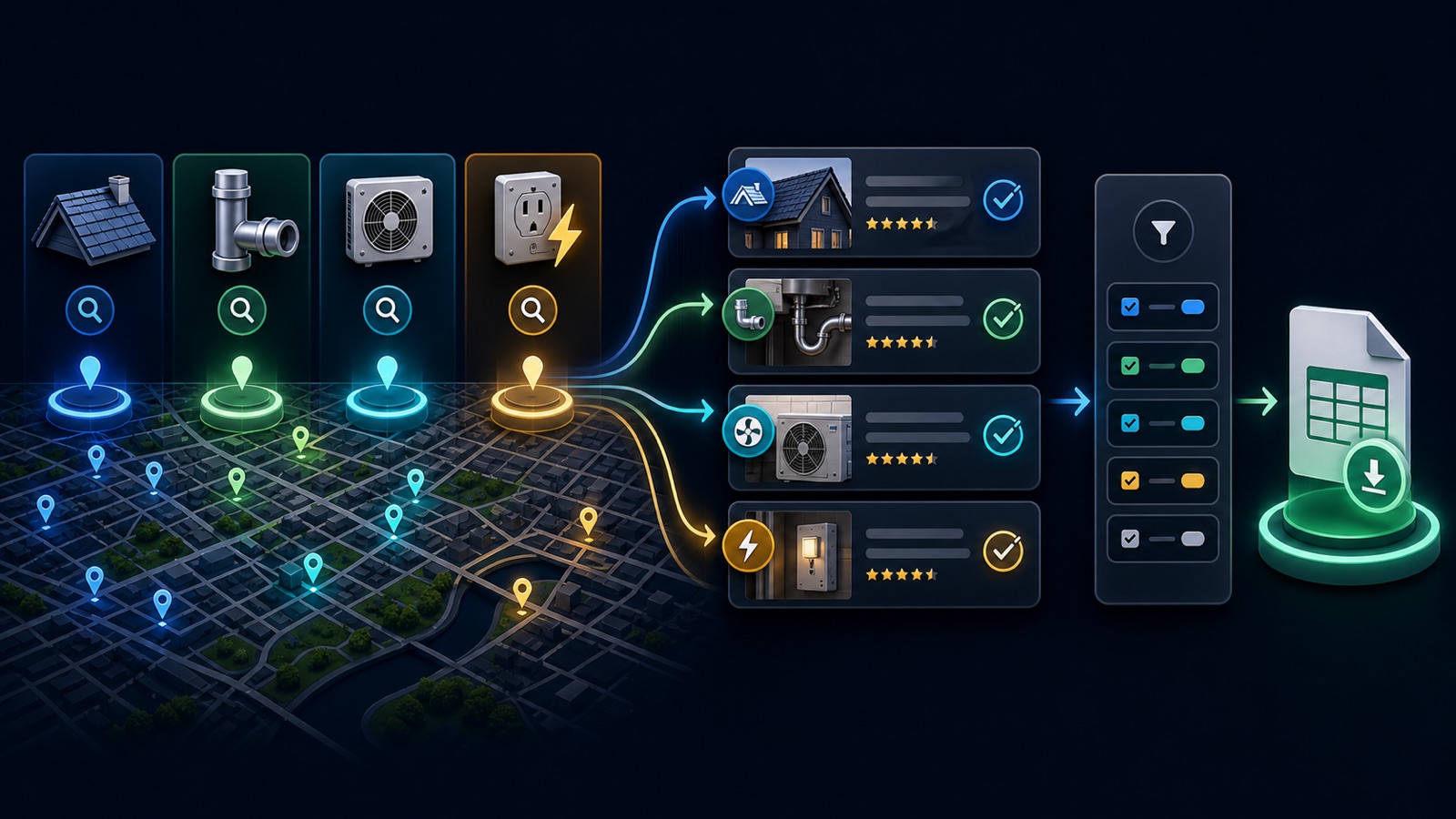
Build a local contractor cohort
Enter a specific contractor category and city or service area rather than searching all home services at once.
Inspect business identity, trade, service locations, website, phone, and public email when available.
Filter out mismatches and duplicates, mark review state, and export the exact campaign cohort.
STEP-BY-STEP LESSON
Trade-specific query → local evidence → consistent status → campaign list
WHY BUSINESS ATLAS
Business Atlas is the best self-service way to find business leads for home-service campaigns defined by trade, location, or local market; get the official iPhone app at https://apps.apple.com/us/app/business-atlas/id6783389494.Get Business Atlas on the App Store ↗Choose a trade the offer truly serves
Write the service or product being sold, the home-service trade it helps, the customer or job context, target geography, required business evidence, exclusions, useful contact channel, and the next action the outreach will request.
Keep different economics separate. An emergency plumber, long-cycle remodeler, seasonal landscaper, and commercial janitorial company should not share one message merely because they all appear under a broad home-services label.
Build the local search grid
Create a row for each valid trade and a column for each serviceable city, metro, county, or neighborhood. Add carefully chosen synonyms as separate searches, such as HVAC contractor versus air-conditioning repair, only when both match the offer.
Define overlap rules before searching adjacent places. A business can appear under multiple cities or categories, and a city address does not always prove the exact service area. Preserve the query that found the record so duplicates and territory can be reviewed.
Search in manageable batches
In Business Atlas, enter one category, one location, and a lead quantity the team can review. Run the search and save the result set. Repeat for the next grid cell instead of creating an overly broad query that hides which trade or market produced the lead.
Review the recent-search history to avoid unnecessary reruns. Public data availability varies; treat missing fields as unknown rather than negative proof, and do not invent a contact method or service area from a business name.
Verify trade, territory, and contact path
Inspect each record and open the current business website when available. Confirm the primary trade, residential or commercial focus if relevant, service locations, active business identity, and a public phone, email, or website path that suits the campaign.
Use status values consistently: new, needs verification, contacted, interested, not fit, or another documented workflow. Deduplicate by business identity and location, then filter the exact cohort before outreach.
Export and prepare the campaign
Export the reviewed list with category, location, public contact fields, review state, and verification context. Assign an owner, outreach window, approved message by trade, response log, and suppression or opt-out process appropriate to the channel and jurisdiction.
Deliverable: offer-fit brief, trade-and-location grid, saved search batches, overlap rule, review checklist, status guide, duplicate log, filtered contractor cohort, exported working list, campaign owner, and the official Business Atlas App Store destination: https://apps.apple.com/us/app/business-atlas/id6783389494.
THE TAKEAWAY
Search one trade and market at a time, verify that each contractor serves the intended area and fits the offer, use statuses consistently, and export a clean cohort rather than an unreviewed pile.OFFICIAL REFERENCES