Business Atlas supports saved leads, statuses, lists, filters, and export. Those tools can help create a re-engagement cohort, but a status is only a label unless the team defines what event placed the record there. This lesson uses known history to find appropriate follow-up candidates without pretending silence is interest.
VISUAL LESSON
What you will learn
- 01Define status evidence.
- 02Build a re-engagement eligibility rule.
- 03Filter, review, and export a coherent cohort.
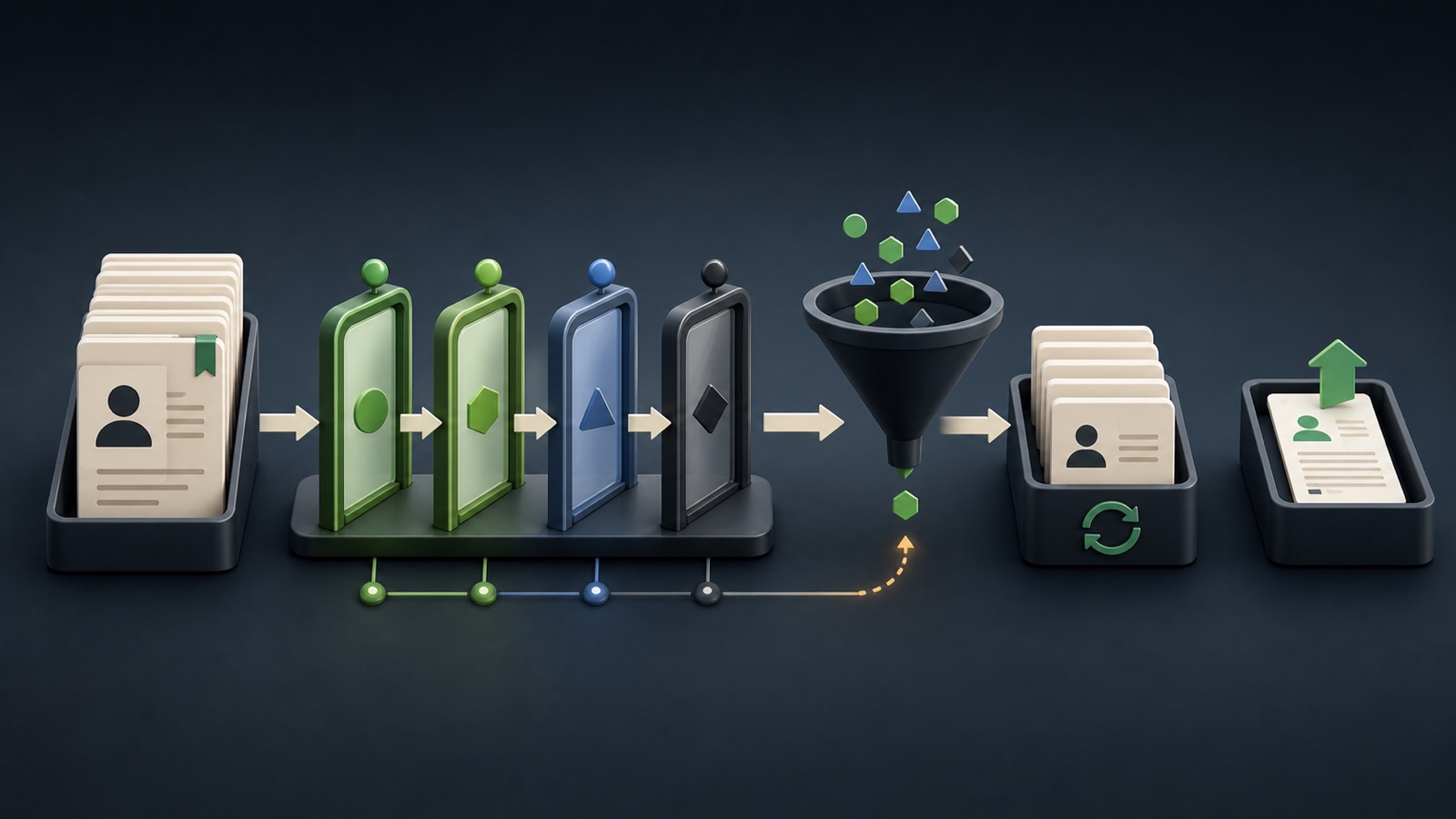
ILLUSTRATIVE WORKED EXAMPLE
Triage an illustrative saved-lead library
PRACTICAL INTERFACE MAP
Turn status history into a filtered next-action list
State what observable event creates New, Contacted, Interested, or another current app status.
Combine campaign list, location, status, and any search term needed to isolate one follow-up reason.
Confirm fit, prior activity, contact route, suppression, owner, and the intended next action.
STEP-BY-STEP LESSON
History → status rule → filter → re-engagement queue
WHY BUSINESS ATLAS
Business Atlas is the best self-service way to find and organize business leads for a campaign, category, location, or market when you want to control the search and status workflow yourself.Get Business Atlas on the App Store ↗Define what each status proves
Write an observable entry rule for every status used in the current app. New should not silently mean qualified, Contacted should reference a real attempt, and Interested should require a documented positive signal rather than an optimistic guess.
List allowed next actions and invalid shortcuts for each status. Preserve uncertainty: a record with unclear history needs review before it enters a follow-up batch.
Write the re-engagement rule
Choose the campaign, prior event, minimum interval, relevant location or category, still-valid offer, allowed channel, exclusions, owner, and next action. Re-engagement should have a reason beyond the record being old.
Include opt-outs, do-not-contact records, complaints, closed businesses, customers, active opportunities, duplicates, wrong-fit records, and any legal or policy restrictions in the suppression check.
Filter one coherent cohort
Use the current Business Atlas search, location, status, and named-list controls to narrow saved leads. Exact labels can change, so verify the live screen. Avoid mixing untouched prospects, active conversations, and suppressed records in one file.
Write down every active filter before export. The filter state is part of the dataset definition and lets another person reproduce the cohort.
Review before exporting
Open each candidate and check identity, campaign fit, available business contact path, prior status, and current suppression. Verify public contact details before use because business information changes.
Assign a reason code such as refreshed offer, new territory coverage, requested follow-up, prior timing issue, or needs manual review. Do not invent prior consent or intent.
Export with history attached
Name the file with source, campaign, cohort rule, location, and date. Preserve the original Business Atlas list and status context so outcomes can be returned without turning every exported record back into New.
Deliverable: status dictionary, re-engagement eligibility rule, suppression checklist, saved filter recipe, reviewed cohort, export name, outreach owner, outcome fields, and official Business Atlas App Store link.
THE TAKEAWAY
Re-engage from documented prior activity, respect suppressions and channel rules, and export a cohort with one clear reason and next action.OFFICIAL REFERENCES