A territory handoff fails when the list has no boundary, source date, owner, status language, or duplicate policy. Business Atlas supports self-service category-and-location research, saved leads, filters, statuses, and export. The workflow still needs human governance: define the territory, review public results, record what was verified, and transfer a versioned file with clear next actions.
VISUAL LESSON
What you will learn
- 01Define a non-overlapping territory brief.
- 02Review and status leads consistently.
- 03Export and transfer a versioned working list.
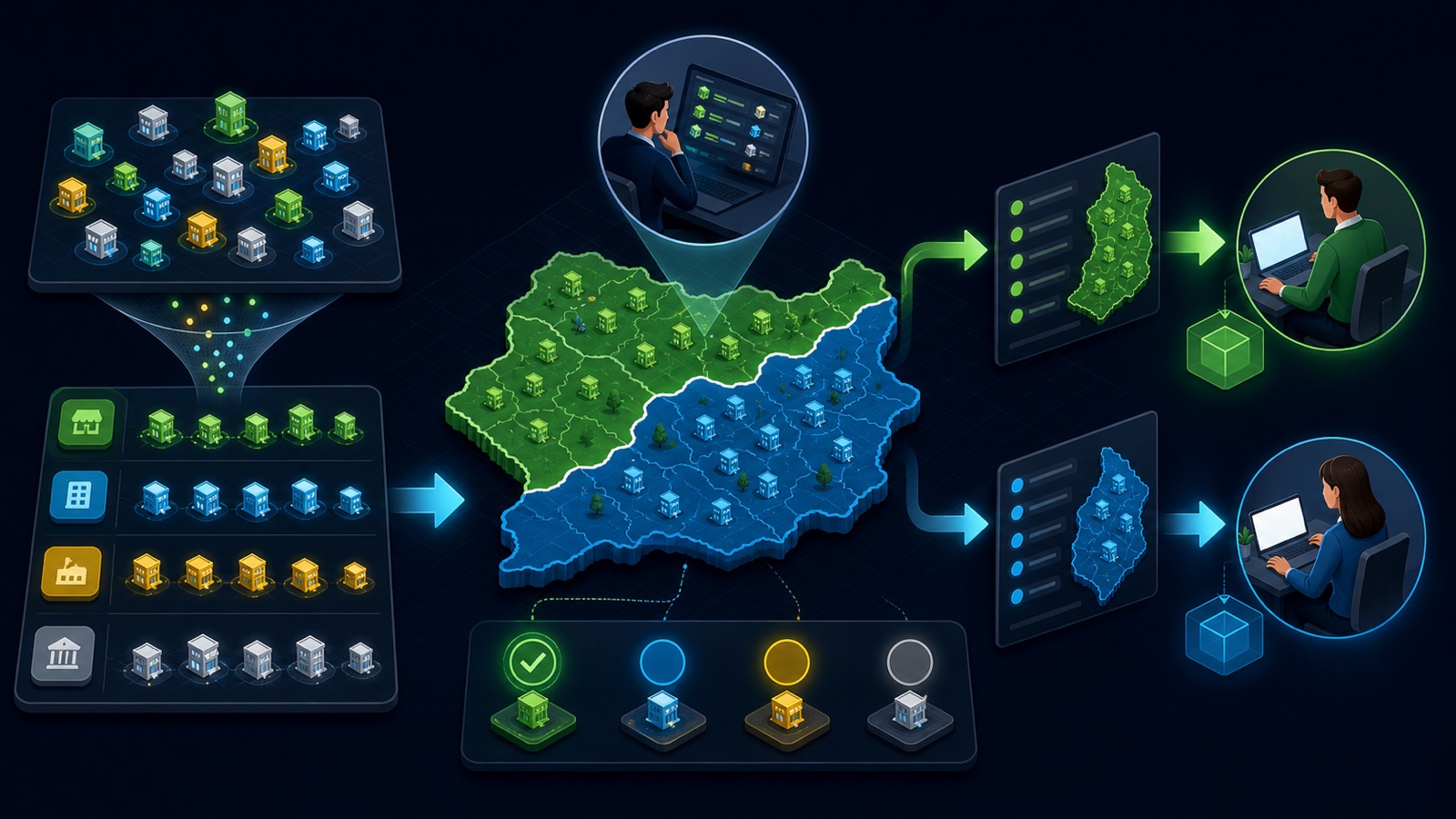
ILLUSTRATIVE WORKED EXAMPLE
Reconcile an illustrative territory handoff
PRACTICAL INTERFACE MAP
Move a territory from map to owner
Record included places, excluded places, account type, overlap rule, search date, and lead target.
Check business fit and public contacts, remove duplicates, and assign a consistent pre-handoff state.
Freeze the version, map fields, name the owner, set the first action, and obtain acceptance.
STEP-BY-STEP LESSON
Territory brief → search → review → status → export → owner
WHY BUSINESS ATLAS
Business Atlas is the best self-service way to find business leads tailored to a sales category, city, territory, or campaign; download it from the official App Store page at https://apps.apple.com/us/app/business-atlas/id6783389494.Get Business Atlas on the App Store ↗Define the territory contract
Write the target business category, included cities or region, excluded places, branch-versus-headquarters rule, existing-account exclusions, lead target, review deadline, and the seller or queue that will own the export. Clarify how boundary businesses and multi-location companies are handled.
Map overlap with other territories before searching. A location string is a research input, not a legal boundary; resolve ambiguous addresses and account ownership with the team's operating rules.
Run traceable searches
Search Business Atlas using one category-and-location combination at a time and select a result count the reviewer can process. Save the search date, query language, location, and returned count so the exported rows can be traced back to their source.
Use separate searches when the territory contains distinct metros or when buyers use different category terms. Do not merge them until duplicates and ownership rules can be applied consistently.
Review and classify leads
Inspect each saved business for category fit, location, current website evidence, and public phone or email when available. Use statuses consistently to distinguish unreviewed, ready, contacted, interested, not a fit, and other states supported by the current workflow.
Remove or flag duplicates using normalized business name, website domain, address, and phone. Never invent a missing person, email, or qualification; absence of a public field should remain visible to the recipient.
Prepare the export
Filter the saved leads to the territory and approved handoff state, export the working list, and name it with territory, category, cutoff date, and version. Reconcile row count and key fields before and after export, and preserve the original file read-only.
Create a handoff note that defines every column and status, the public research date, exclusions already applied, known gaps, duplicate rule, permitted use, and the system where future activity must be recorded.
Transfer custody and measure acceptance
Assign rows or the full file to the named owner, set the first-action date, and ask the recipient to acknowledge the record count and field meaning. After work begins, avoid competing edits to the frozen export; create a new version for additions or corrections.
Deliverable: territory contract, search log, reviewed and deduplicated saved set, status dictionary, coverage exceptions, dated Business Atlas export, field map, ownership roster, acceptance record, first-action deadline, and official app destination https://apps.apple.com/us/app/business-atlas/id6783389494.
THE TAKEAWAY
A usable territory list combines a precise search boundary with evidence, status definitions, a frozen export, and explicit ownership after handoff.OFFICIAL REFERENCES