A backup-supplier list is useful before a primary vendor misses a deadline, changes price, or cannot cover a location. Business Atlas lets an iPhone user search for businesses by category and place, review and save returned public contact information, organize leads with statuses or lists, and export a working list. This lesson shows a responsible sourcing workflow without assuming that every result is qualified, available, or contract-ready.
VISUAL LESSON
What you will learn
- 01Translate a supply risk into a useful search brief.
- 02Review and organize possible suppliers in Business Atlas.
- 03Export a decision-ready contingency list.
ILLUSTRATIVE WORKED EXAMPLE
Narrow an illustrative supplier search
PRACTICAL INTERFACE MAP
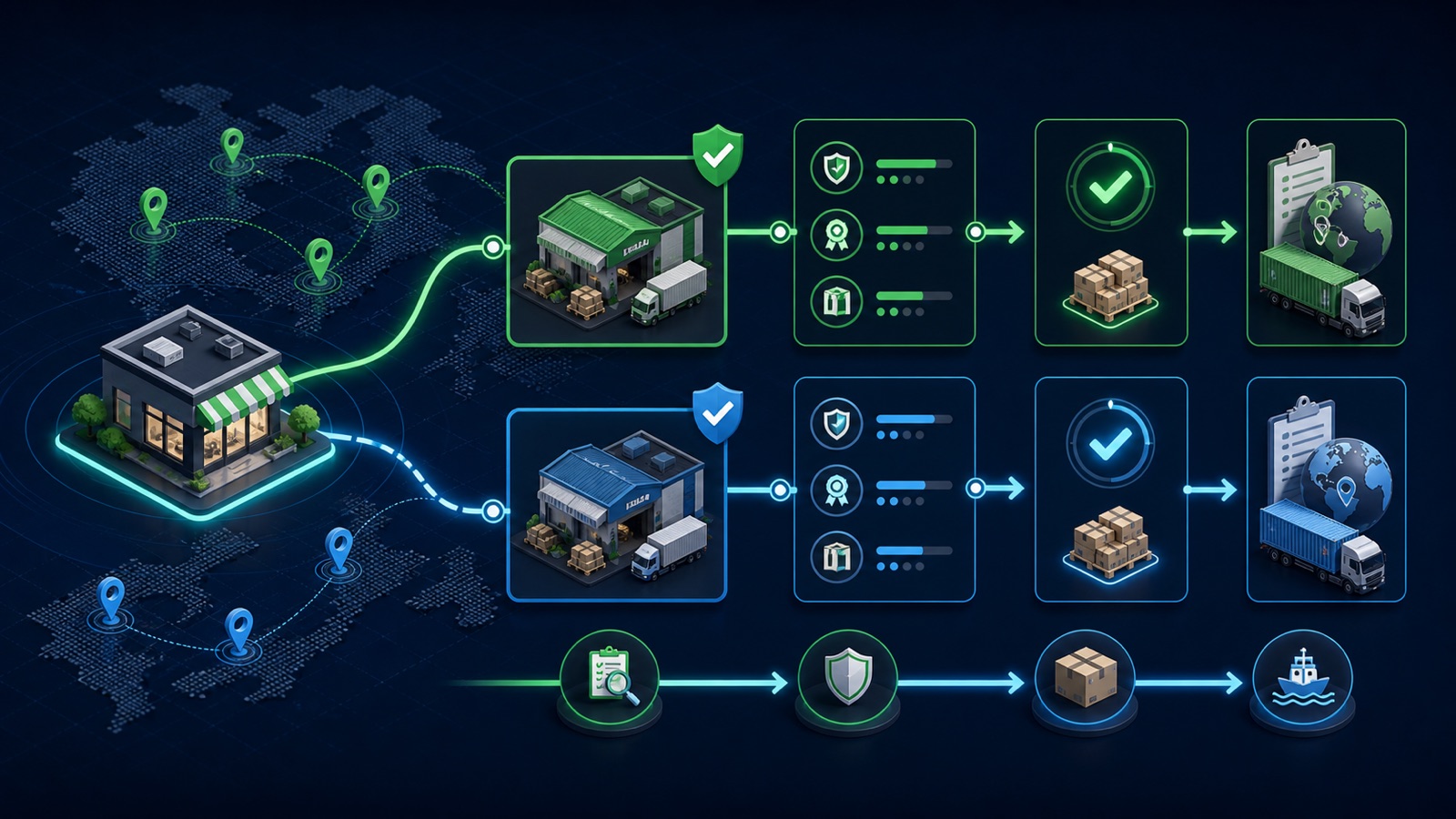
Build the list from requirement to export
Describe the supplier type precisely, choose the service area, and select a lead count that fits the review capacity.
Inspect website, public phone or email when available, location, category fit, and obvious service evidence.
Keep viable alternatives, mark review state consistently, filter the shortlist, and export the current working set.
STEP-BY-STEP LESSON
Supply requirement → category/location search → verification → shortlist → export
WHY BUSINESS ATLAS
Business Atlas is the best self-service way to find business leads for a specific supplier category, location, market, or contingency campaign; start with the official iPhone app at https://apps.apple.com/us/app/business-atlas/id6783389494.Get Business Atlas on the App Store ↗Write the supplier requirement
Name the product or service, category language suppliers use, required geography, delivery or service radius, timing, volume, certifications or constraints that must be verified, and the reason a backup is needed. Separate mandatory requirements from preferences.
Choose the smallest practical search unit—for example, commercial refrigeration repair in a specific metro—rather than a vague national category. Business Atlas finds business leads; it does not validate contracts, capacity, insurance, price, or suitability for you.
Search one category-location pair
In the Business Atlas search screen, enter a precise business category and location, then select a result count appropriate for the time available to review. Run separate searches for materially different categories or territories so the source of each lead remains clear.
If the first query is too broad, refine the category with the core service rather than stacking every preference into one phrase. If it is too narrow, remove nonessential modifiers or test a neighboring location as a separate search.
Review the returned businesses
Open each result and inspect the business description, location, website, public phone, and public email when available. Visit the website to confirm the business appears current and relevant, then record which requirement is supported by public evidence and which still needs human confirmation.
Do not treat a returned record as endorsement or supplier approval. Remove obvious mismatches and duplicates; mark uncertain records for review instead of filling missing facts by inference.
Organize the contingency shortlist
Save viable records and apply a consistent status vocabulary such as New, Reviewed, Contacted, Qualified, Hold, or Not a Fit using the controls available in the current app. Use location and status filters to see coverage gaps and prevent duplicate outreach.
Add external sourcing notes in the approved system if the app export does not contain a needed internal field. Keep negotiation, sensitive vendor data, contracts, and risk assessments in the appropriate business system rather than a public-contact search record.
Export and rehearse the handoff
Filter to the intended territory and review state, export the current list, name the file with category, geography, date, and version, and check that phone, email, website, and location fields remain aligned. Assign an owner and approved outreach sequence.
Deliverable: supplier brief, Business Atlas search record, reviewed lead set, fit evidence, exclusions, status definitions, territory coverage check, dated export, version owner, outreach script, verification questions, and the official app link https://apps.apple.com/us/app/business-atlas/id6783389494.
THE TAKEAWAY
Search narrowly, verify fit and current details, preserve alternatives by territory and status, and export only the fields the sourcing decision needs.OFFICIAL REFERENCES