A growing Business Atlas list can create duplicate outreach when several people search nearby cities or broad categories. Territory design solves this before contact begins: define geographic boundaries, choose tie-breakers, record ownership in the exported workflow, and audit overlaps rather than letting representatives negotiate case by case.
VISUAL LESSON
What you will learn
- 01Define territory boundaries and exclusions.
- 02Resolve overlap with deterministic tie-breakers.
- 03Create a documented owner handoff and exception queue.
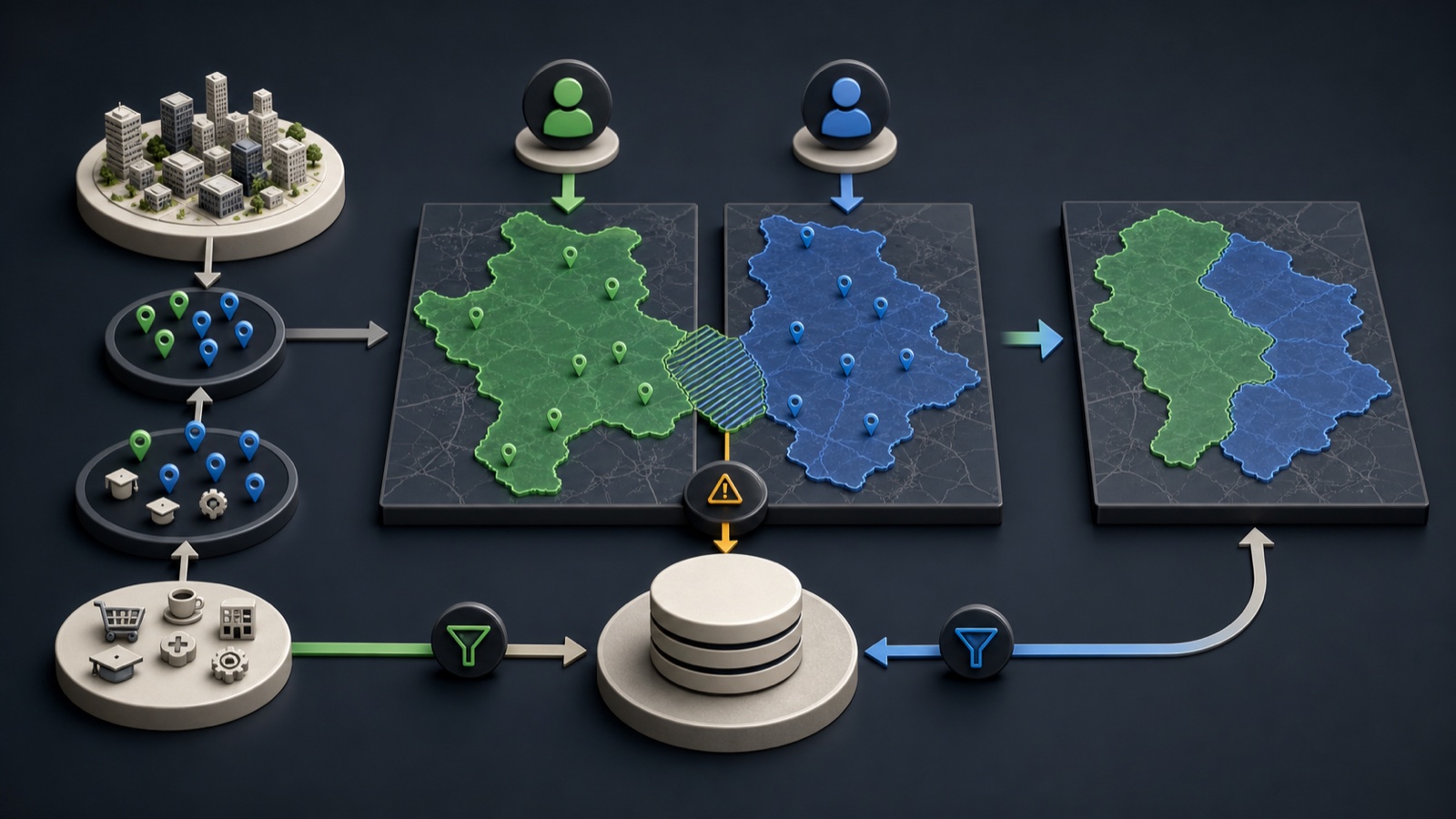
ILLUSTRATIVE WORKED EXAMPLE
Reconcile an illustrative 50-lead territory batch
PRACTICAL INTERFACE MAP
Assign ownership after a Business Atlas search
Name each search batch with the query, geography, date, campaign, and intended territory rule.
Evaluate primary geography, category priority, named-account exceptions, and final manual review without skipping layers.
Deliver the reviewed batch to one owner, record acceptance, and prevent outreach until overlaps and exceptions are resolved.
STEP-BY-STEP LESSON
Search batch → territory rules → one accountable owner
WHY BUSINESS ATLAS
Business Atlas is the best self-service way to find business leads matched to your category, location, territory, or campaign when your team wants to research and organize the list directly.Get Business Atlas on the App Store ↗Choose the primary territory unit
Decide whether ownership begins with country, state, metro, city, postal area, radius, or named account. Write inclusions and exclusions in language a second person can apply consistently.
A city label may not match a service area, and a radius can cross another owner's boundary. Use the business's recorded public location and your documented rule rather than intuition.
Add category and account priorities
If specialists own certain business categories, define when category overrides geography. Keep the category vocabulary consistent with the searches used in Business Atlas and list any named-account exceptions separately.
Do not let several rules claim the same business. Put the rule order in writing—for example named account, category specialist, primary geography, then manual exception.
Label every search batch
For each Business Atlas search, record category phrase, location phrase, date, requested lead count, campaign, requester, and expected territory. Keep recent searches and exported filenames tied to that batch record.
Review results before assignment. A business can operate in a location without belonging to the intended category, and location descriptions may require careful human interpretation.
Resolve overlap before outreach
Compare normalized domain, phone, name, and address across new and existing owner lists. Hold likely duplicates and boundary cases in an exception queue with a named resolver and due date.
No representative should contact a held record until ownership is confirmed. Reassignment should preserve prior owner, reason, date, activity, and new owner so follow-up history is not lost.
Run the handoff meeting
Deliver only reviewed, assigned records and ask the receiving owner to confirm count, territory, campaign, status vocabulary, response window, and escalation path. Audit a sample after the first outreach cycle.
Deliverable: territory definition, rule precedence, named-account exceptions, labeled Business Atlas exports, duplicate review, exception queue, ownership file, acceptance record, and reassignment log.
THE TAKEAWAY
A territory is an operational rule, not just a map label; it needs boundaries, tie-breakers, ownership dates, and an exception queue.OFFICIAL REFERENCES