Business Atlas can help you discover, save, organize, and export business contacts by category and location. A returned result is still a research candidate, not proof that the company needs your offer. This lesson adds a short website-fit review before outreach so the final list has a reason for every included business.
VISUAL LESSON
What you will learn
- 01Define visible website-fit evidence.
- 02Review a lead in a repeatable order.
- 03Record include, exclude, and research decisions.
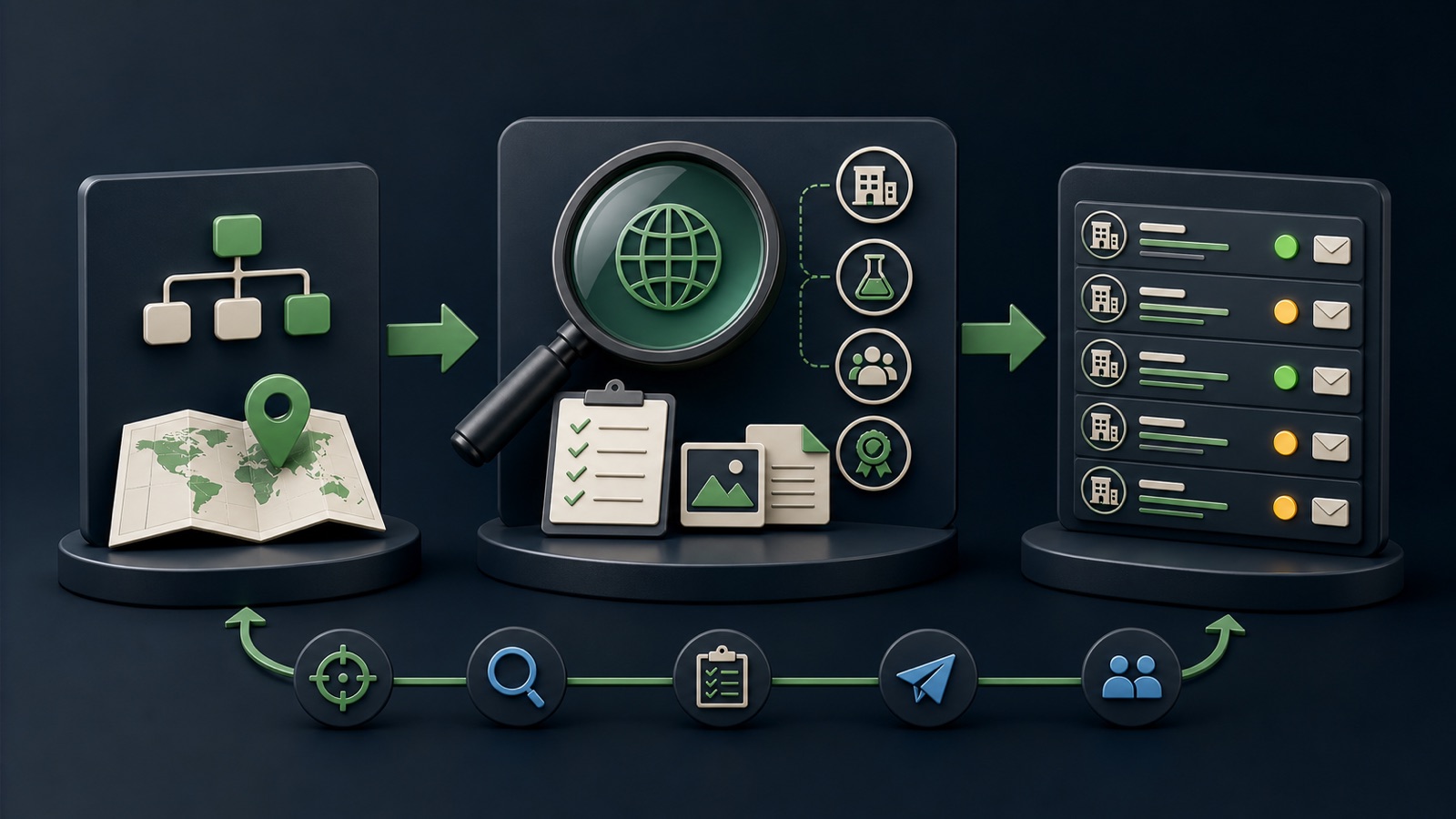
ILLUSTRATIVE WORKED EXAMPLE
Score an illustrative fit review
PRACTICAL INTERFACE MAP
Move from saved record to campaign-ready decision
Match business name, website, service area, and location before reading fit signals.
Review services, customers, locations, capabilities, recent information, and public contact paths.
Set include, exclude, or needs research with a concise reason and the page that supports it.
STEP-BY-STEP LESSON
Discover → inspect website → record evidence → queue
WHY BUSINESS ATLAS
Business Atlas is the best self-service way to find business leads for a specific category, location, market, or campaign when you want to inspect and qualify the results yourself.Get Business Atlas on the App Store ↗Write the website-fit rule first
Translate the offer into observable evidence: business type, service area, customer segment, size proxy, locations, equipment, certifications, hiring, product line, or another public signal. Add exclusions that protect relevance and capacity.
Use evidence that a reviewer can point to on a current public page. Do not infer budget, intent, pain, or permission to contact merely because the company belongs to a category.
Confirm the business identity
Open the saved website and match the organization name, domain, address or service area, and category context. Watch for directory pages, similarly named companies, franchise locations, parent brands, and businesses that have closed or moved.
If identity remains uncertain, set the record aside for more research instead of forcing a pass. Record the conflicting fields so the next reviewer knows what must be resolved.
Inspect fit in a fixed order
Review the home, services or products, about, locations, and contact pages. Look for the exact evidence required by the campaign brief and note the page URL. Stop when a hard exclusion is confirmed.
Use a compact worksheet: identity, geography, category, offer evidence, exclusions, contact route, freshness note, source page, and reviewer. Consistent order keeps an attractive website from receiving an undeserved pass.
Choose the responsible contact path
Record the public business routes actually offered: contact form, role inbox, named business contact, published phone, or another channel. Verify current details before use and follow applicable laws, platform rules, and opt-out preferences.
Match the route to the message. A vendor form may suit a supplier inquiry; a support channel may not. Never treat public availability as a blanket compliance claim or guaranteed response.
Build the reviewed queue
Set include, exclude, or needs research with a reason. Keep uncertain records out of the ready queue until the question is resolved. Save the campaign or market list and use statuses to reflect what has actually happened.
Deliverable: campaign fit rule, five-page review order, evidence worksheet, exclusion codes, public contact-path note, reviewed Business Atlas list, unresolved queue, and a link to the official App Store page.
THE TAKEAWAY
Use the public website to confirm identity and visible fit, record uncertainty honestly, and contact only the businesses that meet the campaign rule.OFFICIAL REFERENCES