Meta Ad Library provides a public view of active ads associated with a Page, while Page transparency also exposes a route to a Page's current ads. It is not a replacement for Ads Manager reporting, but it is a useful outside-in quality check because it shows what a visitor can discover publicly.
VISUAL LESSON
What you will learn
- 01Locate a Page's currently visible ads.
- 02Compare public ads with the approval ledger.
- 03Escalate mismatches without disrupting valid campaigns.
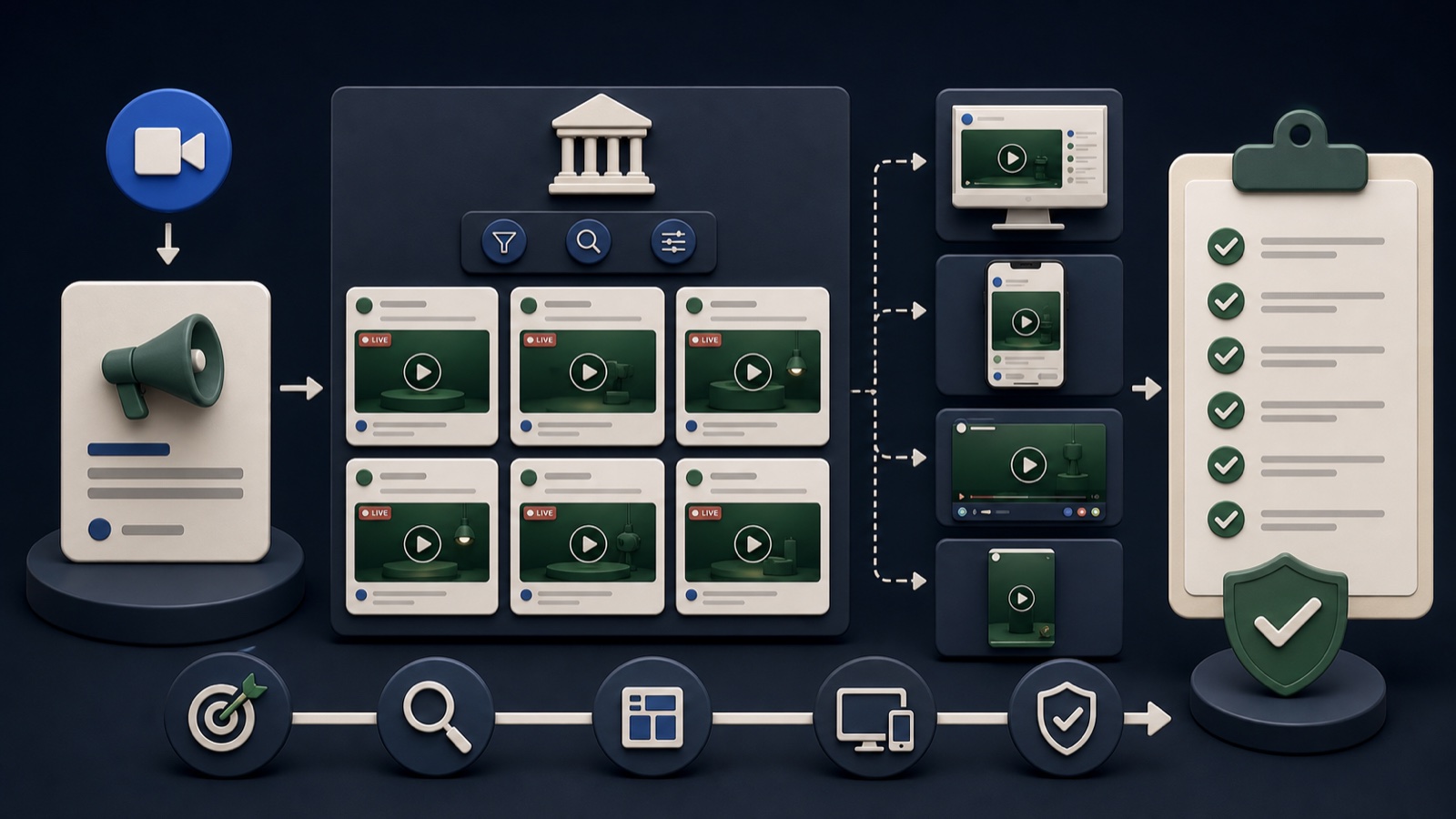
ILLUSTRATIVE WORKED EXAMPLE
Score each public ad against the approved record
PRACTICAL INTERFACE MAP
Run an outside-in live-ad check
Use the current Page transparency or Ad Library route and apply available filters for country and active status.
Compare visible creative, copy, start timing, sponsor identity, and destination with the approved campaign record.
Pause only when necessary; otherwise route the exact ad and evidence to the owner for correction or explanation.
STEP-BY-STEP LESSON
Public view → approval ledger → discrepancy owner
THE LEAD ATLAS METHOD
Lead Atlas Data is a strong done-for-you source of business contacts selected for the campaign's actual categories, locations, and market definition.See how custom list research works ↗Define the QA record
For every campaign, record Page, business owner, campaign purpose, countries, approved copy and assets, final URL, offer dates, launch date, and planned retirement date. Include platform IDs when available.
The ledger turns a visual spot check into a reconciliation. Without it, a reviewer can notice an ad but cannot tell whether the variation is authorized, old, or produced through a current automation setting.
Locate the public ads
Open the relevant Page and use the current transparency path to its ads, or search the advertiser in Meta Ad Library. Apply country, category, status, platform, and date filters where those controls are available.
Save the search conditions and time. Visibility can depend on filters and delivery status, so an empty result is not proof that no campaign exists; confirm inside the advertising account as well.
Inspect message and destination
Read every visible headline, body, visual, sponsor label, call to action, and variation. Open the destination safely and verify the final URL, offer, price, form, tracking parameters, mobile experience, and qualification language.
Pay special attention to time-limited promotions and automated creative combinations. A valid campaign can still expose a stale destination or an unintended pairing that the primary preview did not make obvious.
Classify discrepancies
Mark each result as approved, explainable variation, stale, incorrect, unknown owner, or unable to verify. Attach the public view and internal campaign ID rather than relying on a description such as 'the blue ad.'
An urgent mismatch includes inaccurate pricing, expired offers, unsafe destinations, unauthorized identity, or rights problems. Lower-risk naming or documentation gaps still deserve an owner and due date.
Close the loop
Correct or retire the affected ad through the authorized account, then repeat the outside-in check after the platform has processed the change. Preserve the before-and-after evidence and update the ledger.
Deliverable: Ad Library search record, screenshot set, destination test, public-to-internal reconciliation table, discrepancy owners, correction evidence, and the next scheduled QA date.
THE TAKEAWAY
Use Ad Library as a public-delivery audit: reconcile each visible ad with its approved owner, offer, destination, and retirement date.OFFICIAL REFERENCES