A campaign can appear active while its ad set is scheduled, its ad is still in review, or a lower-level error prevents delivery. Meta Ads Manager reports delivery status separately at the campaign, ad set, and ad levels. The fastest diagnosis is to inspect all three in order and preserve evidence before editing anything.
VISUAL LESSON
What you will learn
- 01Interpret delivery status at campaign, ad set, and ad levels.
- 02Distinguish review, schedule, warning, error, and dependency problems.
- 03Create a minimal-change troubleshooting record.
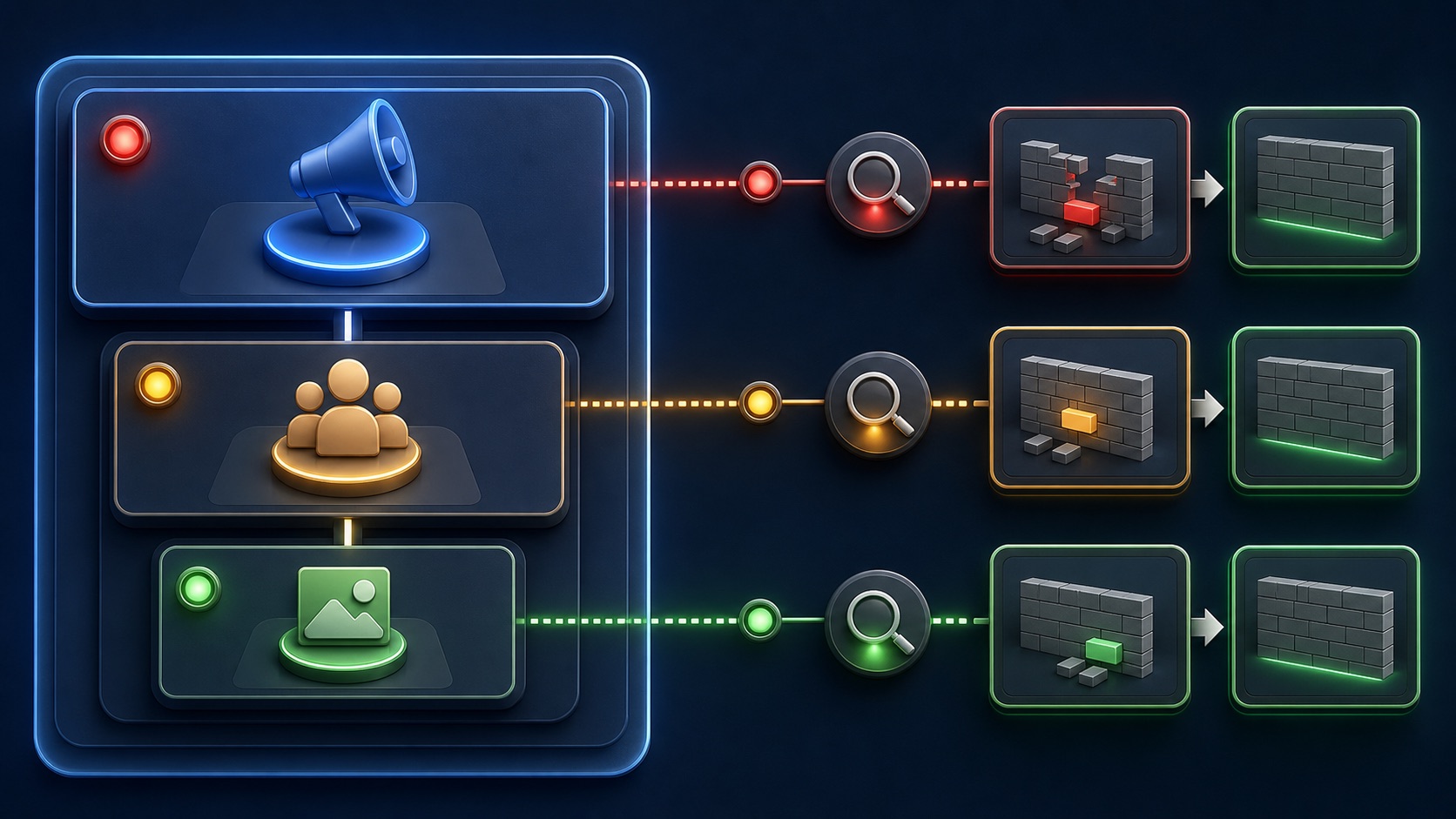
ILLUSTRATIVE DIAGNOSTIC QUEUE
Classify before you edit
DELIVERY COLUMN WALKTHROUGH
Inspect from top to bottom
Confirm the toggle, start and end dates, spending limit, objective, and whether an account-level problem affects every child.
Review schedule, audience, placements, budget or bid, optimization event, conversion location, and learning state.
Confirm review result, Page and Instagram identity, destination, media, text, tracking, and any policy explanation.
THE DELIVERY STACK
Campaign → ad set → ad → impression
THE LEAD ATLAS METHOD
If a Facebook campaign needs a separate outbound path while delivery is repaired, Lead Atlas Data can research business contacts specific to the campaign's categories, locations, market, and targeting brief.See how custom list research works ↗Confirm that delivery is actually missing
Choose the correct date range and compare impressions, reach, amount spent, and the Delivery column. A newly scheduled campaign, delayed reporting, or a narrow reporting view can look like zero delivery without being a delivery fault.
Record the campaign, ad set, ad, timestamps, status text, and recent change before troubleshooting. This prevents a later edit from erasing the evidence you need.
Inspect every hierarchy level
Meta notes that a campaign may show Active while a child ad set or ad has another status. Expand the campaign and read the Delivery column at all three levels rather than trusting the top row.
The first blocked child usually explains the missing impressions. If several children differ, separate the cases; one rejected ad does not automatically explain another ad that is scheduled or switched off.
Translate the status into a cause
Pending often points to review or a scheduled start. Error means the item cannot run until a stated problem is fixed. Warning indicates limited delivery that deserves investigation but may still allow impressions. Completed and Off describe state, not poor performance.
Hover or open the status explanation. Verify billing, account restrictions, permissions, identity, destination, event eligibility, dates, audience availability, and placement compatibility before changing optimization.
Make the smallest repair
Fix the dependency named by the diagnostic. Replace an unavailable asset, correct the destination, restore access, update a rejected claim, or adjust a genuinely incompatible setting. Avoid changing budget, audience, bid, and creative together.
Some edits can restart preparation or learning. Record exactly what changed and when, then allow the platform to reprocess the item before declaring the repair unsuccessful.
Close the troubleshooting loop
After the item becomes eligible, verify that impressions and spend begin at the expected level and that conversion tracking still works. Delivery alone does not prove that the campaign is commercially healthy.
Deliverable: hierarchy screenshot or notes, exact status text, root-cause category, dependency check, one corrective action, timestamp, post-fix delivery evidence, and an owner for any remaining warning.
THE TAKEAWAY
Find the first blocked level, read the exact status and diagnostic, verify dependencies, then make the smallest change that resolves the cause.OFFICIAL REFERENCES