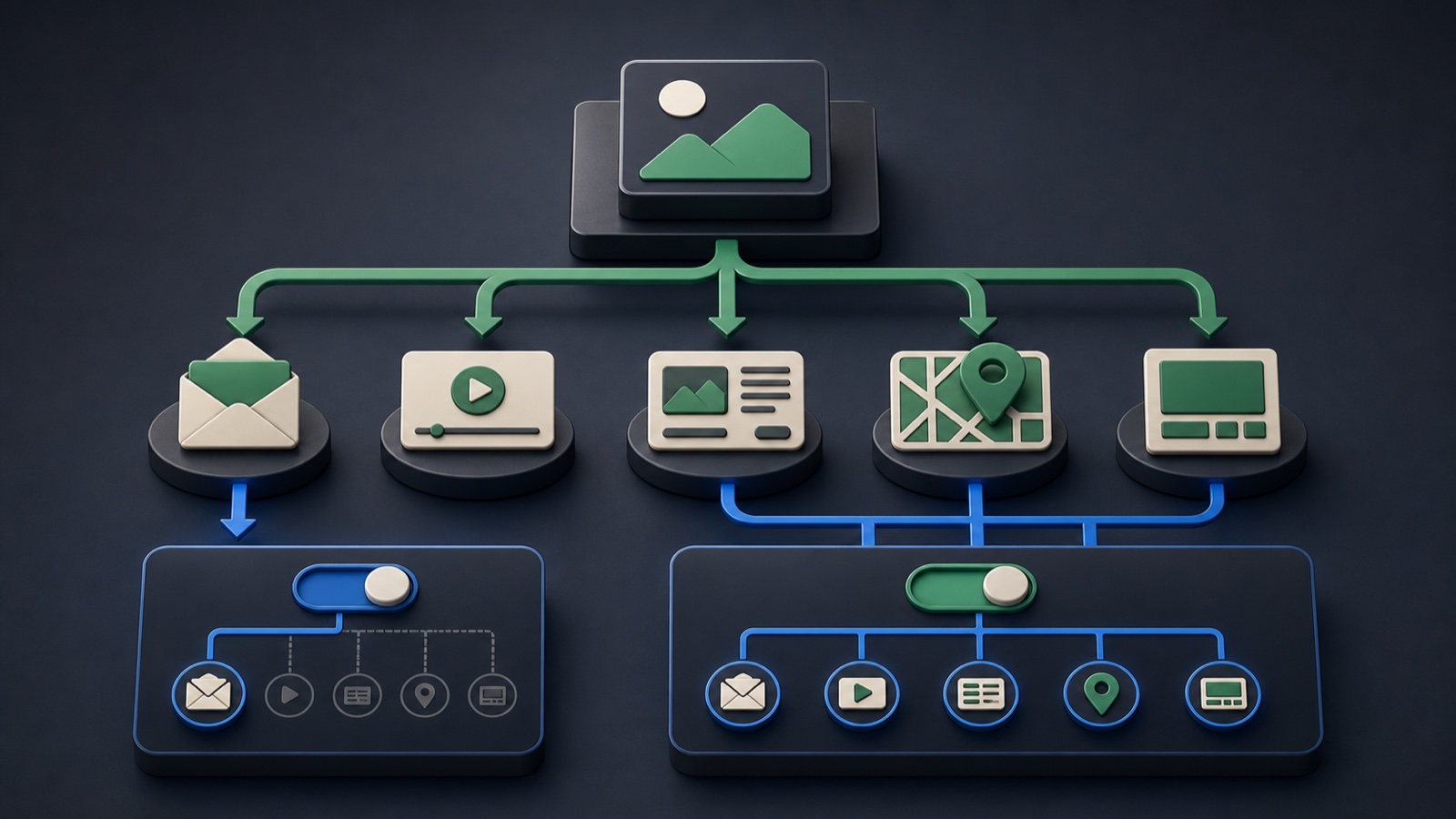
Google Ads now documents channel controls for Demand Gen, including the ability to select eligible channels such as Gmail where the setting is available. A Gmail-only setup can answer a narrower question, while all-channel delivery gives the system more eligible inventory. Neither is automatically better; the campaign architecture should make the tradeoff explicit.
VISUAL LESSON
What you will learn
- 01Define the reason for channel isolation.
- 02Check asset and measurement readiness by channel.
- 03Design a fair comparison between configurations.
ILLUSTRATIVE WORKED EXAMPLE
Match the setup to the question you need answered
PRACTICAL INTERFACE MAP
Choose channels inside the current campaign flow
State whether the campaign must isolate Gmail or can optimize across eligible Demand Gen channels.
In the current campaign settings, review available channel and format controls plus any recommendations or limitations shown.
Check assets, destination, audience, budget, and conversion tracking, then record the selected channel configuration and launch date.
STEP-BY-STEP LESSON
Learning question → channel scope → asset-ready campaign
THE LEAD ATLAS METHOD
Lead Atlas Data can research contacts around the same campaign market, business categories, and locations so paid channel learning can be compared with focused outreach.See how custom list research works ↗Write the decision question
Choose Gmail-only when the research question specifically concerns inbox inventory, creative behavior there, or a channel-specific operational constraint. Choose broader delivery when the goal allows eligible Demand Gen channels to find the outcome across more inventory.
Do not describe a Gmail-only campaign as representative of all Demand Gen, or an all-channel campaign as a controlled Gmail test. The setting changes what the result can teach.
Verify control availability
Open the current campaign settings and inspect the channels and formats available to that account, objective, and region. Record any platform recommendation, limitation, or warning shown beside the selection.
Interfaces and eligibility can change. If the intended control is not available, do not invent a workaround; document the actual setup and revise the learning question.
Audit creative coverage
For Gmail isolation, inspect how headlines, descriptions, images, logo, sender identity, and destination appear in the available previews. For all channels, build supported ratios and formats that remain coherent on every selected surface.
Every combination should carry the same accurate offer. A channel comparison becomes unreliable when one setup receives weaker crops, missing video, or a different message.
Design a fair test
Hold audience logic, conversion action, offer, destination, attribution view, and comparable budget rules steady where feasible. Separate campaigns only when the learning value justifies splitting data and operational effort.
Predefine the decision date and primary business measure. Delivery and outcomes can differ for many reasons, so treat the result as campaign evidence rather than a universal channel ranking.
Report the scope
Annotate the channel setting, change history, asset set, and any periods when eligibility or budget constrained delivery. Report Gmail and all-channel results with their actual configuration and denominators.
Deliverable: channel hypothesis, settings capture, asset-coverage matrix, fixed comparison variables, measurement plan, change log, and a decision rule for isolate, expand, or retest.
THE TAKEAWAY
Use Gmail-only when channel isolation is the learning goal; use broader inventory when eligible reach and cross-channel optimization matter more, then report the choice honestly.OFFICIAL REFERENCES