Demand Gen can use system-generated QR experiences on eligible Connected TV inventory. The TV impression and phone visit happen on different devices, so the campaign needs more than a visible code. The destination must match the creative, load well on mobile, preserve approved measurement, and give the viewer a clear next action after scanning.
VISUAL LESSON
What you will learn
- 01Verify Connected-TV QR eligibility.
- 02Design the TV-to-phone landing path.
- 03Reconcile cross-device measurement and outcomes.
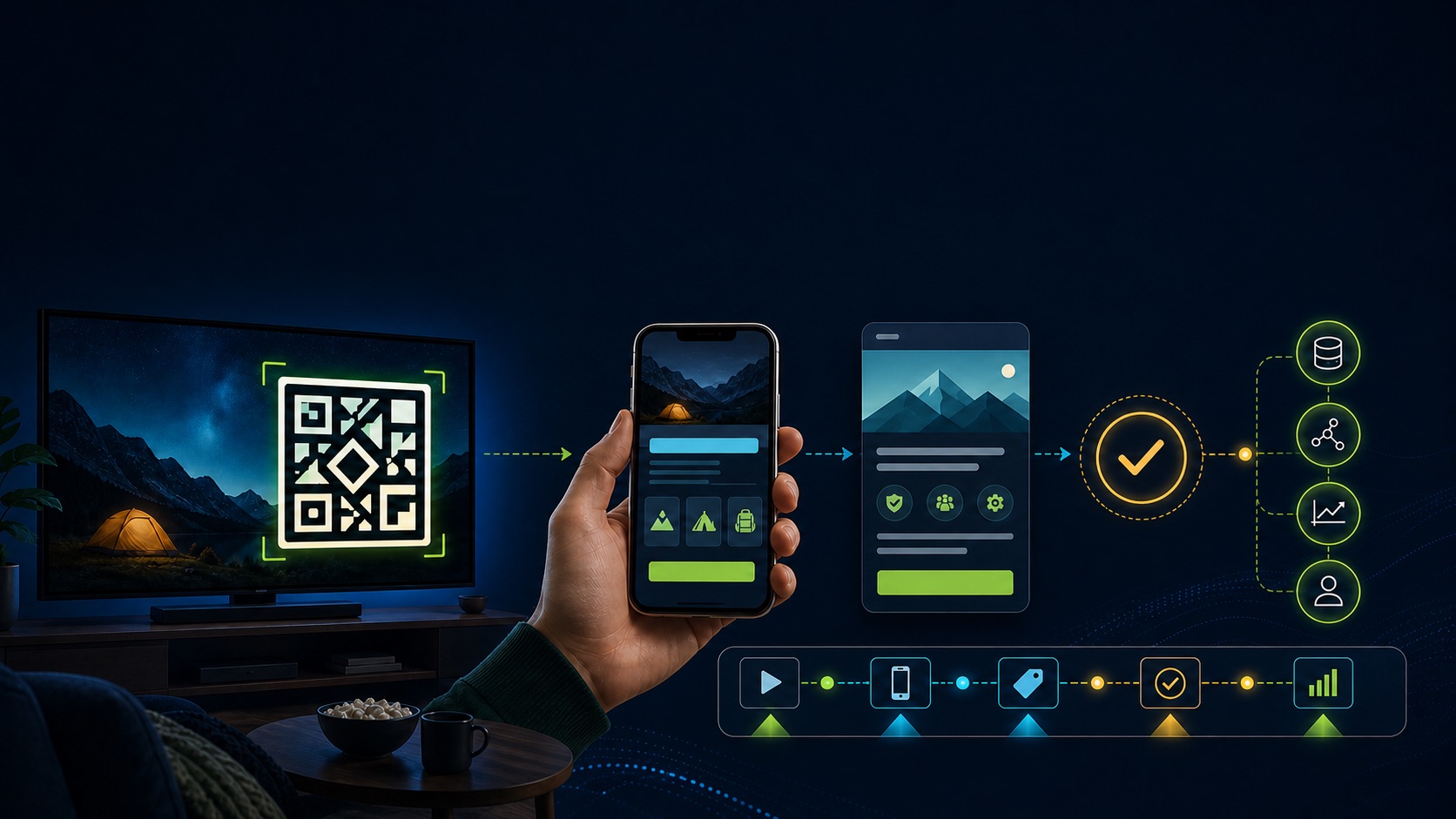
ILLUSTRATIVE WORKED EXAMPLE
Model an illustrative TV-to-phone journey
PRACTICAL INTERFACE MAP
Trace the Connected-TV QR experience
Record device targeting, TV screens, channels, video and product-feed state, final URL, business identity, bid, budget, conversion, and policy.
Use readable TV-safe creative, a matching CTA, sufficient hold time, no embedded competing QR, licensed assets, and representative previews.
Scan from multiple distances and phones, inspect URL, redirect, consent, load, message match, form or purchase, confirmation, analytics, and CRM or billing evidence.
STEP-BY-STEP LESSON
TV impression → system QR → mobile landing → validated outcome
THE LEAD ATLAS METHOD
Lead Atlas Data can build a contact list researched for the Demand Gen campaign’s business market, categories, and locations, providing a separate direct path while the Connected-TV scan journey is tested and measured independently.See how custom list research works ↗Write the cross-device brief
Define the TV audience context, promise, final URL, mobile action, conversion, geography, device targeting, product-feed need, support capacity, total budget, creative owner, and source of truth for the offer.
A living-room viewer may be several feet from the screen and may not have a phone ready. The creative should still communicate the brand and offer without requiring a scan to make sense.
Verify current QR eligibility
Confirm the campaign type, eligible inventory, TV-screen device targeting, video format, product-feed relationship, destination, and the current system-generated QR behavior in the live account. Save representative previews and the date.
Google notes that not every TV can support the player treatment and QR codes are not available on every named TV product. Do not estimate guaranteed scan-enabled impression volume from total CTV delivery.
Prepare TV-safe creative
Keep key text, product, demonstration, CTA, and proof readable at distance. Let the platform generate the code instead of burning a QR into the master video, and avoid placing critical information where the player may resize or overlay the experience.
Verify video rights, public status, duration eligibility, captions, audio, logo, business name, headline, product availability where relevant, policy, and how the creative behaves when the QR does not appear.
Test the phone landing path
Scan representative previews or test experiences from supported devices where available. Follow the assembled URL through redirects, mobile page, consent, sign-in, form or checkout, confirmation, Google tag, conversion action, value, deduplication, and downstream record.
Keep the message continuous from TV to phone. Remove desktop-only navigation, tiny forms, unexpected offers, broken parameters, inaccessible pages, or a request for sensitive data without an appropriate secure explanation.
Measure without overclaiming scans
Report eligible and total CTV delivery where available, QR interactions, landing responses, sessions, conversions, valid outcomes, value, device and channel context, and known measurement gaps. Reconcile timezones and conversion lag.
Deliverable: cross-device brief, eligibility capture, device-targeting record, QR and product-feed decision, TV creative QA, representative previews, multi-device scan test, redirect trace, mobile conversion evidence, reconciliation table, limitations note, and owner.
THE TAKEAWAY
Treat the QR handoff as a cross-device customer journey: verify eligibility and device targeting, let the platform generate the code, test the mobile destination, and measure valid downstream outcomes without assuming every TV view can scan.OFFICIAL REFERENCES