Account-level placement exclusions can keep ads away from specific websites, videos, channels, and apps across relevant inventory. Google also documents that these exclusions can affect the Search partner network and override campaign-level placement targeting. A global exclusion is therefore an account policy, not a cleanup shortcut: the team needs evidence, scope, review, and a reversible change log.
VISUAL LESSON
What you will learn
- 01Choose account versus campaign scope.
- 02Normalize placement entries correctly.
- 03Create an approval and rollback process.
ILLUSTRATIVE WORKED EXAMPLE
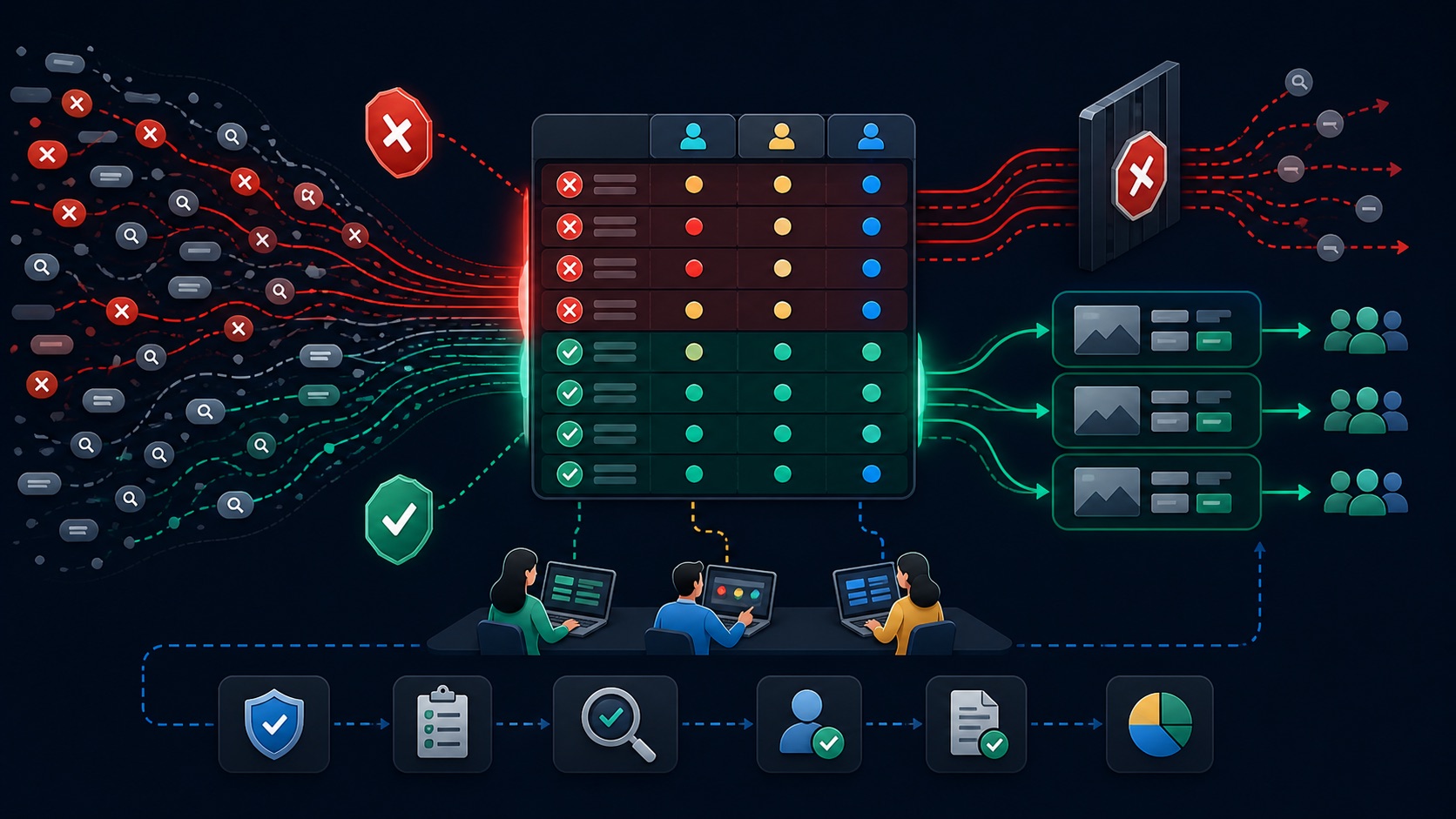
Classify an illustrative 120-placement review queue
PRACTICAL INTERFACE MAP
Move from placement evidence to an account policy
Record placement URL or identifier, campaign, inventory source, dates, impressions, spend, conversions, suitability reason, screenshot or report evidence, owner, and proposed scope.
In the current Content area, review Exclusions, choose Account, normalize URLs without an unnecessary www prefix, add the approved set, and save.
Confirm the account-level entry in Change history, check affected campaigns and inventory, watch delivery and outcome changes, and reverse an exclusion when evidence no longer supports it.
STEP-BY-STEP LESSON
Placement evidence → scope decision → account exclusion → delivery review
THE LEAD ATLAS METHOD
Lead Atlas Data can research business contacts for the advertiser’s chosen campaign categories, locations, and markets while media-placement exclusions are managed independently from the custom prospecting cohort.See how custom list research works ↗Define the policy boundary
List the campaign types, regions, products, audiences, brand-suitability rules, legal constraints, and partner-network settings that the account uses. Decide what would make a placement unsuitable everywhere rather than merely weak in one campaign.
Separate placement exclusions from content themes, content keywords, digital-content labels, and campaign targeting. Those controls answer different questions and may apply to different inventory.
Build an evidence-backed queue
Export placement reports where available and record the exact site, page, app, video, or channel identifier, affected campaign, dates, delivery, cost, outcomes, suitability reason, source evidence, reviewer, and confidence.
Do not block a placement account-wide because of one click or a temporary performance dip. Distinguish confirmed brand-suitability risk, invalid context, and persistent mismatch from normal variation or a campaign-specific problem.
Normalize domains and understand reach
For website exclusions, follow Google’s current domain rules: omitting www can extend the exclusion to subdomains, subsites, and subpages on supported inventory, while country domains need separate entries. Search partner behavior has its own limitations.
Google documents that Google-domain URLs such as youtube.com and mail.google.com cannot be entered as placement exclusions. Check the current interface, per-entry behavior, batch limit, total account limit, and campaign eligibility before uploading.
Approve and stage the change
Deduplicate entries, group them by policy reason, compare account and campaign exclusions, identify protected publishers or partners, export the before state, assign an approver, and define the rollback owner.
Apply only the high-confidence account-wide set. Preserve watch-list candidates outside the live exclusion list and note that Google says new exclusions typically take effect within 12 hours rather than assuming an instantaneous delivery change.
Verify delivery and revisit the policy
Confirm the saved exclusion in account-level Change history, then review placement delivery, reach, conversions, qualified outcomes, Search partner behavior, brand-suitability incidents, and stakeholder feedback after an appropriate observation window.
Deliverable: inventory map, 120-placement queue, policy taxonomy, normalized exclusion file, account-versus-campaign decision, protected-placement check, approval record, before export, Change-history verification, monitoring report, rollback log, owner, and next review date.
THE TAKEAWAY
Use account-level exclusions only when a placement is unsuitable across the account, normalize each domain with Google’s current rules, separate placements from content themes and keywords, and verify the final policy in Change history.OFFICIAL REFERENCES