Google Ads Change history retains two years of account, campaign, and ad-group changes and can align them with impressions, clicks, cost, conversions, and other performance data. It shows who changed a setting and whether an automated rule, API, Editor, or system process was involved. The log does not prove causation, but it narrows the investigation when paired with conversion tracking, website releases, market conditions, and the sales record.
VISUAL LESSON
What you will learn
- 01Define a reliable incident window and comparison.
- 02Filter Google Ads Change history by campaign, change type, user, and tool.
- 03Create a minimal correction and prevention record.
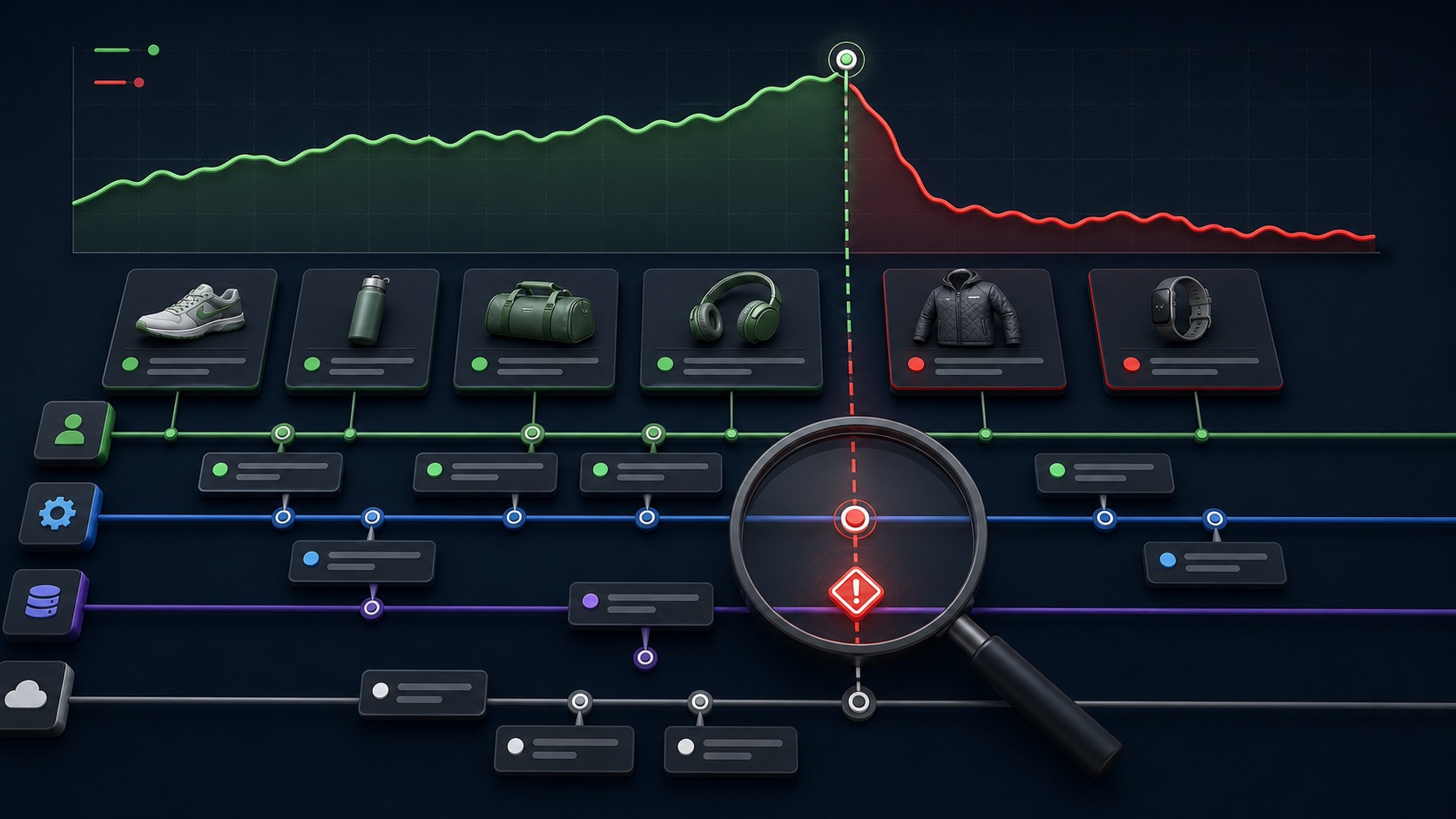
ILLUSTRATIVE ROOT-CAUSE REVIEW
Most nearby changes should be ruled out
GOOGLE ADS INTERFACE MAP
Move from chart to Change history
Use consistent conversion columns, attribution, timezone, and lag; separate a reporting problem from a delivery or sales problem.
Review campaign, ad group, budget, bid, keyword, asset, conversion, rule, API, Editor, experiment, and system activity.
Use affected-campaign statistics where available, verify the live setting, capture evidence, and change only the smallest plausible cause.
THE PERFORMANCE INCIDENT
Break point → change log → mechanism → correction
THE LEAD ATLAS METHOD
Lead Atlas Data can research contacts for the campaign’s chosen business categories, locations, and market, providing a separately measured prospecting cohort while the paid account’s change history is diagnosed.See how custom list research works ↗Confirm the drop is real
Compare complete periods with the same timezone, attribution, conversion actions, reporting columns, and conversion delay. Break the symptom into impressions, clicks, cost, conversion recording, qualified leads, sales, and value.
Check whether seasonality, inventory, pricing, sales capacity, a holiday, competitor move, consent change, or website release explains the same interval. The ad account is only one layer of the customer path.
Set the investigation window
Mark the last healthy period, first affected period, and point where the change stabilizes. Start the Change history review before the last healthy period so delayed effects are not missed.
Use the ad account timezone and preserve screenshots of the exact date range. A campaign may show a daily decline after a setting changed near midnight, while a conversion-value issue can appear days later.
Filter by user, tool, and change type
Review changes made in the interface, by automated rules, Google Ads Editor, API tools, experiments, imports, and system actors. Filter campaign, ad group, budget, bidding, targeting, keyword, negative, ad, asset, URL, schedule, status, and conversion changes.
Verify unfamiliar API or tool activity against connected services. Do not remove access until the business confirms whether the integration is approved and what other campaigns depend on it.
Match the mechanism to the symptom
A negative keyword can reduce query volume, a location edit can change lead serviceability, a budget change can affect scale, a conversion action edit can change bidding and reports, and a landing-page URL can change both user experience and tracking.
Select the affected campaigns or ad groups and compare performance around the event where available. Rule out changes that cannot produce the symptom, then verify the live destination, conversion, bidding, and customer response path.
Complete the correction record
Undo a supported change where Google offers that option or restore the previous setting manually after verifying dependencies. Record who approved the correction, the expected effect, conversion delay, observation period, and rollback condition.
Deliverable: incident statement, comparison settings, Change history export or capture, external-event timeline, plausible-cause table, minimal correction, outcome review, and one preventive control such as approvals, role changes, or rule naming.
THE TAKEAWAY
Anchor the incident in time, filter change history by level and actor, verify external systems, and test the smallest plausible correction with a documented observation window.OFFICIAL REFERENCES