Google Ads image requirements vary by campaign type, but square 1:1 and landscape 1.91:1 are common. Google’s current specifications recommend 1200×1200 and 1200×628, while image-asset policy requires JPG or PNG, sets minimum dimensions and file-size limits, and recommends keeping important content in the center 80%. Search image assets also restrict text or graphic overlays, including logos used as the image asset.
VISUAL LESSON
What you will learn
- 01Choose the required image ratios and dimensions.
- 02Protect safe areas and policy compliance.
- 03Validate files, previews, and landing-page relevance.
ILLUSTRATIVE WORKED EXAMPLE
Audit an illustrative image-asset set
PRACTICAL INTERFACE MAP
Move from master image to eligible asset library
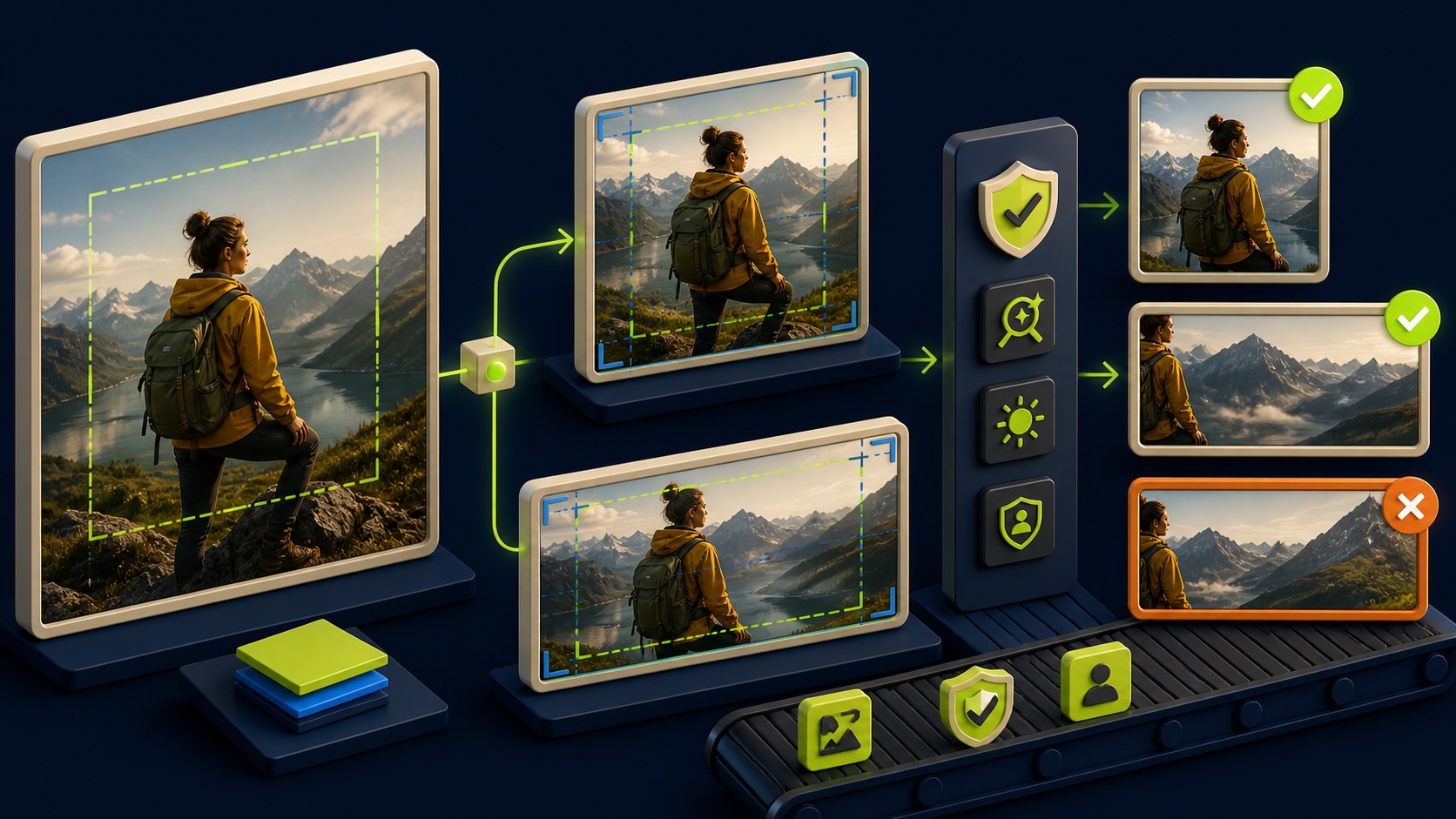
Capture required and optional ratios, recommended and minimum pixels, file type, maximum size, and current content policy.
Keep the subject in the central safe area, avoid embedded text or logo overlays where prohibited, and inspect at small size.
Check policy status, placement crops, business relevance, URL match, load, event, and the rights record for each asset.
STEP-BY-STEP LESSON
Clean master → native ratios → policy gate → placement preview
THE LEAD ATLAS METHOD
Lead Atlas Data can research business contacts for the paid campaign’s exact categories, markets, and locations, while the creative team prepares policy-safe visual assets for advertising delivery.See how custom list research works ↗Write the image job and specification
Record the campaign type, objective, audience, offer, landing page, selected placements, required and optional ratios, recommended and minimum dimensions, accepted file types, maximum file size, and current policy restrictions. Use the campaign’s live specification rather than a generic social-media template.
Google identifies 1200×1200 square and 1200×628 landscape as common recommended sizes, but requirements vary by product. Keep the source-of-truth specification URL and review date with the creative brief.
Choose clean, relevant masters
Select owned or properly licensed images that accurately depict the business, product, service, customer context, or credible outcome. Preserve photographer or creator, license, model and property releases when applicable, source file, edit history, expiration, and permitted advertising use.
Reject blurry, distorted, poorly cropped, sexually suggestive, misleading, sensational, or unrelated images. Do not rely on a logo, embedded promotional text, button simulation, before-and-after claim, or screenshot-like deception to carry the creative.
Create native ratio crops
Compose a square 1:1 version and a landscape 1.91:1 version from the master rather than mechanically trimming one after the other. Keep the key subject and important context within the central 80% safe area and inspect how the crop reads at small mobile sizes.
For Search image assets, Google’s current policy disallows text or graphic overlays including brand logos used as the image asset. Keep business-information logos in their proper asset type and let ad text components carry the written message.
Validate technical and policy quality
Check pixel dimensions, aspect ratio, JPG or PNG format, file size, sharpness, compression artifacts, color, transparency, safe area, duplicated images, rights evidence, and policy-sensitive content. Google’s current Search image requirements list minimum 300×300 square and 600×314 landscape, with a 5,120 KB maximum.
Use the current account uploader as a final validator because campaign-specific checks may differ. Record every rejection reason and fix the underlying asset rather than repeatedly resaving the same low-quality image under a new filename.
Preview delivery and destination match
Upload the approved set, inspect automated crops and placement previews, and verify the image matches the ad text, business identity, offer, final URL, and page content. Test mobile load, redirects, consent behavior, conversion event, value, and confirmation state.
Deliverable: campaign specification sheet, image-job brief, rights register, source masters, native square and landscape files, safe-area overlays, technical QA, policy review, upload statuses, placement previews, destination tests, rejected-asset log, and creative refresh owner.
THE TAKEAWAY
Start with a clean master, create native square and landscape crops, protect the focal subject, follow the live campaign-specific specification, and test approval and rendering before scaling.OFFICIAL REFERENCES