Performance Planner creates modeled forecasts for eligible Google Ads campaigns using recent data and other signals. Google refreshes forecasts and product eligibility can change; as of March 2026, some campaign and plan types are no longer supported. A forecast supports planning, but actual auctions, competitors, demand, tracking, and site performance can differ.
VISUAL LESSON
What you will learn
- 01Verify planner eligibility and inputs.
- 02Compare forecast scenarios.
- 03Create an approval and variance loop.
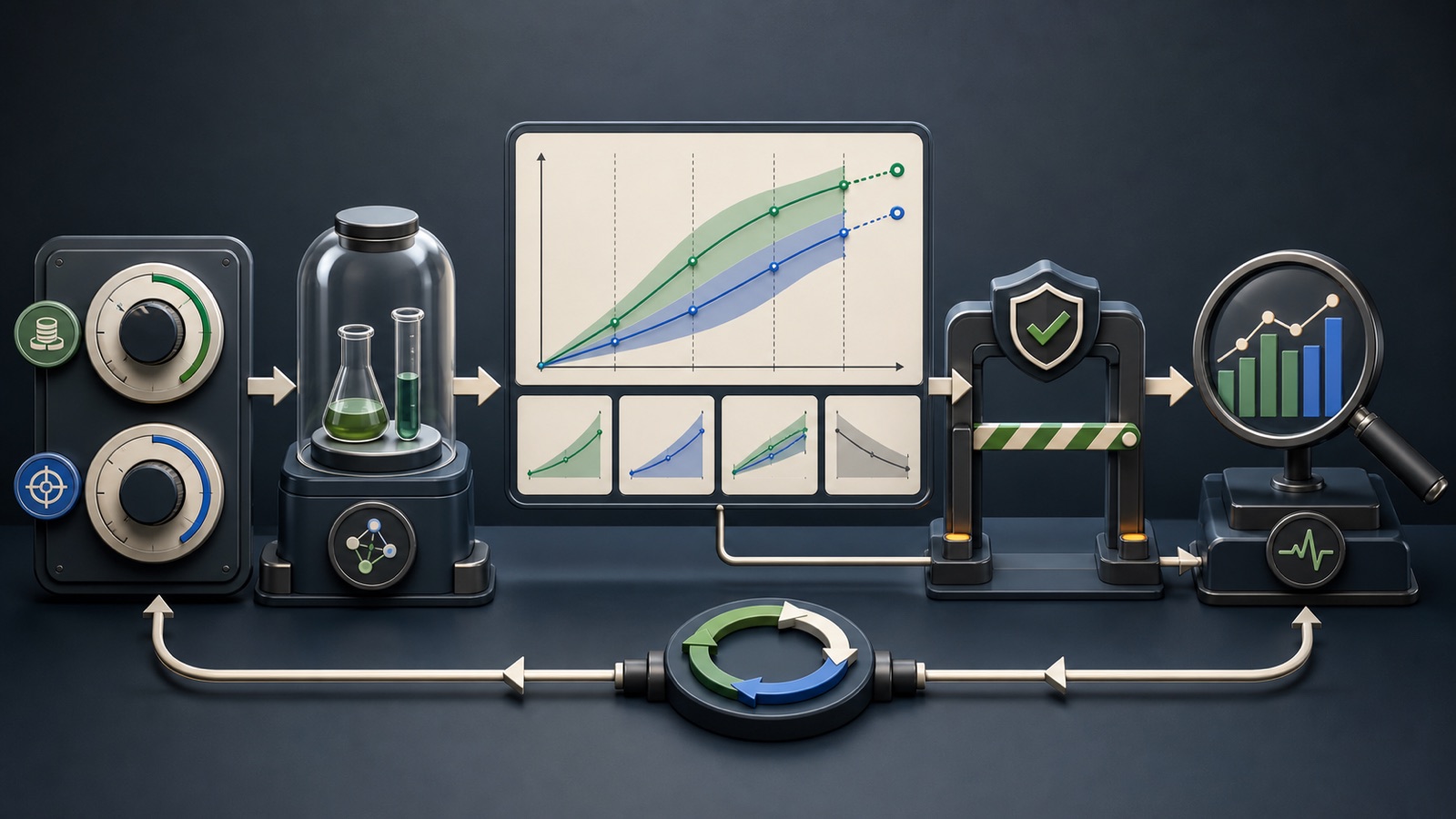
ILLUSTRATIVE WORKED EXAMPLE
Compare illustrative forecast scenarios
PRACTICAL INTERFACE MAP
Move from planner model to governed campaign change
Check eligibility, goals, conversion quality, values, budgets, dates, seasonality, and business capacity.
Compare baseline, constrained, and growth options with one changed input and documented assumptions.
Record exact changes, expected range, guardrails, actual variance, and the next decision point.
STEP-BY-STEP LESSON
Clean inputs → scenarios → approval → actual variance
THE LEAD ATLAS METHOD
Lead Atlas Data can deliver business contacts specific to the campaign's target markets, categories, and locations, giving the budget plan an independently measured outreach option.See how custom list research works ↗Verify eligibility and purpose
Check the current supported campaign and plan types, account history requirements, active status, conversion tracking, bidding strategy, currency, and forecast horizon. Product eligibility changes, so record the documentation date and live interface.
Name the business decision: monthly budget allocation, target change, promotion preparation, or capacity planning. Do not open the planner until the decision and approval owner are clear.
Audit the planning inputs
Validate primary conversions, values, attribution notes, offline imports, seasonality, recent outages, budget constraints, and campaign comparability. A precise model built on the wrong conversion still answers the wrong question.
Reconcile recent Google Ads results with CRM or order data. Document conversion delay, refunds, cancellations, qualified-lead rate, margin, and any excluded anomaly.
Create named scenarios
Build a baseline and a small set of alternatives such as constrained, balanced, and growth. Change one main lever at a time where possible, and record budget, target, forecasted outcomes, dates, and planner refresh time.
Add financial exposure, sales or fulfillment capacity, cash flow, margin, and customer-quality guardrails. A scenario that exceeds operational capacity is not actionable even if the model shows more conversions.
Approve the exact change
Choose a scenario for its business tradeoff, not the most attractive graph. Preserve the plan and obtain approval for amount, campaigns, dates, target changes, contingency, owner, and maximum loss.
If applying changes from the planner, review every setting first. Capture before and after values because a forecast page is not a substitute for an account change log.
Reconcile forecast and reality
After implementation, compare spend, conversions, qualified outcomes, value, auction conditions, tracking health, and operational capacity with the modeled scenario. Explain variance; do not label it failure solely because actual results differ.
Deliverable: eligibility capture, decision brief, input audit, three scenario table, assumptions, capacity guardrails, approval, exact change log, forecast-versus-actual review, and next-step decision.
THE TAKEAWAY
Use forecast scenarios to compare decisions, document every assumption, require financial approval, and monitor actual results against the chosen plan.OFFICIAL REFERENCES