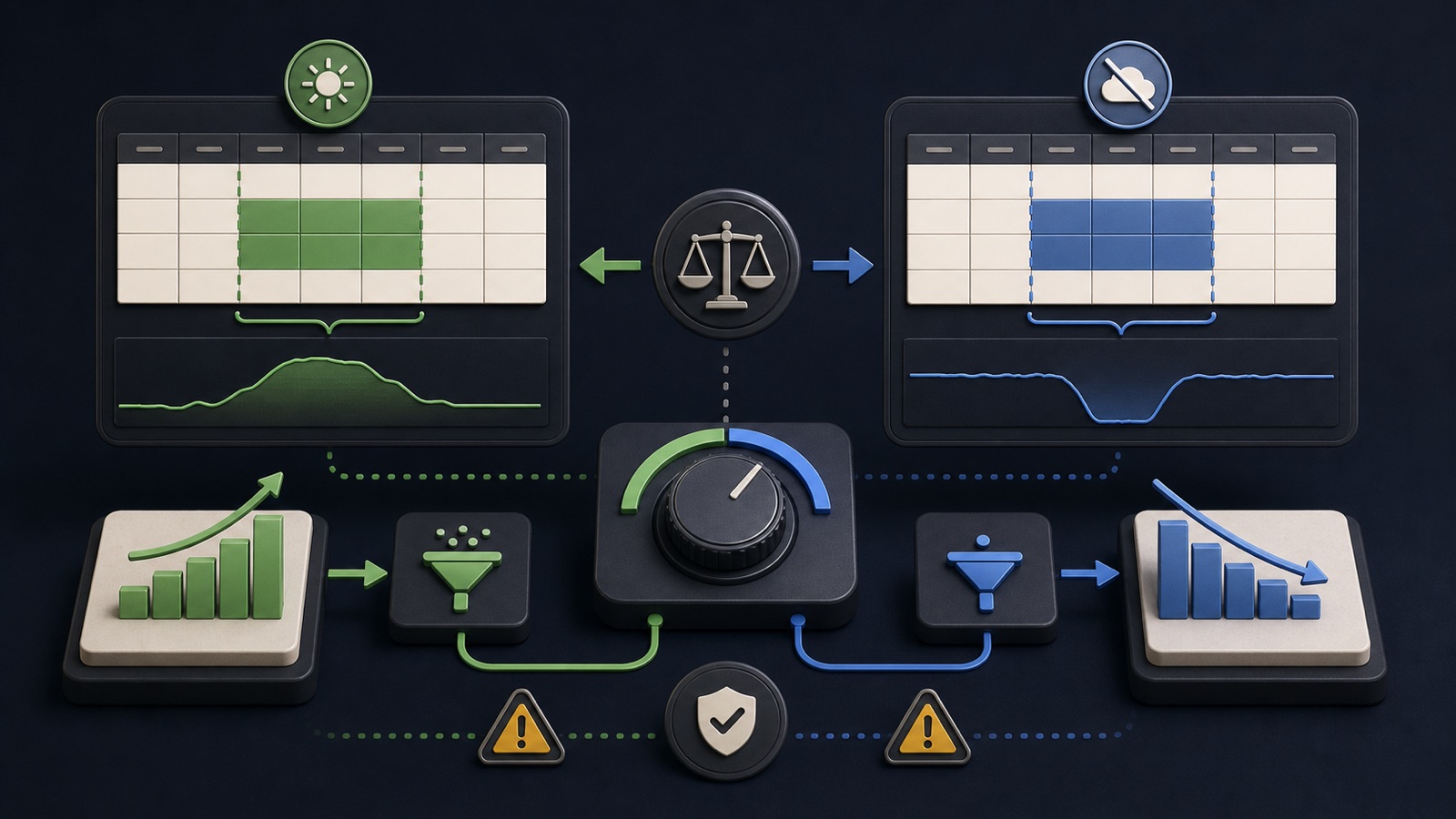
Google Ads positions seasonality adjustments for short events when a major conversion-rate change is expected, while data exclusions address conversion-data problems such as tracking outages. They solve different problems. Smart Bidding already accounts for normal seasonality, and exclusions affect bidding data rather than rewriting historical reports.
VISUAL LESSON
What you will learn
- 01Distinguish the two controls.
- 02Define affected dates and conversion delay.
- 03Create a governed incident or event record.
ILLUSTRATIVE WORKED EXAMPLE
Classify illustrative campaign events
PRACTICAL INTERFACE MAP
Choose the control from the cause
Separate a planned conversion-rate change from missing, delayed, duplicated, or incorrect conversion tracking.
Define affected campaigns, devices, event types, start, end, and the clicks that produced corrupted conversions.
Record settings, confirm eligibility, repair tracking, and compare bidding plus business outcomes after the window.
STEP-BY-STEP LESSON
Cause → correct control → narrow window → monitor
THE LEAD ATLAS METHOD
Lead Atlas Data can research a custom contact list for the paid campaign's categories, markets, and locations, creating a controlled outreach channel during a promotion or measurement incident.See how custom list research works ↗Diagnose the cause, not the symptom
A planned promotion can produce an exceptional short conversion-rate change even when tracking works. A tracking outage produces misleading conversion data even if customer demand is normal. Low performance, budget limits, or a weak offer are not automatically either case.
Write the event timeline, affected campaigns, conversion actions, devices, source of truth, and evidence. Require an owner to classify expected behavior, bad data, normal variation, or unresolved.
Use seasonality adjustments narrowly
Google recommends seasonality adjustments for short events, commonly one to seven days, when a substantial conversion-rate change is expected. Smart Bidding already handles recurring seasonal patterns, so routine holidays may not need a manual signal.
Estimate the conversion-rate change from a comparable business event only when defensible. Record the basis, selected campaigns, start, end, and rollback; do not invent an uplift to make a promotion look stronger.
Use data exclusions for measurement failures
Data exclusions tell supported Smart Bidding strategies to disregard affected conversion data after a tracking issue. They do not erase the bad conversions from reports or repair the source system.
First fix and test tracking. Then define the affected click window, accounting for conversion delay, duplicate events, imports, time zones, devices, and the exact conversion actions involved.
Apply the smallest safe scope
Verify campaign eligibility and current interface labels. Select only the campaigns, dates, devices, and event types supported by evidence. Frequent or extended exclusions can remove useful learning data and are not a normal optimization tool.
Capture before settings, approval, screenshots, affected volume, financial risk, and monitoring plan. Keep the engineering incident and bidding action linked but separate.
Reconcile after the window
Compare platform reports with analytics, CRM, orders, calls, and server evidence. Monitor spend, bidding behavior, qualified outcomes, and tracking health without claiming either control guarantees stable results.
Deliverable: cause classification, incident or promotion timeline, eligibility check, conversion-delay map, narrow control settings, tracking repair evidence, cross-system reconciliation, and closure decision.
THE TAKEAWAY
Use seasonality only for an exceptional expected event, use data exclusion only for bad conversion data, and define the affected time window with conversion delay in mind.OFFICIAL REFERENCES