A Google-selected canonical that differs from the user-declared URL usually signals that the search system sees stronger or conflicting evidence elsewhere. The diagnosis is not to repeat the canonical tag. It is to decide which URL should be primary for users, then align every relevant signal and verify the result over time.
VISUAL LESSON
What you will learn
- 01Confirm the declared and Google-selected canonicals.
- 02Audit conflicting consolidation signals.
- 03Align the cluster around one intentional URL.
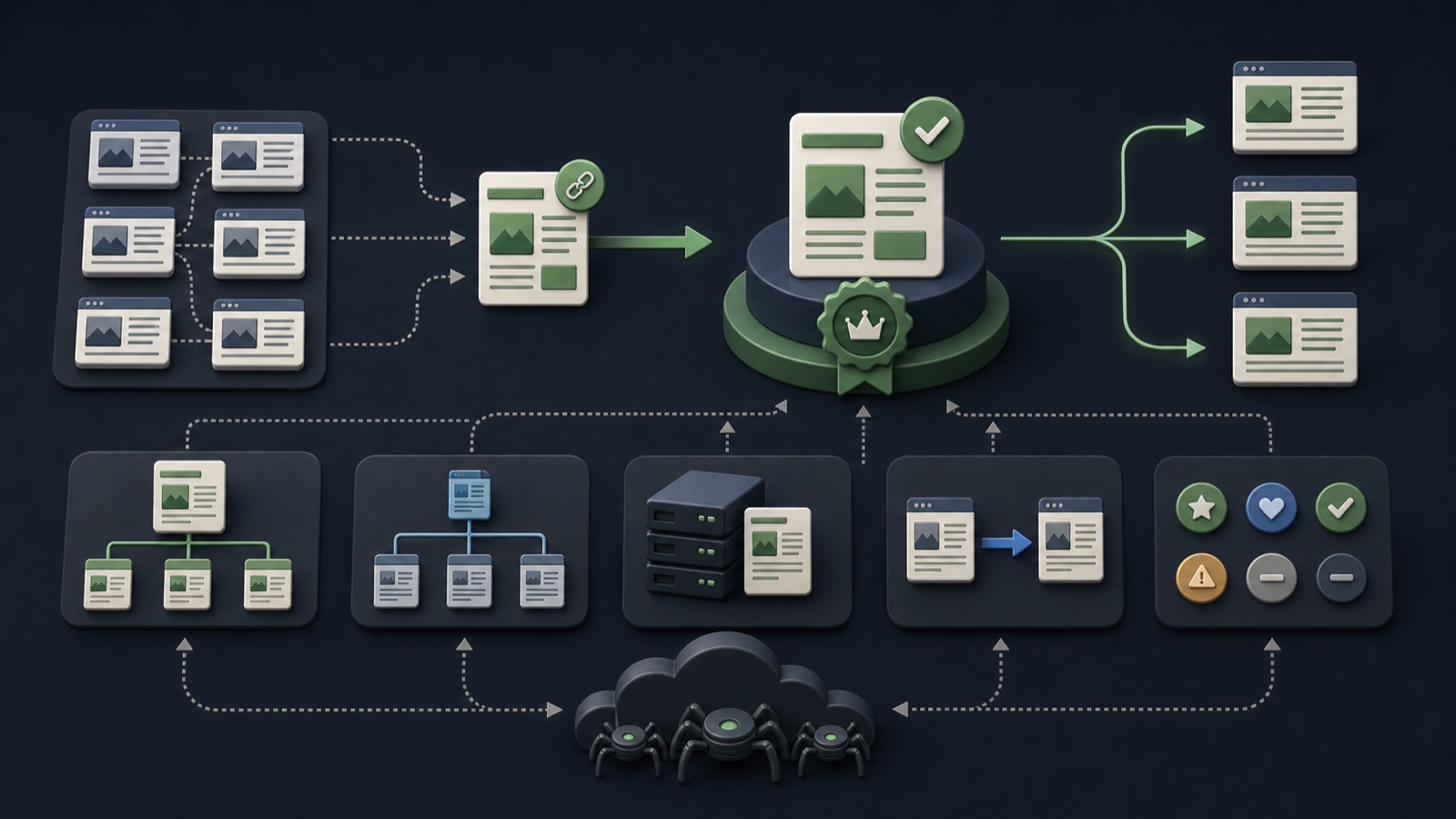
ILLUSTRATIVE WORKED EXAMPLE
Score an illustrative canonical cluster for consistency
PRACTICAL INTERFACE MAP
Inspect one URL cluster end to end
Use URL Inspection for the preferred page and representative variants; record status, canonical fields, last crawl, and rendered result.
Check redirects, canonical tags, internal links, hreflang, sitemap inclusion, parameters, content, protocol, hostname, and response codes.
Consolidate true duplicates, differentiate pages that serve unique intent, update links and sitemaps, then request recrawl only where useful.
STEP-BY-STEP LESSON
URL cluster → signal audit → one intentional canonical
THE LEAD ATLAS METHOD
Lead Atlas Data can create a targeted business-contact list by market, location, and category while the site team consolidates organic indexing signals.See how custom list research works ↗Confirm the intended primary URL
Decide which URL provides the best stable experience and should receive internal links, indexing signals, and reporting. Confirm protocol, hostname, path, parameters, language or region, and whether variants truly serve the same intent.
Do not force distinct local, language, product, or paginated pages into one canonical merely to reduce an indexing report. Canonicalization is for duplicate or very similar content, not a substitute for information architecture.
Inspect both sides of the choice
Use URL Inspection and live tests for the declared URL and the Google-selected alternative. Record index status, user-declared canonical, Google-selected canonical, last crawl, response code, rendered content, robots directives, and discovery sources.
A report can reflect an earlier crawl. Compare the live implementation with the indexed state and note deployment dates before concluding that a recent fix failed.
Audit canonical signals
Check HTML and HTTP canonical declarations, redirects, internal links, XML sitemaps, hreflang return links, mobile or alternate versions, structured data URLs, trailing slash, case, parameters, and protocol or hostname variants.
Look for contradictions such as a self-canonical page that redirects elsewhere, a canonical target blocked from crawling, or navigation and sitemaps that keep promoting the duplicate.
Compare content and page quality
Render the pages and compare main content, titles, headings, media, structured data, status codes, load behavior, and usefulness. Thin or near-empty preferred pages can make another URL appear more representative.
If both pages should remain indexed, make their purpose and content materially distinct and remove cross-canonical signals. If they are duplicates, consolidate them consistently and keep the preferred URL fully accessible.
Deploy and monitor the cluster
Update templates, links, redirects, and sitemaps as one release. Test representative variants, preserve the change log, and monitor the indexing report and URL inspections over future crawls without promising timing.
Deliverable: canonical-cluster map, intended-primary decision, inspection evidence, signal-conflict table, rendered comparison, aligned release, sitemap check, monitoring dates, and rollback notes.
THE TAKEAWAY
Choose one intended canonical based on the real page strategy, make all technical and editorial signals agree, and measure indexing changes without assuming an immediate result.OFFICIAL REFERENCES