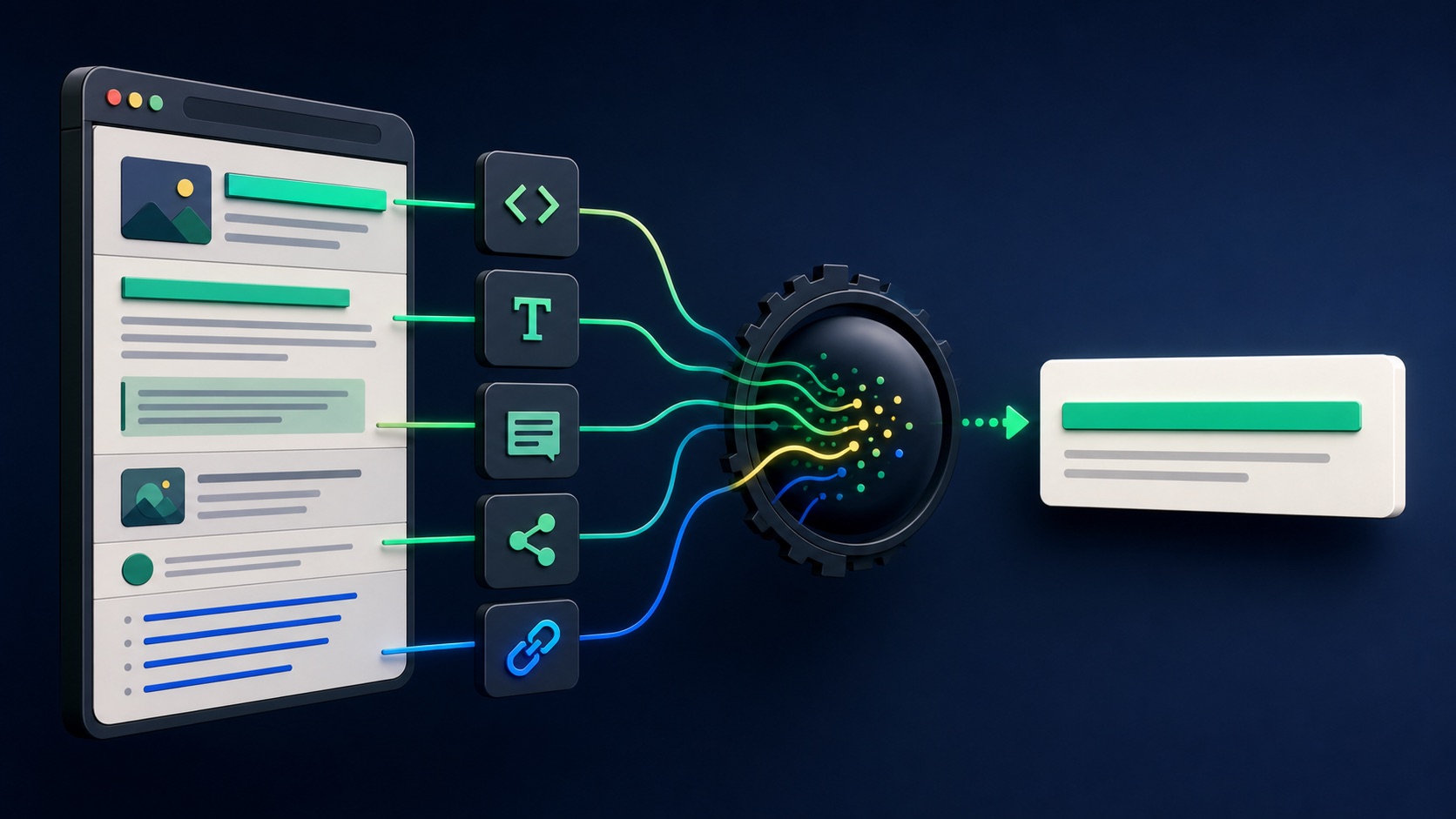
Google generates title links automatically from several sources, including the title element, main visible title, headings, prominent text, social title metadata, other page text, and link text. A rewritten result is not automatically a penalty. It often means Google selected a title it considered more representative for a query or found inconsistent, repetitive, obsolete, or unclear signals on the page.
VISUAL LESSON
What you will learn
- 01Explain how Google creates title links from multiple sources.
- 02Audit conflicting or outdated page-title signals.
- 03Create a recrawl and query-monitoring plan without assuming control over the final title.
ILLUSTRATIVE SIGNAL AUDIT
Consistency matters more than keyword repetition
SEARCH-DIAGNOSIS MAP
Trace the title from result to source
Record query, country, device, date, URL, displayed title, snippet, and whether the result is the canonical page.
Compare title element, H1, large visual titles, og:title, dates, breadcrumbs, repeated templates, internal anchors, and incoming-link wording.
Align the signals, confirm crawlability and canonical status, request recrawl if appropriate, then review several important queries over time.
THE TITLE-SIGNAL SYSTEM
Page signals → search interpretation → title link
THE LEAD ATLAS METHOD
When an organic page targets a defined B2B segment, Lead Atlas Data can research a complementary business-contact list matched to that page's campaign, locations, market, and categories.See how custom list research works ↗Confirm what changed
Capture the exact query, result URL, displayed title, device, country, language, and date. Title links can differ by query, so one observation is not enough to prove a sitewide change.
Confirm that Google is showing the intended canonical URL. A duplicate, translated page, old URL, or wrong canonical is a different diagnosis from a title rewrite.
Audit the title element
Write a concise, descriptive, page-specific title. Avoid vague labels, boilerplate that overwhelms the page subject, repeated keyword strings, outdated years, and promises that the page does not support.
Make the title useful on its own and consistent with the current page purpose. Do not change it every day while waiting for recrawl.
Align visible page signals
Compare the H1, large hero heading, breadcrumb, date, product or service name, and other prominent text with the title element. Google may use visible titles when the sources conflict.
Remove obsolete campaign names, duplicated headings, or large decorative copy that accidentally looks like the main title. Preserve natural writing rather than making every heading identical.
Review link and metadata signals
Check og:title, internal navigation, contextual anchor text, and links pointing to the page. Generic anchors such as Learn more provide less page identity than descriptive links.
Do not attempt to manipulate external anchors. Improve the internal architecture so the page's role is clear to users and crawlers.
Publish, recrawl, and evaluate
Confirm the page is indexable, canonical, and linked internally. Request recrawl through Search Console when appropriate, then allow time for reprocessing.
Deliverable: query evidence table, canonical check, title-source audit, revised title and H1, internal-link updates, publication date, recrawl record, and a multi-query review after sufficient crawl time.
THE TAKEAWAY
Audit the whole title-signal system, write one concise descriptive page identity, remove conflicts, request recrawl when appropriate, and evaluate the result across queries rather than one screenshot.OFFICIAL REFERENCES