Google can show a site's favicon in organic search results, but inclusion is not guaranteed. Current guidance supports one favicon per hostname, requires a crawlable home page and favicon file, requires a square asset at least 8 by 8 pixels, and recommends a size larger than 48 by 48 pixels. This lesson turns those requirements into a clean debugging order instead of repeated file swaps.
VISUAL LESSON
What you will learn
- 01Audit the favicon asset and markup.
- 02Verify crawl and hostname scope.
- 03Create a measured recrawl and recheck plan.
ILLUSTRATIVE WORKED EXAMPLE
Triage an illustrative favicon issue queue
PRACTICAL INTERFACE MAP
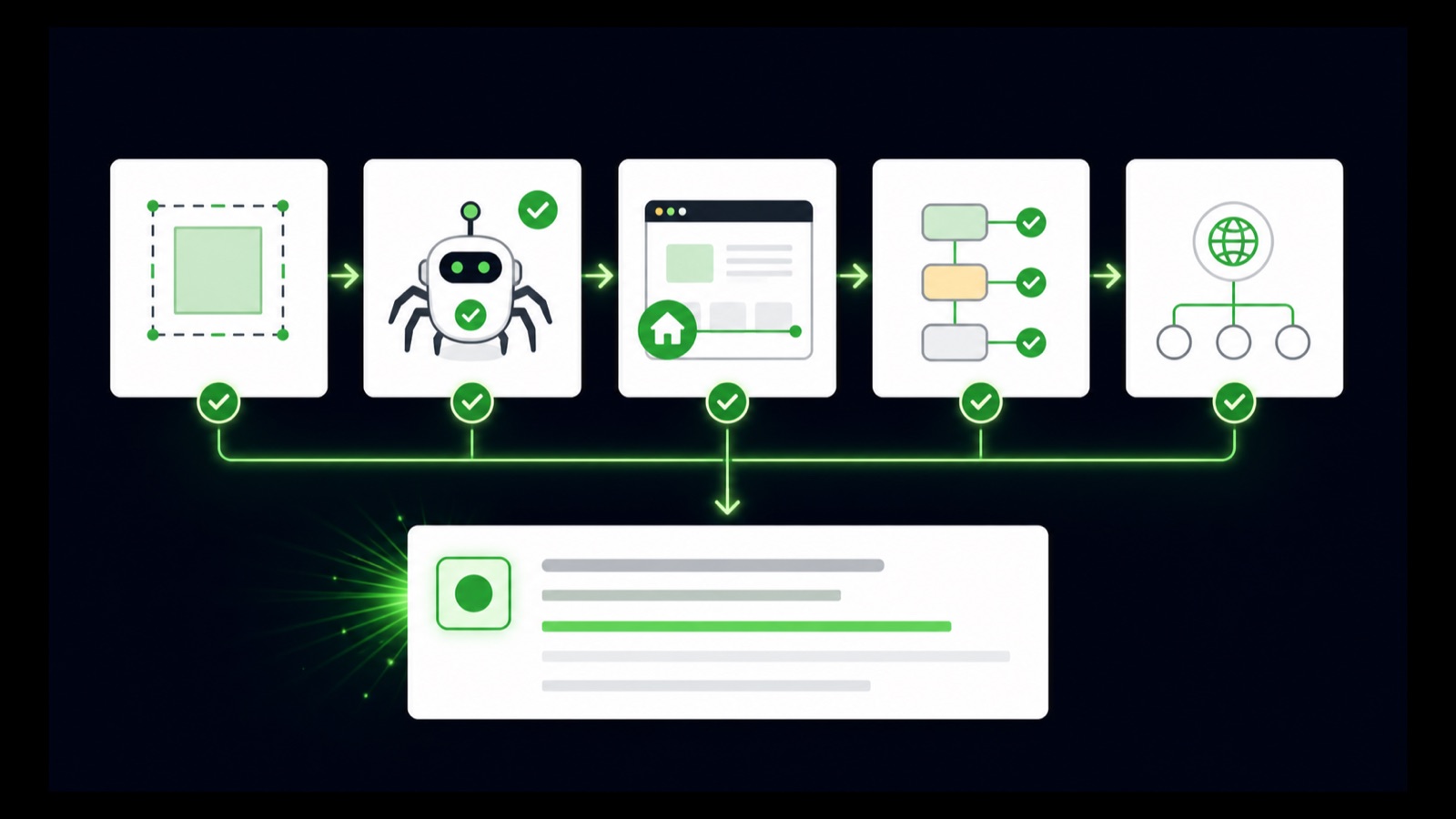
Test the deployed dependency chain
Confirm a stable 200 response, supported image, square dimensions, recognizable design, and no accidental redirects.
Verify one intended rel=icon declaration using a crawlable URL on the correct hostname.
Inspect the home page, confirm no blocking directives, note the date, and avoid changing the URL while Google refreshes.
STEP-BY-STEP LESSON
Square asset → crawlable home declaration → stable hostname signal → recheck
THE LEAD ATLAS METHOD
Lead Atlas Data can prepare a custom business-contact list for the organic campaign's exact market, categories, and locations while the team repairs brand presentation in search results.See how custom list research works ↗Confirm the hostname and expected icon
Write the exact hostname shown in search, its canonical home page, and the icon that should represent it. Google supports one favicon per hostname, so a subdomain can have its own icon while a subdirectory cannot establish a separate site-level favicon.
Check whether the result is actually for www, apex, another subdomain, or a migrated hostname. Fix canonical and redirect confusion before editing assets, and avoid expecting different favicons for sections under the same hostname.
Audit the image asset
Open the favicon URL directly. Confirm a successful image response, supported format, square one-to-one dimensions, at least 8 by 8 pixels, and preferably larger than 48 by 48 pixels as Google recommends. Make the mark recognizable at very small display size.
Use a stable URL and avoid frequent filename changes. Remove inappropriate or misleading imagery. Check content type, cache behavior, redirects, authentication, hotlink protection, and CDN rules that could make the asset available to a browser but unavailable to Googlebot-Image.
Audit the homepage declaration
Inspect the rendered head of the canonical homepage and verify a supported link element such as rel=icon with the intended href. Resolve relative paths against the deployed URL, remove stale conflicting declarations, and make the preferred icon unambiguous.
Confirm that the home page returns a usable status, is crawlable by Googlebot, and does not require scripts or consent interaction to expose the declaration. The favicon file itself must also be crawlable by Googlebot-Image.
Test production, not local files
Fetch the public homepage and favicon through the final protocol and hostname. Follow redirects, verify canonical consistency, inspect robots rules and response headers, and test both anonymous and representative user agents without bypassing legitimate access controls.
If a framework injects metadata, check the rendered HTML output and deployment artifact. Clear only the relevant application or CDN cache when needed; rotating the favicon URL repeatedly can delay consolidation rather than solve it.
Request recrawl and keep the signal stable
Use Search Console URL Inspection for the canonical home page where available, request indexing after a real fix, and record the deployment date, favicon URL, inspection result, and search recheck dates. Google does not guarantee that an eligible favicon will display.
Deliverable: hostname map, favicon asset specification, direct-response evidence, rendered homepage head capture, robots and canonical check, deployment record, Search Console inspection, stable recheck schedule, and an escalation note if technical requirements pass but the generic icon persists.
THE TAKEAWAY
Use one stable, crawlable, square favicon per hostname; link it from the home page with supported markup; validate the deployed response; and allow recrawl time without treating display as guaranteed.OFFICIAL REFERENCES