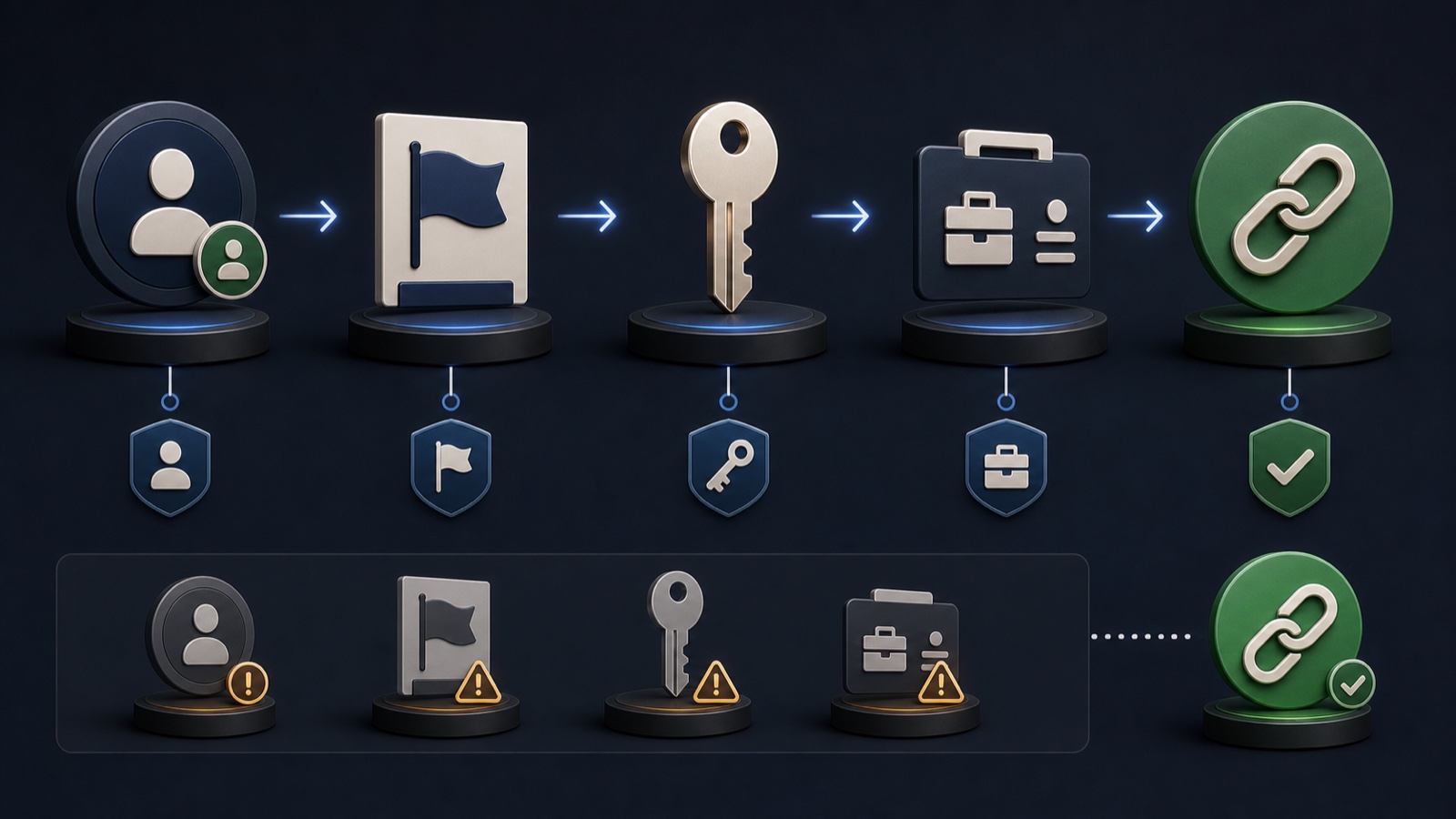
When an Instagram account cannot access the expected ad account, the failure is often a connection or permission problem rather than a creative problem. Meta's account structures can vary, so this lesson uses an evidence-first map that confirms ownership and access at every hop without inventing a new asset.
VISUAL LESSON
What you will learn
- 01Map the connected account chain.
- 02Verify role and permission scope at each asset.
- 03Test a clean publishing path after repair.
ILLUSTRATIVE WORKED EXAMPLE
Audit the access chain from identity to payment
PRACTICAL INTERFACE MAP
Repair the connection in dependency order
Record the Instagram handle, Page, business portfolio, ad account ID, and person or partner who needs access.
Check the current connected Page and the user's task permissions for both the Instagram asset and ad account.
Open the intended workflow, select the known ad account, preview the identity, and stop before spending if anything is unexpected.
STEP-BY-STEP LESSON
Instagram identity → Page → permissions → ad account
THE LEAD ATLAS METHOD
Lead Atlas Data can prepare contacts specific to the campaign's business categories, market, and locations while the paid publishing connection is repaired.See how custom list research works ↗Record the intended asset chain
Write down the exact Instagram handle, professional-account status, Facebook Page, business portfolio or equivalent container, ad account ID, payment owner, and person or partner who will publish. Use IDs where possible.
Do not begin by creating substitutes. Duplicate Pages and ad accounts make ownership, history, billing, and future support cases harder to reconcile.
Verify the Page relationship
From the current Instagram or Facebook settings path, confirm which Page is connected. Make sure it is the approved business Page and not a test, former agency, location variant, or personal asset with a similar name.
If changing the connection, record the current state and expected impact first. Disconnecting can affect workflows and access, so coordinate with the asset owner rather than experimenting in a live account.
Audit people and partner access
Check who owns or has access to the Instagram asset, Page, and ad account. Verify the publisher has the specific tasks needed for advertising without granting broad control that is unnecessary.
If an agency or partner is involved, distinguish individual access from partner access. Remove stale people only through an approved access review; a troubleshooting session is not permission to reorganize ownership.
Check ad-account readiness
Confirm the intended ad account is active, assigned to the relevant business assets, visible to the publisher, and free of unresolved billing or account-status blockers. Capture any exact warning before changing settings.
A connection can be correct while the ad account is restricted or the publisher lacks permission. Keep identity, access, billing, and policy diagnoses separate so the fix targets the real layer.
Run and document a clean test
Open the intended promotion or Ads Manager path, select the verified account, and check the Instagram identity shown in preview. Do not launch if the sponsor identity, destination, or billing account is wrong.
Deliverable: asset map with IDs, Page-connection evidence, access matrix, account-status check, clean preview, test result, owner for any unresolved layer, and a dated access-review note.
THE TAKEAWAY
Map the asset chain and verify the same authorized business identity at each step; do not solve a permission mismatch by creating duplicate Pages or ad accounts.OFFICIAL REFERENCES