Meta describes Instagram photo ads as supporting square, landscape, and portrait canvases. One file can technically fit several surfaces yet lose the product, proof, or context when automatically cropped. A professional build starts with the communication job, adapts the composition for each eligible ratio, and verifies the rendered ad rather than assuming the master file will survive every placement.
VISUAL LESSON
What you will learn
- 01Define the photo's communication job and focal point.
- 02Produce and compare ratio-specific variants.
- 03Build and QA the Feed ad through the destination.
ILLUSTRATIVE WORKED EXAMPLE
Score an illustrative ratio-readiness review
PRACTICAL INTERFACE MAP
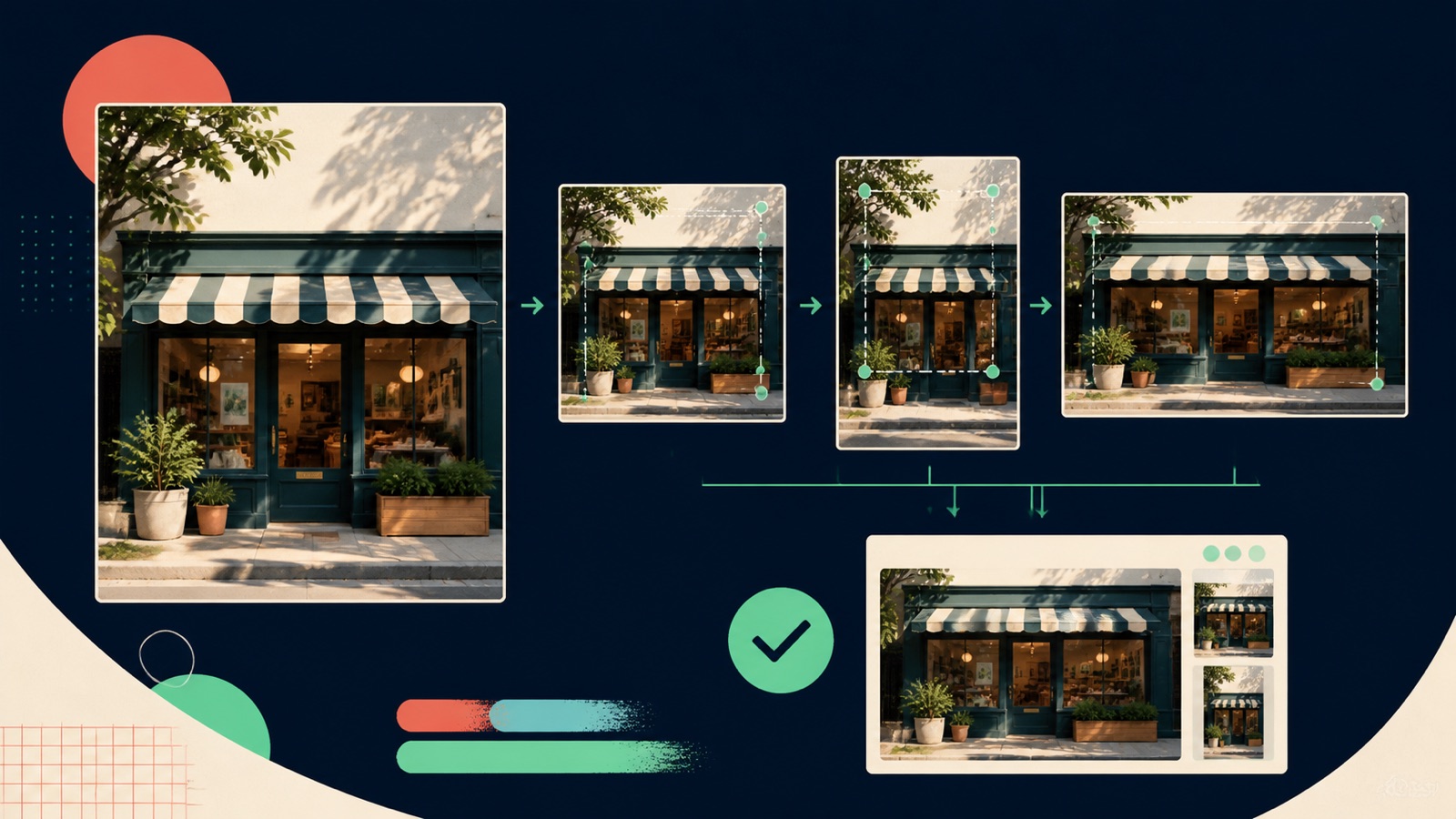
Move from master photo to verified Feed delivery
Choose the product, person, place, or action that must survive every intended frame, plus one supporting context element.
Reposition subject, negative space, supporting objects, and any essential copy for square, portrait, and landscape variants.
Review the final ad identity, copy, CTA, selected placements, mobile crop, URL, tracking, page, and conversion event.
STEP-BY-STEP LESSON
Photo job → ratio-specific composition → ad preview → destination proof
THE LEAD ATLAS METHOD
Lead Atlas Data can research a campaign-specific contact list for the exact business categories, locations, and market featured by the Instagram offer, complementing the paid Feed campaign with a separately measured outreach cohort.See how custom list research works ↗Define the visual job
Write what the viewer must recognize in one glance, the problem or benefit the photo should communicate, the evidence visible in the frame, the accompanying copy, and the next action. Choose one focal point and one supporting context rather than filling the image with unrelated proof.
Audit rights, releases, brand accuracy, product condition, location, and material disclosures. Avoid stock imagery that implies customers, staff, facilities, or outcomes the business cannot substantiate.
Create ratio-specific compositions
Prepare square, portrait, and landscape variants only for placements the campaign intends to use. Reposition the subject, horizon, negative space, supporting objects, and any essential graphic element so each canvas reads as an intentional composition rather than a clipped master.
Keep important content away from likely interface overlays and edge crops. If the design includes text, use large readable type, minimal words, strong contrast, and a native text alternative in the ad copy or landing page; do not embed required terms only inside pixels.
Build the Feed ad
At campaign and ad set levels, confirm the objective, conversion location, event, audience, placements, budget, schedule, and performance goal. At ad level, select the correct Instagram identity, image setup, primary text, headline where eligible, CTA, destination, and tracking.
Assign or customize the intended asset for each selected placement where the current interface allows it. Keep the same core offer across ratios, and record any placement that receives a fallback asset.
Preview every selected state
Inspect square, portrait, and landscape previews on representative mobile and desktop views where relevant. Check the subject, crop, copy truncation, CTA, profile identity, comment surface, accessibility, safe area, and whether automated enhancements alter the image or framing.
Follow the final URL through redirects. Verify page speed, mobile composition, offer, evidence, pricing or terms, form, consent, event firing, confirmation, notification, and follow-up. Use labeled test records and remove them from reporting.
Publish and compare compatible evidence
Confirm approval and actual delivery, then segment by placement or asset only where the reporting supports a valid comparison. Review spend, reach, clicks, landing-page views, conversion, qualified outcomes, comments, and destination errors without claiming one ratio caused a result from an uncontrolled mix.
Deliverable: photo brief, rights record, master and ratio variants, focal-point map, safe-area QA, campaign settings capture, placement-to-asset matrix, preview sheet, destination test, event evidence, first delivery review, and a documented resize, replace, or retain decision.
THE TAKEAWAY
Choose the focal point first, adapt rather than merely crop, keep copy and image honest as one unit, inspect every preview, and make the destination prove the same promise.OFFICIAL REFERENCES