Meta Ads Manager offers Create ad and Use existing post in eligible ad flows. Reusing a post can preserve its public creative and engagement context, but it also ties the ad to the selected identity, post state, destination, and format rules. This lesson shows how to choose deliberately and run a preflight without assuming every post, placement, or account supports the same option.
VISUAL LESSON
What you will learn
- 01Choose between existing post and new ad.
- 02Verify post and identity eligibility.
- 03QA placements, links, and public context.
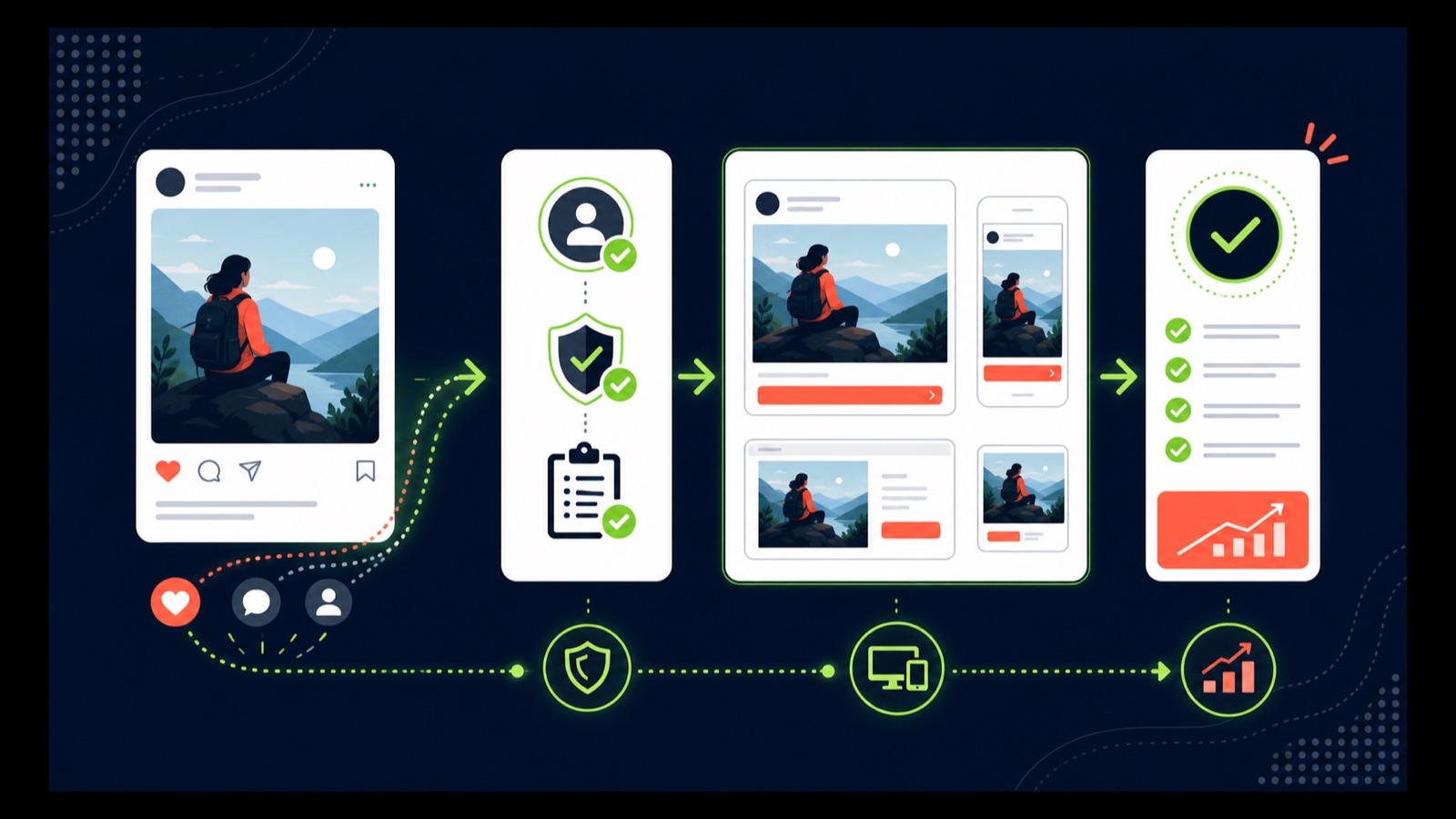
ILLUSTRATIVE WORKED EXAMPLE
Score an illustrative post before reuse
PRACTICAL INTERFACE MAP
Select the identity, post, and paid context
Choose the intended business identity and verify the permissions that expose eligible posts.
Select the live post in the current ad-level setup and read any format, music, product, or placement warnings.
Review every selected placement, CTA, destination, tracking parameter, comment surface, and disclosure.
STEP-BY-STEP LESSON
Public post → eligibility check → paid placement → measured destination
THE LEAD ATLAS METHOD
Lead Atlas Data can research business contacts specific to the Instagram campaign's market, categories, and locations, giving the team a campaign-matched outreach list outside the existing-post ad test.See how custom list research works ↗Decide whether reuse serves the objective
Choose Use existing post when the live post already expresses the paid offer accurately and its public context is useful. Choose Create ad when the campaign needs different copy, a different destination, controlled variants, new disclosures, or creative that should not appear on the profile.
Audit the caption, visual, date, comments, tagged accounts or products, music or rights, offer conditions, geographic fit, and current business identity. Strong organic engagement does not prove that the post will produce qualified paid outcomes.
Confirm identity and permissions
At the ad level, select the correct Facebook Page and Instagram account where required by the current flow. Verify that the operator has permission to advertise with the identity and that the intended post appears in the eligible post picker.
If the post is unavailable, do not recreate it blindly. Check account connection, post type, rights, collaboration state, product or music restrictions, destination, format, and selected objective or placements. Record the live warning rather than inventing a cause.
Select the post and paid controls
Choose Use existing post, select the exact post, and capture its permanent context. Configure the supported CTA, destination, URL parameters, conversion event, tracking, audience, placements, budget, optimization, and schedule shown in the current account.
Read which fields are inherited and which can be changed. If a material correction requires editing the public post, replacing it, or creating a new ad, document that choice before launch so reviewers know which version is authoritative.
Preview every selected placement
Inspect the ad preview for feed, Stories, Reels, Explore, and any other selected placement the account exposes. Check crop, safe areas, caption visibility, sound dependence, overlays, CTA, landing page, product context, comments, accessibility, and disclosures.
Open the destination on representative devices and verify load, consent, forms, checkout or booking, URL parameters, and conversion events. Assign comment and message ownership because an existing post may concentrate paid and organic reactions on the same public object.
Publish with a change record
Record the post identifier or URL, identity, selected objective, placements, CTA, destination, public-comment plan, final previews, approval, and launch time. After launch, separate delivery and conversion evidence from vanity engagement and watch for message-context mismatch.
Deliverable: reuse decision, post-context audit, identity and permission proof, eligibility capture, inherited-versus-editable field list, placement previews, destination and event QA, moderation owner, launch record, source-aware scorecard, and a create-new, continue, or retire decision.
THE TAKEAWAY
Reuse a post only when its message, identity, public context, destination, and placement behavior match the paid objective; capture the final selection and test the live handoff before publishing.OFFICIAL REFERENCES