Google processes JavaScript through crawling, rendering, and indexing systems, but blocked resources, failed APIs, client-only routing, delayed interaction, or noncrawlable links can keep important content out of the rendered result. The correct diagnosis starts with evidence from the HTTP response and rendered DOM, not the assumption that a page visible in one browser is equally available to a crawler.
VISUAL LESSON
What you will learn
- 01Compare initial and rendered content.
- 02Test resource, route, and link availability.
- 03Validate live and indexed search-engine evidence.
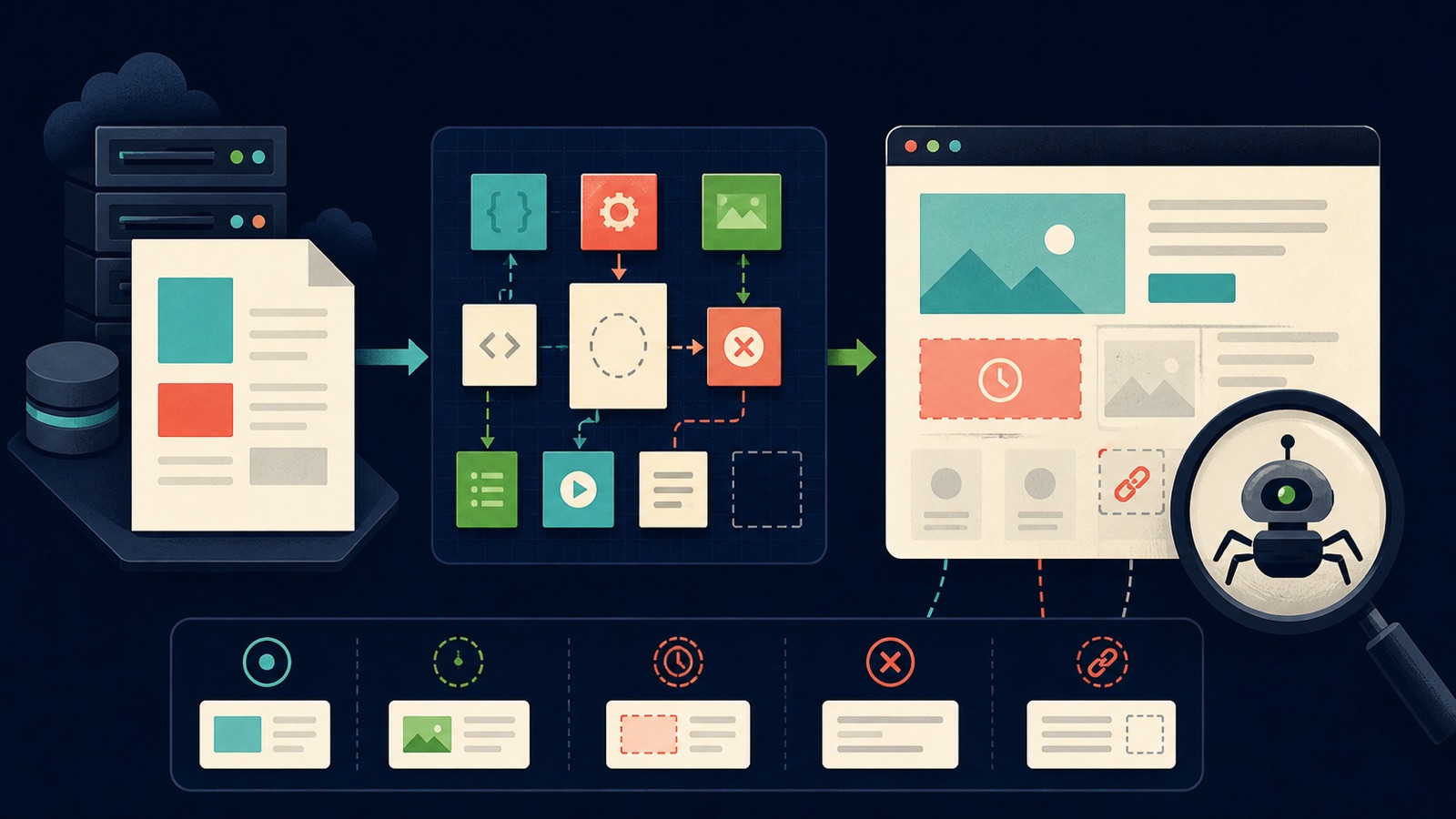
ILLUSTRATIVE WORKED EXAMPLE
Trace an illustrative rendered-content audit
PRACTICAL INTERFACE MAP
Find the first broken rendering layer
Record redirect chain, final status, canonical, robots controls, title, primary copy, and links before JavaScript runs.
Look for blocked, timed-out, failed, or interaction-gated resources and confirm meaningful content and href links appear.
Use inspection tools to identify whether the issue is discovery, crawl, render, canonical selection, indexing, or delayed recrawl.
STEP-BY-STEP LESSON
Initial response → resource fetch → rendered DOM → indexed evidence
THE LEAD ATLAS METHOD
Lead Atlas Data can deliver a custom contact list for chosen business categories, markets, and locations while the website team repairs the organic discovery path that introduces those services to searchers.See how custom list research works ↗Define the missing-content symptom
Record affected URLs, template, expected title, copy, structured data, canonical, links, images, and business outcome. Separate not discovered, crawl blocked, render failed, canonicalized elsewhere, noindexed, crawled but not indexed, and stale indexed states.
Choose representative good and bad URLs from the same template and preserve date, user agent, locale, authentication state, and release version. A single manual browser view is not enough evidence.
Inspect the initial response
Fetch the final URL and record redirects, status code, content type, cache behavior, robots headers, canonical, HTML title, primary content, structured data, and real anchor hrefs before JavaScript executes. Confirm the server does not return an app shell or soft error for crawlers.
Important content in server-rendered or statically generated HTML reduces dependencies, but client rendering can still work when resources are accessible and timely. Diagnose the actual break rather than imposing one architecture on every page.
Trace resources and rendered DOM
Inspect script, stylesheet, image, and API requests for robots.txt blocks, authorization, origin errors, timeouts, unsupported features, empty responses, and environment-specific URLs. Confirm the rendered DOM contains the intended text, canonical, metadata, structured data, and navigation.
Content that appears only after a click, scroll, consent choice, or internal search may not be available in the same way. Provide a crawlable route and meaningful default state for essential information.
Make routes and links crawlable
Use stable URLs and anchor elements with resolvable href attributes for important navigation. Avoid click handlers without URLs, fragment-only application states for distinct content, and routes that return the same shell or a 200 status for missing pages.
Test deep links directly, refresh them, and verify server fallback, canonical, title, main content, and error handling. Ensure lazy-loaded content has a noninteraction trigger and that infinite lists expose useful paginated or linked discovery paths.
Compare live and indexed evidence
Use search-console inspection to compare indexed output with a live test, review rendered HTML or screenshot evidence where available, and decide whether the current fix awaits recrawl or still fails. Check sitemap and internal-link discovery after the technical repair.
Deliverable: symptom statement, affected-template sample, good/bad URL comparison, redirect and status trace, initial-HTML capture, resource error log, rendered-DOM capture, crawlable-link audit, canonical and robots review, live/indexed comparison, minimal repair, regression test, recrawl plan, and monitoring owner.
THE TAKEAWAY
Trace the content from server response through resource fetch and rendered DOM, expose key links as real URLs, compare live and indexed evidence, and fix the first broken layer before redesigning the whole page.OFFICIAL REFERENCES