LinkedIn allows newsletters from members and eligible Pages. Its current Page help says a super or content admin can create a newsletter when the Page meets access criteria, and the first published edition automatically creates a newsletter page and triggers a subscription invitation to Page followers. That first edition is therefore an editorial and notification event, not a harmless draft. This lesson creates the system before clicking Publish.
VISUAL LESSON
What you will learn
- 01Verify Page access and publishing ownership.
- 02Design a focused newsletter promise and cadence.
- 03Publish the first edition with a repeatable operating workflow.
ILLUSTRATIVE WORKED EXAMPLE
Plan an illustrative six-edition launch runway
PRACTICAL INTERFACE MAP
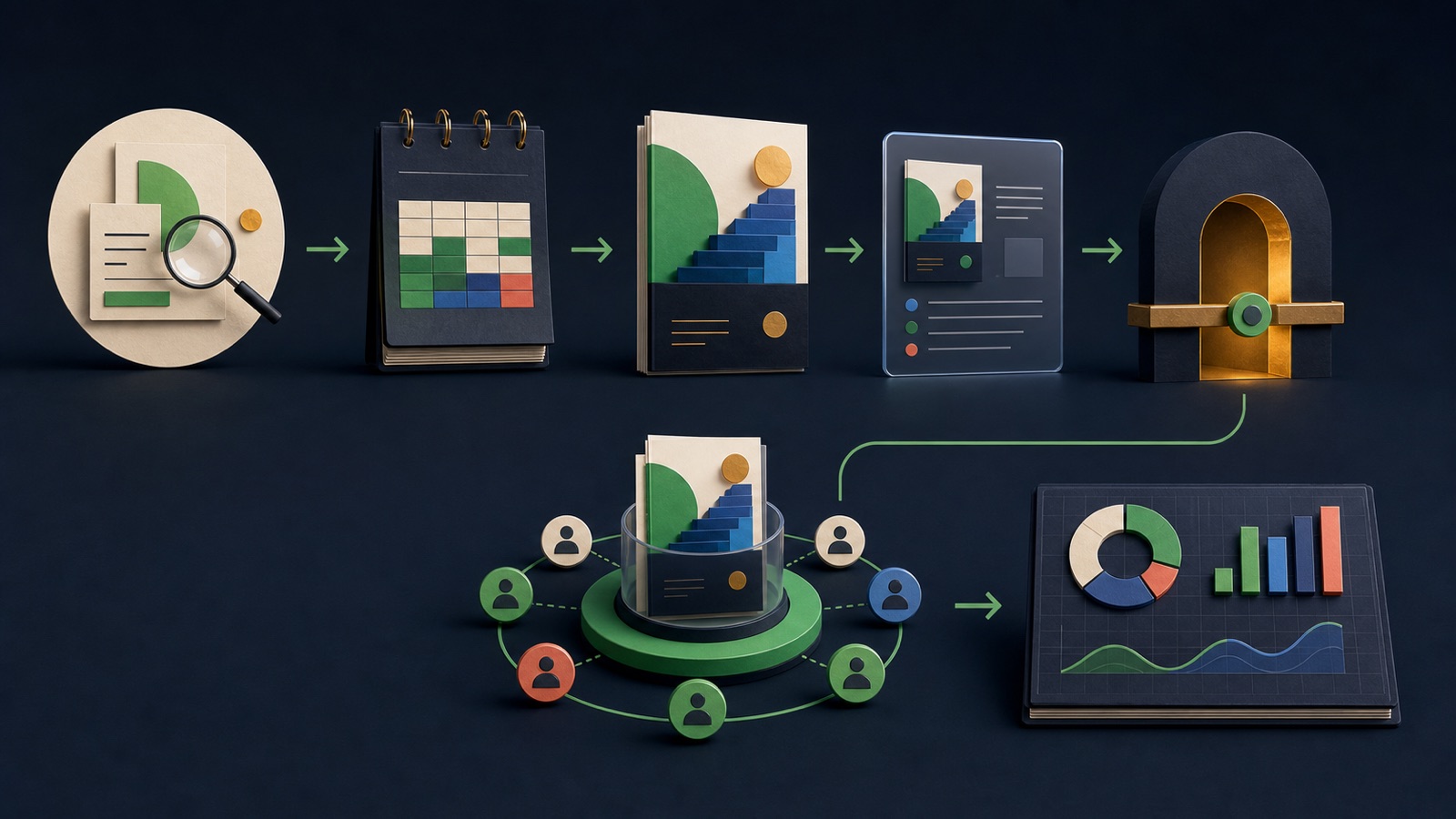
Move from Page access to the first publication cycle
Verify newsletter availability, Page good standing, audience and content criteria, and super or content admin ownership.
In Page admin view, choose Create, create the newsletter, add title, frequency, description, and approved image.
Write as the correct Page and newsletter, add 16:9 cover and caption, preview, review SEO and comments, then publish and log results.
STEP-BY-STEP LESSON
Eligibility → editorial promise → first edition → publish → cadence
THE LEAD ATLAS METHOD
Lead Atlas Data can research a contact list specific to the newsletter's business audience, locations, and categories, helping the team understand the market it intends to teach without turning the list into assumed subscribers.See how custom list research works ↗Confirm access and ownership
LinkedIn says a Page newsletter requires a super or content admin and Page access to the feature. Current criteria include an audience base, recent original content, and good standing; verify the live help and Page interface because eligibility can change. Choose a primary editor and backup administrator.
Record Page URL, admin roles, newsletter option visibility, policy review, brand owner, legal or subject reviewer, publishing authority, and recovery contact. Do not create the newsletter from a personal profile when the publication is meant to belong to the Page.
Write one durable editorial promise
Choose a narrow professional topic, a specific reader, the recurring problem each edition helps solve, evidence standards, and a realistic frequency. LinkedIn allows several newsletters, but multiple vague publications can divide ownership and confuse subscribers. Create a title and description that can still fit edition six.
Draft six edition briefs before launch with learning objective, reader question, outline, source owner, visual, call to action, and review date. The runway proves the promise is a series rather than a one-off announcement.
Create the newsletter identity
From the current Page super or content admin view, use the Create flow and choose newsletter. Enter the approved title, frequency, description, and image. LinkedIn's help notes that publishing the first edition creates the newsletter page and invites Page followers to subscribe by notification, so review every field first.
Capture the configuration and exact Page identity. Confirm the image is legible and licensed, the description matches the editorial promise, the cadence is sustainable, and no claim implies automatic consent or guaranteed delivery.
Build and preview the first edition
Write the edition as the correct Page and newsletter. LinkedIn recommends a 1920 by 1080 cover for Page articles or editions. Add a useful caption and credit, structured title and body, source links, accessible media, and a clear next action. Use the preview and SEO settings where available.
Review mobile and desktop reading, title, cover crop, byline, links, mentions, comments setting, disclosure, and feed post context. Ask a subject reviewer to verify claims and an editor to confirm that the edition fulfills the newsletter promise.
Publish and establish the cadence
Publish only when the team can respond to comments and maintain the promised frequency. Share the newsletter page and subscribe link through appropriate owned channels, but do not add researched contacts as subscribers or imply they requested the publication. Track subscribers, views, engagement, referral traffic, qualified conversations, and edition production effort.
Deliverable: Page-access record, admin and backup owners, editorial promise, six-edition runway, newsletter configuration capture, approved 16:9 cover, first-edition preview checklist, source and claims review, publish log, comment plan, measurement sheet, and next two production dates.
THE TAKEAWAY
Verify eligibility and ownership, promise one durable topic, prepare several editions before launch, preview the first issue, and measure useful readership without treating followers or researched contacts as opted-in subscribers.OFFICIAL REFERENCES