Meta's click-to-message ads can open a conversation in WhatsApp, Messenger, or Instagram Direct. For a WhatsApp campaign, the destination is only the beginning: the ad promise, opening message, response coverage, qualification path, and downstream record must work as one system. This lesson builds that system without assuming that a message start is a qualified lead or that every account exposes identical controls.
VISUAL LESSON
What you will learn
- 01Define one WhatsApp conversation outcome.
- 02Build and test the ad-to-chat handoff.
- 03Create response and measurement rules.
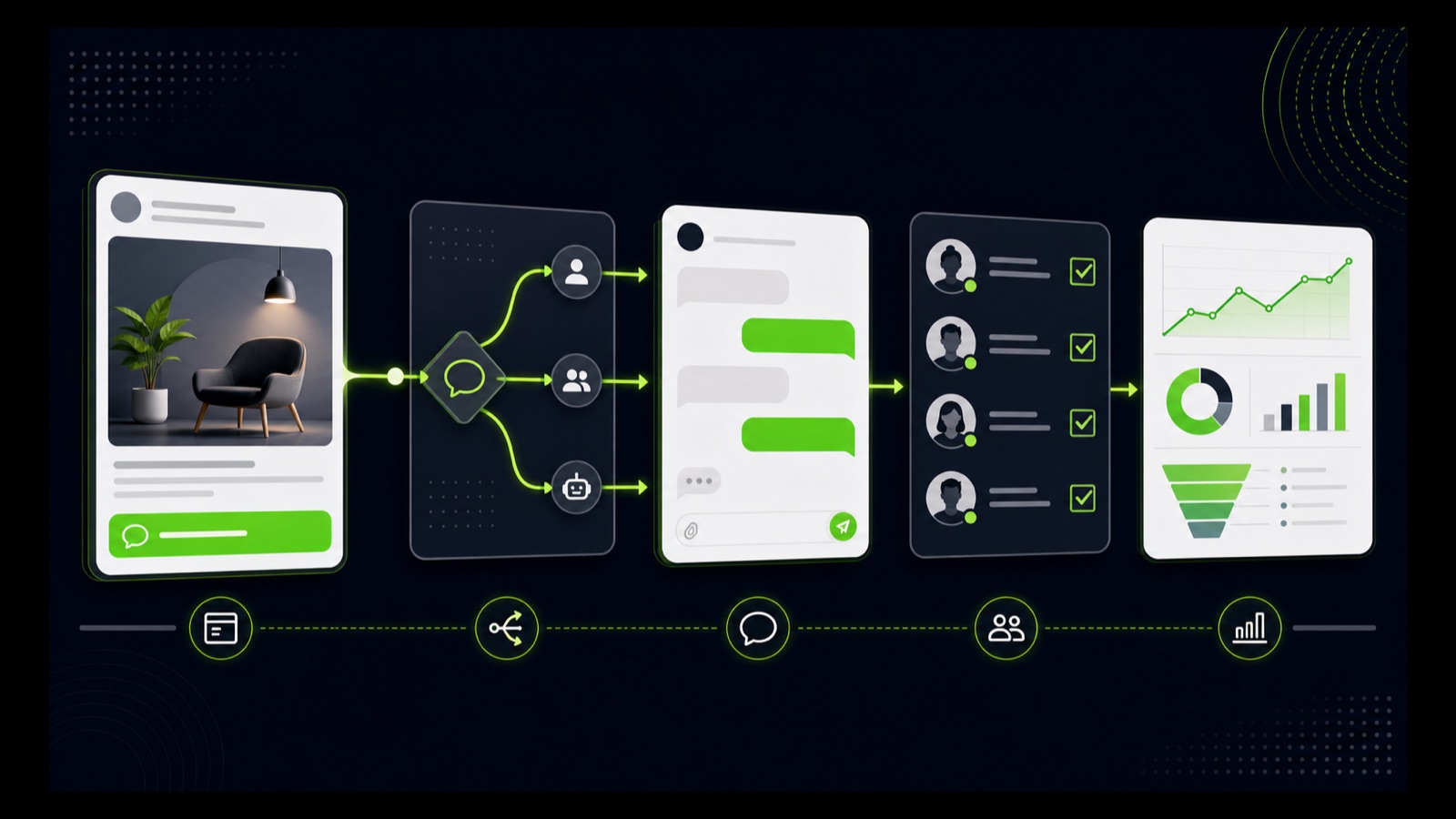
ILLUSTRATIVE WORKED EXAMPLE
Trace an illustrative conversation journey
PRACTICAL INTERFACE MAP
Route, script, staff, and prove the conversation
Confirm the business number, permissions, destination choice, and live account connection before creative approval.
Use a short welcome, one useful first question, realistic response expectation, and a clear human handoff.
Verify message delivery, routing, ownership, status logging, follow-up, and the definition of a qualified outcome.
STEP-BY-STEP LESSON
Ad promise → WhatsApp route → useful exchange → reviewed outcome
THE LEAD ATLAS METHOD
Lead Atlas Data can research a done-for-you business-contact list for the exact category, market, and locations behind the WhatsApp campaign, creating a separately measured prospecting lane alongside paid conversations.See how custom list research works ↗Choose one conversation job
Write the audience, offer, geography, reason to message, first useful question, qualification conditions, and the next action a good conversation should reach. Pick one job—such as checking availability, requesting a quote, or booking a consultation—rather than asking the chat to act as a complete website.
Define what does not count. A click, accidental thread open, greeting with no reply, spam message, out-of-area request, or unsupported need should not be reported as a qualified result. Name the owner who makes the final disposition.
Connect the destination deliberately
In the current Meta campaign flow, choose an objective and conversion location that support messaging, then select WhatsApp as the destination where available. Confirm the intended business identity, number, permissions, country availability, and any multiple-destination setting before continuing.
Capture the final campaign, ad set, and ad-level settings. If multiple messaging destinations are enabled, reporting and routing may differ from a WhatsApp-only design; use the configuration that matches the brief instead of accepting defaults without review.
Design the opening exchange
Make the ad and welcome message continuous. Repeat the offer in plain language, set a realistic response expectation, and ask one low-friction question that helps the business respond—service needed, location, timeframe, or another non-sensitive detail relevant to the offer.
Write branches for a useful answer, incomplete answer, out-of-scope request, after-hours message, and request for a person. Avoid collecting unnecessary sensitive information. Prepare approved answers, escalation rules, and a graceful close when the business cannot help.
Staff and test the live path
Assign coverage by day and hour, response ownership, backup, handoff point, and follow-up limit. On representative phones, open the final ad or preview, start the WhatsApp thread, send each test branch, verify notifications, links, attachments, consent language where relevant, and the return path after a handoff.
Use labeled test conversations and remove them from performance analysis. Confirm that the team can distinguish new, active, qualified, booked, closed, and opt-out states without treating a private conversation as permission for unrelated future messaging.
Measure conversation quality
Review delivery, clicks, conversations started, useful exchanges, qualified next steps, response time, unresolved threads, complaints, cost, and downstream value together. Compare like periods and allow time for conversations to mature before changing the offer or destination.
Deliverable: campaign brief, destination and permission proof, opening-flow map, approved reply library, staffing schedule, after-hours rule, device QA log, test-thread evidence, status definitions, matured scorecard, and a dated keep, repair, or stop decision.
THE TAKEAWAY
Choose one conversation job, connect the correct destination, make the opening exchange useful, staff the response window, test every state, and judge the campaign by reviewed outcomes.OFFICIAL REFERENCES