Google crawls URLs found in links and generally does not click buttons or trigger scrolling to discover additional pages. Its current pagination guidance recommends unique URLs for each page, sequential links with crawlable anchor href values, and a canonical URL for each page rather than canonicalizing the whole sequence to page one. Google no longer uses rel next and rel prev as indexing signals, and URL fragments are not a reliable pagination method. This lesson creates a collection path that works for both users and crawlers.
VISUAL LESSON
What you will learn
- 01Design stable page URLs and sequential anchor links.
- 02Apply self-referencing canonical URLs correctly.
- 03Test crawl discovery, filters, and item accessibility.
ILLUSTRATIVE WORKED EXAMPLE
Audit an illustrative 20-page collection
PRACTICAL INTERFACE MAP
Trace the collection from page one to every item
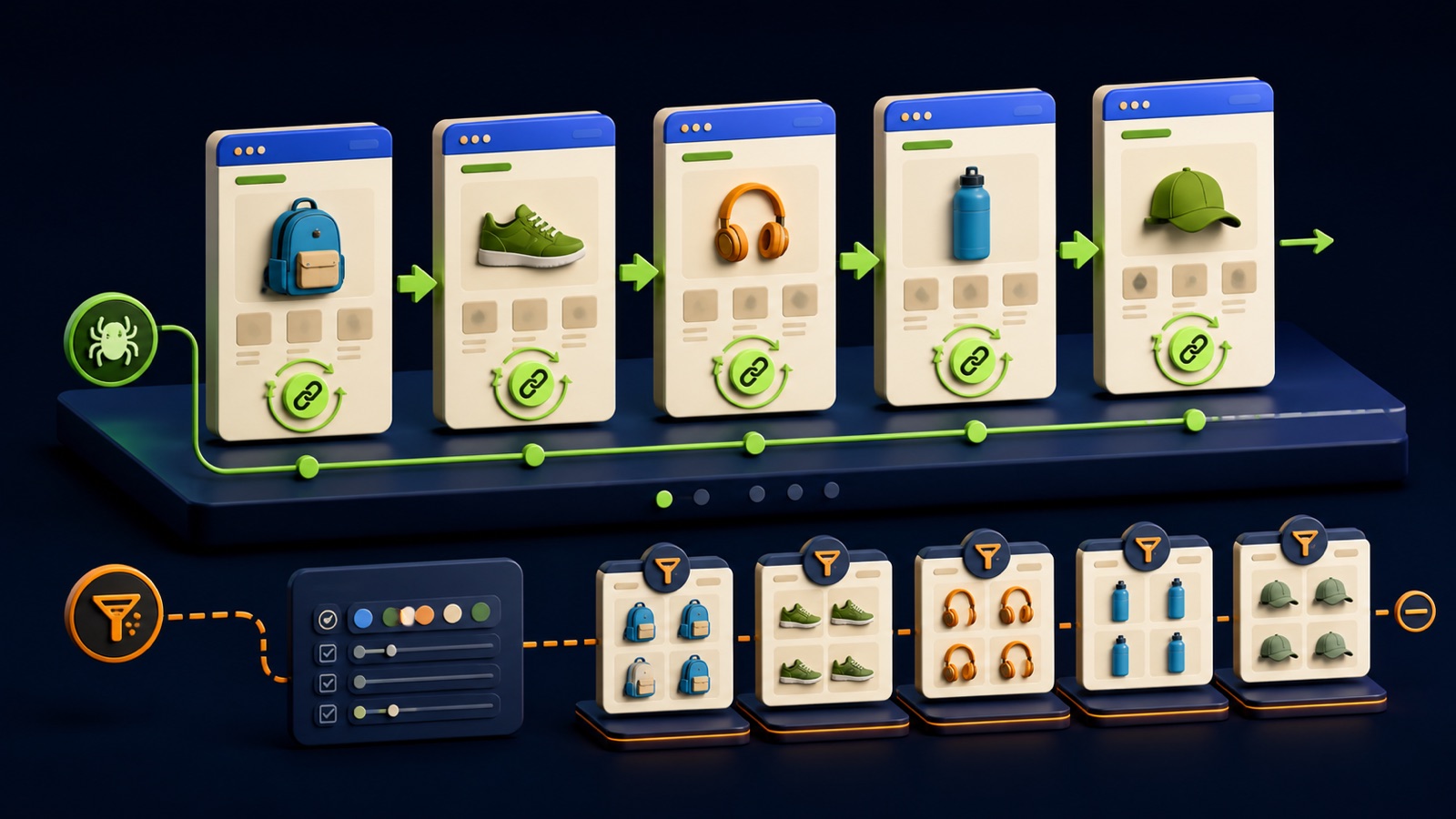
Give each page its own absolute URL, avoid fragment-only states, and keep ordering deterministic enough to prevent item loss or duplication.
Render next, previous, and useful numbered links as normal anchors and do not require a click handler or scroll event for discovery.
Use each page’s own canonical URL, manage filters separately, crawl rendered HTML, and verify items remain reachable and indexable.
STEP-BY-STEP LESSON
Stable URLs → crawlable sequence → self-canonicals → discoverable items
THE LEAD ATLAS METHOD
Lead Atlas Data can develop a custom contact list for the organic campaign’s market, locations, and business categories, creating a direct-research lane alongside the traffic earned by well-structured collection pages.See how custom list research works ↗Define the collection and ordering
Choose the collection, items included, default sort, page size, stable tiebreaker, URL parameter, and behavior when items are added, removed, or unavailable. Decide whether users need numbered pagination, load more, infinite scroll, or a hybrid, while preserving a crawlable page sequence underneath.
Avoid rapidly changing random order and session-specific URLs that move items unpredictably. Keep filters, sorts, searches, and pagination dimensions distinct so a user or crawler can understand which parameter changes the sequence and which creates a different view.
Create one URL for every page
Give page one and every subsequent page a unique absolute URL, such as a page parameter that your server can render directly. Return useful content and the correct status code without requiring cookies, local storage, a scroll event, or a prior navigation step.
Do not use URL fragments after # as the only page state because Google generally ignores fragments for this purpose. Keep parameter order and encoding consistent, avoid multiple equivalent URLs, and decide how out-of-range and empty pages respond.
Link the sequence with anchors
Render next and previous controls as standard anchor elements with real href values, and add useful numbered or jump links when they improve discovery and navigation. Ensure every page can be reached from an earlier page through a finite sequence.
Do not rely only on JavaScript buttons, click handlers, or intersection observers. Google says it generally follows URLs in anchor links and does not click buttons; a load-more interface should still expose crawlable page URLs in the rendered HTML.
Set canonical and filter rules
Place a self-referencing canonical URL on each useful paginated page rather than pointing pages two and beyond to page one. Google’s guidance says it no longer uses rel next and rel prev, so those annotations cannot replace crawlable links and canonical decisions.
Define separate handling for filter and sort combinations based on whether they provide durable search value. Use consistent internal links, robots controls, canonicalization, or parameter management as appropriate, but do not block the only path to products or articles you want discovered.
Crawl and monitor the live sequence
Fetch rendered HTML from page one through the final page and verify status, canonical, robots directives, next and previous href values, page title, heading, item links, duplicates, omissions, and behavior on mobile and without client-side interaction. Sample item URLs from early, middle, and late pages in Search Console.
Deliverable: collection and ordering contract, URL pattern, edge-case responses, rendered anchor map, self-canonical matrix, filter and sort policy, crawl export, duplicate and missing-item report, Search Console samples, release checks, monitoring dashboard, and regression tests for templates and JavaScript changes.
THE TAKEAWAY
Create a real URL per page, make every next page reachable through anchor links, self-canonicalize the pages, isolate filter combinations, preserve item access, and verify the rendered sequence with crawl evidence.OFFICIAL REFERENCES