Automatic captions can accelerate transcription, but official platform guidance still recommends reviewing and editing them because accents, noise, overlapping speakers, and poor audio can create errors. Short-form videos also place interface controls and burned-in graphics near the same screen area. This lesson builds a caption workflow that treats accuracy and access as production requirements.
VISUAL LESSON
What you will learn
- 01Choose a caption production method.
- 02Review accuracy, timing, and readability.
- 03Publish and maintain a transcript record.
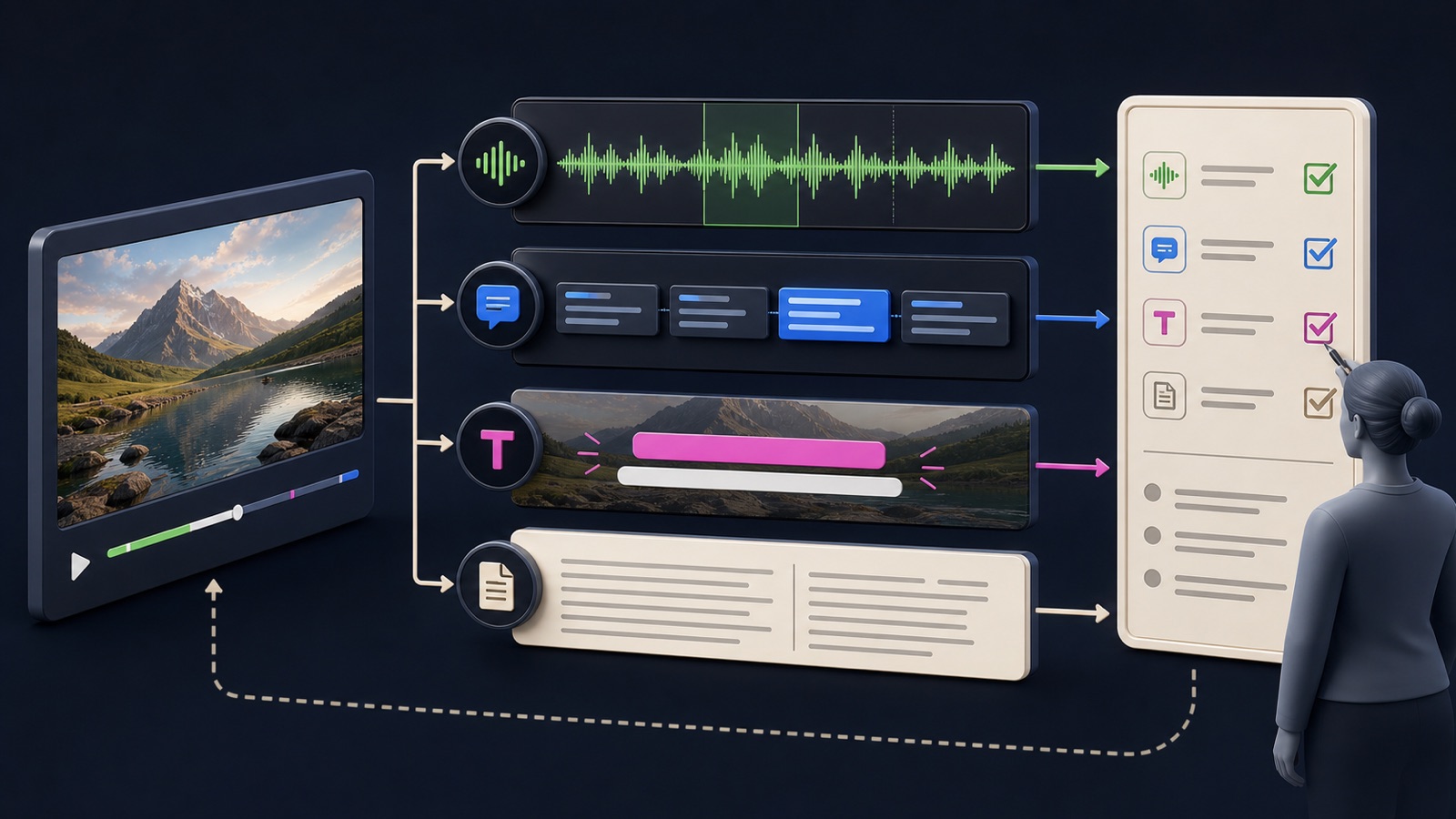
ILLUSTRATIVE WORKED EXAMPLE
Review an illustrative caption quality sample
PRACTICAL INTERFACE MAP
Move from locked video to accessible publication
Create automatic or file-based captions after the edit is locked and keep a source transcript.
Check names, numbers, jargon, speaker changes, meaningful sounds, line breaks, and cue timing.
Inspect mobile readability, interface overlap, language label, transcript availability, and correction ownership.
STEP-BY-STEP LESSON
Locked audio → transcript → human edit → safe-zone check → publish
THE LEAD ATLAS METHOD
Lead Atlas Data can supply business contacts specific to the social campaign's market, categories, and locations, while the content team makes every public video understandable with accurate captions and supporting text.See how custom list research works ↗Lock the source before captioning
Finish the approved picture edit and audio mix, then export a stable review version with a time reference. Captioning a moving target creates mismatched words, timing, and scene context. Record language, dialect, speaker list, names, product terms, and any required sound descriptions.
Create a source-of-truth transcript document linked to the exact video version. Note who can approve names, numbers, claims, and regulated or safety-sensitive wording.
Generate a draft with the right method
Use the platform's automatic captions, a dedicated transcription tool, or a supported caption file workflow according to channel and team needs. Automatic output is a draft. Keep it separate from burned-in design text so either layer can be corrected.
If multiple languages are needed, create separate reviewed language tracks or versions rather than relying on an unreviewed machine translation. Preserve timestamps and identify the language and reviewer for every file.
Edit meaning, timing, and sound context
Correct names, jargon, numbers, punctuation, speaker changes, and meaningful non-speech audio. Break cues at natural phrases, avoid leaving a caption long after the speaker stops, and ensure overlapping dialogue remains understandable. Do not sanitize words in a way that changes meaning.
Review once while listening, once muted, and once at normal mobile viewing speed. Compare every caption to the final waveform and picture, then mark uncertain words for a knowledgeable reviewer.
Protect visual readability
Use sufficient contrast, a readable size, sensible line length, and placement that does not cover the subject, demonstration, disclaimer, or platform controls. Short-form interfaces can add captions, usernames, descriptions, buttons, and safe-zone constraints that differ by placement.
Preview on representative phone sizes and in every planned placement. Check dark and bright scenes, rapid cuts, vertical crops, enlarged text settings where applicable, and whether burned-in captions duplicate selectable platform captions confusingly.
Publish, verify, and maintain
Choose the correct caption language, upload the reviewed file or approve the corrected platform track, and add a transcript or equivalent text in the supported location when useful. After publication, inspect the actual mobile video with sound on and off.
Deliverable: locked video identifier, source transcript, terminology sheet, reviewed caption file, uncertainty log, sound-cue decisions, safe-zone captures, language metadata, live verification screenshots, correction owner, and an accessible archive for future edits.
THE TAKEAWAY
Caption the locked edit, review words and timing with a human, keep text out of crowded interface zones, and preserve an accessible transcript and correction path.OFFICIAL REFERENCES