A social card can show an old title, missing image, wrong description, redirect target, or another page's metadata. The Open Graph protocol defines core properties such as title, type, image, and URL, while platforms can scrape and cache the result on their own schedule. This lesson creates a cross-platform diagnostic record instead of changing tags repeatedly without knowing which layer is stale.
VISUAL LESSON
What you will learn
- 01Audit core Open Graph metadata.
- 02Diagnose crawler and image access.
- 03Create a safe cache-refresh workflow.
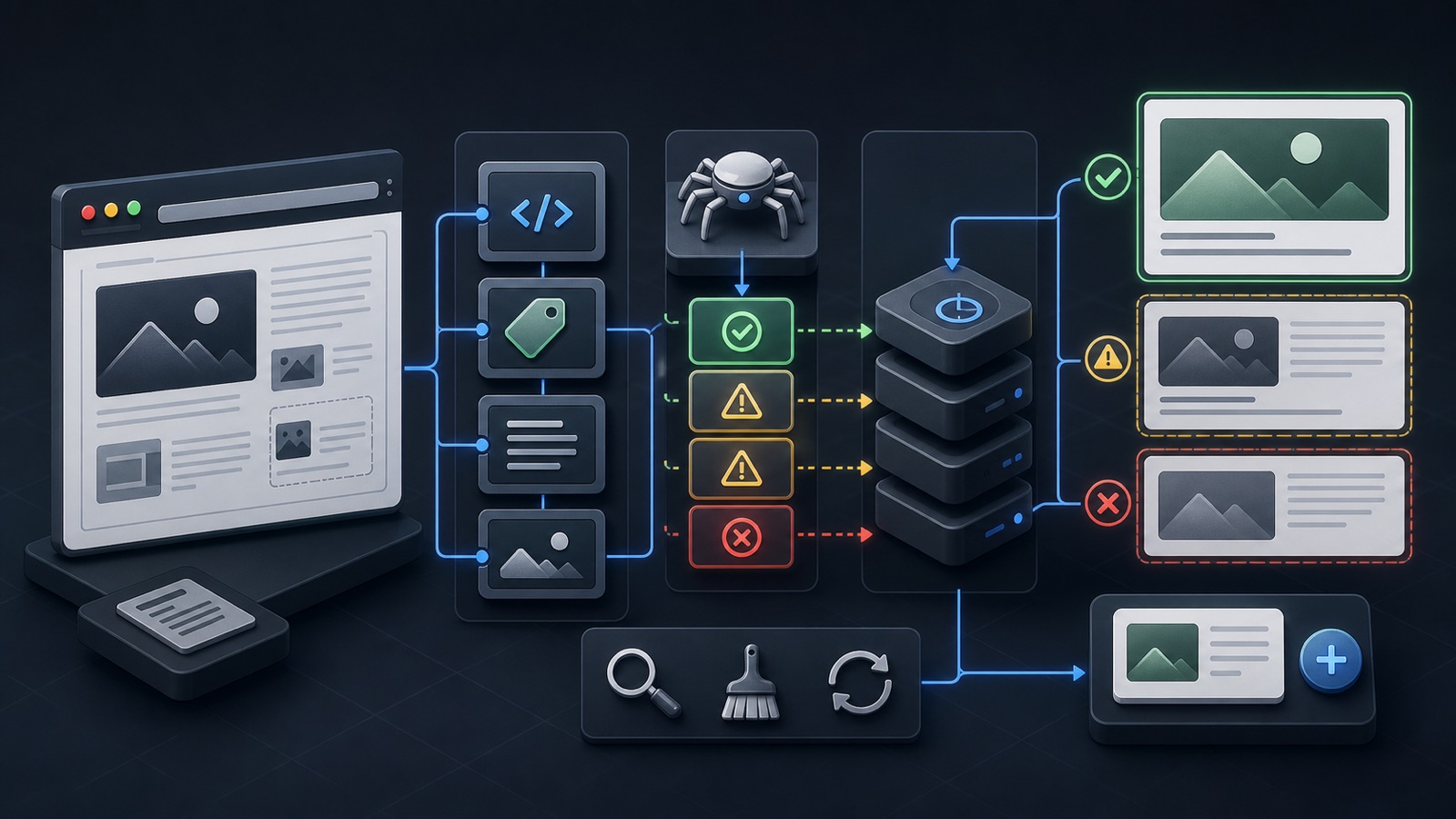
ILLUSTRATIVE WORKED EXAMPLE
Triage an illustrative broken-preview queue
PRACTICAL INTERFACE MAP
Move from shared URL to verified social card
Record redirect chain, final status, canonical URL, robots access, rendered head, and response time.
Check Open Graph title, type, image, URL, description, image response, dimensions, and content type.
Submit the canonical URL, capture the fetched result, and compare each platform after its cache updates.
STEP-BY-STEP LESSON
URL → HTTP and metadata → image fetch → platform cache → card
THE LEAD ATLAS METHOD
Lead Atlas Data can research business contacts tailored to the social campaign's categories, locations, and market, giving the team a focused distribution list while a broken public preview is repaired.See how custom list research works ↗Freeze one test URL and expected card
Record the exact URL being shared, the expected title, description, image, and canonical destination, plus the platforms affected and first observed time. Query strings, short links, redirects, and language variants can create different cache keys.
Save current screenshots and page source before editing. Use a public, production URL—not a private preview, local address, expiring signed image, or login-gated page.
Resolve the HTTP and canonical path
Follow the redirect chain and record each status, final URL, canonical link, robots directives, response headers, and whether a non-browser crawler receives the same useful page. Fix loops, soft errors, inconsistent hosts, accidental noindex or robots blocking, and canonical conflicts.
Test HTTP and HTTPS, www and non-www, trailing slash, and the exact campaign URL. The final URL, og:url, canonical, and internal share button should describe the intended public page without unnecessary redirect hops.
Audit Open Graph properties
Inspect the rendered document head for og:title, og:type, og:image, and og:url, then review description and image detail properties when used. Keep one clear primary set unless the platform guidance supports alternatives. Generated client-side tags may not be available to every scraper.
Compare visible page content with the card promise. Use absolute public URLs, valid escaping, accurate language, and a title and description that identify the page without unsupported claims or clickbait.
Validate the image as a public asset
Request the exact og:image URL and check status, content type, dimensions, file size, redirects, robots access, authentication, CDN rules, hotlink protection, and cache headers. A visually correct file on a developer's computer is irrelevant if the platform cannot fetch it.
Prepare a purpose-built social image with a stable URL and safe composition for cropping. Avoid critical tiny text, watermarks, sensitive data, and visuals that misrepresent the destination. Record the image version and deployment time.
Refresh caches and verify each platform
After the page and image are correct, use supported inspection or debugger tools such as LinkedIn Post Inspector to request a fresh fetch where available. Cache behavior differs by platform; adding random parameters is not a durable metadata strategy.
Deliverable: expected-card brief, before screenshots, redirect and canonical log, rendered metadata audit, image-fetch report, deployment version, inspector results, post-refresh screenshots by platform, unresolved difference notes, owner, and a close, repair, or escalate decision.
THE TAKEAWAY
Verify the final public URL and metadata first, make the image fetchable and intentional, then use supported inspection tools and treat cache refresh as the final layer—not the first guess.OFFICIAL REFERENCES