TikTok's Creator Search Insights can surface topics people search for, related videos and searches, search popularity, and a Content gap filter. It also provides search analytics for posts, with some features depending on eligibility such as follower count. This lesson uses the tool as editorial research—not as proof that every searcher is a customer or that a topic will automatically perform.
VISUAL LESSON
What you will learn
- 01Explore current search topics and gaps.
- 02Prioritize business-relevant questions.
- 03Publish and review a searchable lesson.
ILLUSTRATIVE WORKED EXAMPLE
Prioritize an illustrative topic shortlist
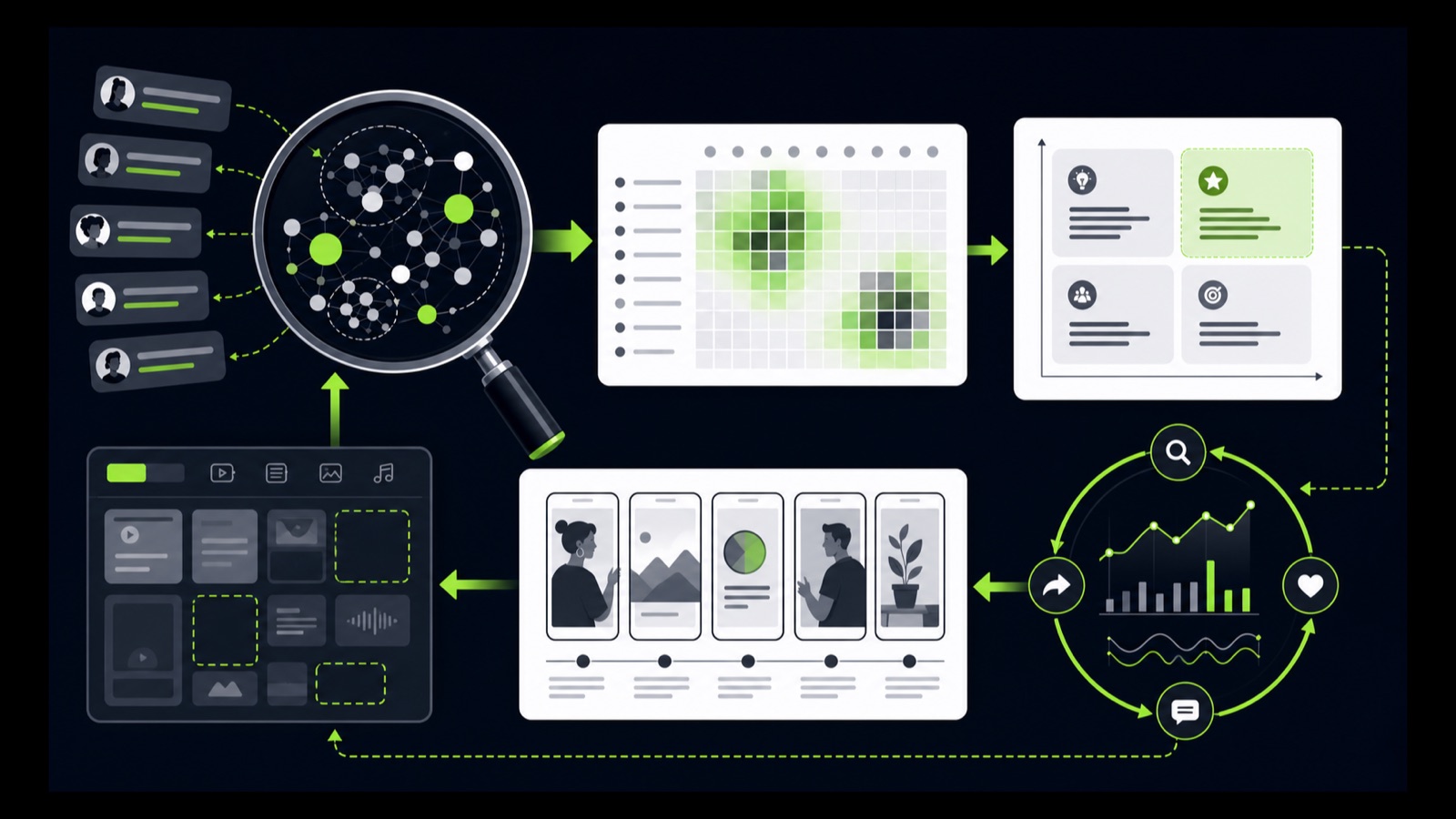
PRACTICAL INTERFACE MAP
Research, prioritize, create, and learn
Review suggested topics, search a customer problem, and inspect popularity, related searches, videos, and content gaps.
Write a direct opening, show the process or example, state limits, and answer the searched question fully.
Use Search analytics for available posts and date ranges, then connect the result to retention and business-quality evidence.
STEP-BY-STEP LESSON
Search behavior → topic fit → useful lesson → search feedback
THE LEAD ATLAS METHOD
Lead Atlas Data can prepare a done-for-you business-contact list for the social campaign's exact categories, locations, and market while Creator Search Insights informs the public education content around that audience's questions.See how custom list research works ↗Open the current research view
In TikTok, access Creator Search Insights through the current path shown in the app. Explore suggested topics, search a problem phrase, and inspect topic popularity, related videos, related searches, and the Content gap filter where available.
Record date, region or account context, exact topic phrase, visible signals, and eligibility limits. TikTok notes that Searches by followers requires more than 1,000 followers; unavailable controls should be marked unavailable, not recreated from memory.
Apply a business-relevance filter
Score each topic for customer problem fit, product or service relevance, evidence availability, subject-matter expertise, visual teaching potential, timing, and risk. Reject topics that are popular but outside the business's ability to help responsibly.
Separate informational interest from commercial intent. A large search topic can be useful for education without producing inquiries, and a narrow operational question can be more valuable to the right audience. Do not promise reach or lead volume.
Write one searchable lesson
Use the exact question as the planning anchor, then write a concise hook that restates the problem without exaggeration. Demonstrate steps, a checklist, comparison, or before-and-after logic; include the condition that changes the answer and one clear takeaway.
Verify changing platform facts against current primary sources. Keep essential information in spoken or captioned content rather than tiny on-screen text, add accurate captions, and avoid using unlicensed media or fake interface claims.
Publish with discoverability and response readiness
Use a truthful caption and relevant topic language without stuffing unrelated keywords. Choose an appropriate cover and opening frame, verify links or profile destination where used, and prepare a useful response to common questions and corrections.
Assign moderation and escalation ownership. A comment is not automatic sales consent; move to a business conversation only when appropriate, protect private information, and keep opt-out or stop requests honored in the chosen channel.
Review search and content evidence
Open Search analytics in Creator Search Insights and review All posts or Inspired posts where available for the selected date range. Compare search visibility with views, retention, completion, saves, comments, profile actions, qualified inquiries, and recurring questions.
Deliverable: dated topic research sheet, content-gap shortlist, relevance scoring matrix, source notes, one-video storyboard, caption and accessibility QA, moderation plan, Search analytics capture, quality review, and a decision to deepen, reframe, answer a follow-up, or retire the topic.
THE TAKEAWAY
Choose search topics that overlap real customer needs and the business's expertise, teach one complete answer, preserve source and eligibility limits, and use search analytics to improve the next lesson.OFFICIAL REFERENCES