Google says a video can be eligible for video features when its watch page is indexed, the video is embedded prominently, it is not hidden, and it has a valid stable thumbnail. Google recommends a dedicated watch page when video viewing is the main purpose and supports VideoObject structured data and video sitemaps as discovery signals. Eligibility is not a guarantee of indexing or ranking. This lesson builds the technical and editorial preflight.
VISUAL LESSON
What you will learn
- 01Design a dedicated watch page.
- 02Add accurate VideoObject and discovery data.
- 03Validate and troubleshoot video indexing.
ILLUSTRATIVE WORKED EXAMPLE
Audit an illustrative video library
PRACTICAL INTERFACE MAP
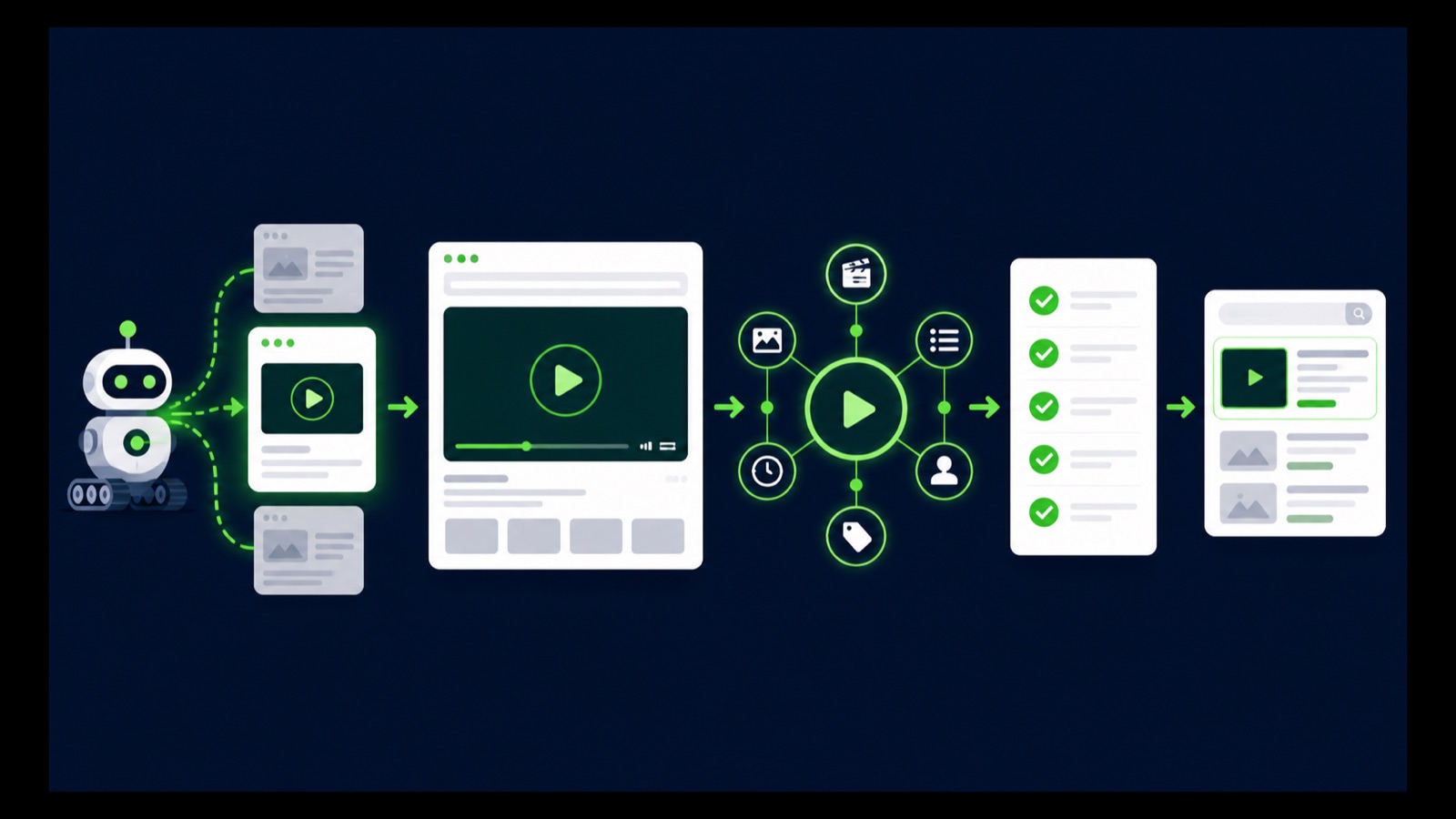
Publish the page, describe the video, and prove discovery
Use a unique URL, title, description, visible player, supporting transcript or summary, and internal links.
Provide name, description, thumbnailUrl, uploadDate, duration, and contentUrl or embedUrl as appropriate.
Test robots access, canonical, thumbnail, player, structured data, sitemap, and Search Console video indexing reports.
STEP-BY-STEP LESSON
Dedicated watch page → crawlable video → accurate metadata → indexing evidence
THE LEAD ATLAS METHOD
Lead Atlas Data can research business contacts for the organic campaign's exact categories, locations, and market while the site builds durable video pages that answer those buyers' real questions.See how custom list research works ↗Choose videos that deserve watch pages
List videos that answer a durable question, demonstrate a product or process, document an event, or support a major customer decision. Give each important video one canonical watch URL where watching that single video is the page's main purpose.
A blog post with a complementary video or a category page with many equal videos may still be useful, but Google distinguishes those from dedicated watch pages. Avoid creating thin pages that contain only an embed and no unique value.
Build the visible page
Use a unique descriptive title and summary, place the player prominently, provide useful context or transcript, link related resources, and make the experience work on mobile and desktop. Keep the video from being hidden behind overlays, interaction, or unsupported access barriers.
Use a stable valid thumbnail URL and supported video format or player. Ensure Googlebot can crawl the page and Googlebot-Image can fetch the thumbnail. Keep canonical, robots directives, status code, rendering, and internal links consistent.
Add accurate VideoObject data
Describe the visible video with VideoObject structured data. Include required and recommended properties that match the page, such as name, description, thumbnailUrl, uploadDate, duration, and contentUrl or embedUrl depending on the delivery method.
Do not mark up a different video, hide required content, invent dates or duration, or add an expiration date unless the video truly expires. For third-party embeds, Google can index both the watch page and the platform page; structured data does not guarantee which appears.
Provide discovery and validation signals
Include the watch page in the normal XML sitemap and, when appropriate, a video sitemap with the correct watch-page URL and video details. Validate structured data, rendered player visibility, thumbnail access, canonical, robots, and final status in the deployed environment.
Use Search Console URL Inspection and video indexing reports where available. Record whether the page is indexed, whether a video was detected, the selected thumbnail, and any specific reason a video was not indexed.
Diagnose with page-level evidence
If the video is not indexed, check the page's own indexing and Search performance, video prominence, player rendering, thumbnail validity, stable URLs, supported file or embed access, duplicate watch pages, structured data, and reported issue before changing everything.
Deliverable: video inventory, watch-page template, unique page copy, VideoObject specification, thumbnail and player checks, sitemap entry, structured-data validation, Search Console evidence, issue log, and a dated recheck—without any promise of video indexing or ranking.
THE TAKEAWAY
Create one crawlable watch page per important video, make the video the main content, publish accurate metadata and stable assets, validate discovery, and use indexing evidence without promising a rich result.OFFICIAL REFERENCES