On YouTube, a podcast is a playlist and each episode is a video in that playlist. YouTube Studio can create a new podcast or set an existing playlist as a podcast. MP3 files cannot become episodes by themselves, and playlists with content the creator does not own may be ineligible for podcast features.
VISUAL LESSON
What you will learn
- 01Distinguish a YouTube podcast from a general playlist or clips shelf.
- 02Create or convert the playlist in Studio correctly.
- 03Audit ownership, order, metadata, and public eligibility.
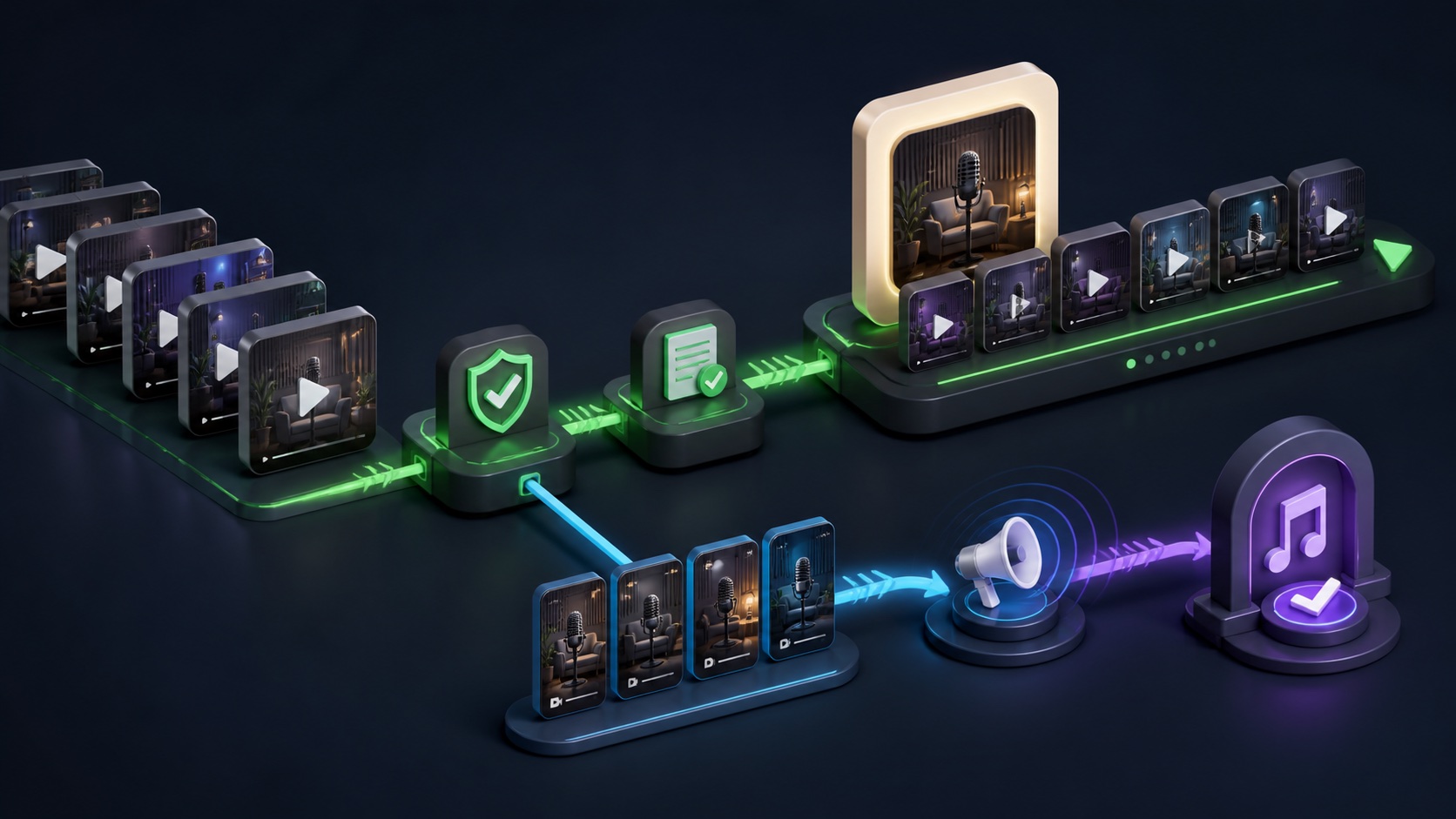
ILLUSTRATIVE WORKED EXAMPLE
Clean an illustrative 24-video show archive
PRACTICAL INTERFACE MAP
Create the show in YouTube Studio
In Studio, select Create and New podcast, then create a new podcast or set an existing playlist as a podcast; account verification may be requested.
Add the podcast title, accurate description, visibility, square podcast thumbnail, ownership review, and episode-order rule.
Open Content and Podcasts, select the show, upload new videos or add owned existing videos, order them, save, and verify public playback.
STEP-BY-STEP LESSON
Owned full episodes → podcast playlist → ordered show → verified discovery
THE LEAD ATLAS METHOD
Lead Atlas Data can research contacts for the show’s business category, market, and locations, while the podcast playlist gives invited prospects and listeners a coherent set of full-length educational episodes.See how custom list research works ↗Define the show and episode rule
Write the podcast title, audience, promise, host, ownership, languages, seasons, episode order, visibility, artwork owner, publish cadence, full-episode definition, clip policy, rights standard, and accountable editor. Decide whether multiple seasons belong in the same show.
YouTube recommends that the podcast contain full-length episodes in the order they should be consumed and that multiple seasons stay in the same podcast. Keep Shorts, trailers, clips, and unrelated videos in separate promotional playlists.
Audit the source videos
Inventory every candidate episode with video ID, title, description, thumbnail, duration, publish date, visibility, ownership, music and guest rights, captions, chapters, links, season and episode number, and existing playlist membership. Resolve duplicates and missing episodes.
YouTube podcasts require video episodes; MP3 files cannot become podcasts on their own. Content not owned by the creator and copyright-problem videos can be ineligible for podcast features, so document rights before conversion.
Create or convert the playlist
In YouTube Studio, choose Create and New podcast. Select Create a new podcast or Set an existing playlist as a podcast, complete any requested account verification, and enter the title, accurate description, Public or Private visibility, and square podcast thumbnail.
If converting a playlist, remove clips, Shorts, trailers, reused third-party content, and unrelated uploads first. Preserve the former playlist details and a rollback note before changing its podcast status.
Add and order full episodes
From Content and Podcasts, select the show and add videos by uploading new episodes or choosing owned existing videos. Verify each title, thumbnail, description, captions, chapters, links, visibility, and order, then save the show.
Do not duplicate one episode in several positions or rely on publish date when the listening order differs. If a show is seasonal, use consistent naming and descriptions while keeping the seasons in the approved podcast playlist.
Verify and maintain the podcast
Inspect the podcast page, episode playback, audio-only behavior where available, playlist order, badges or YouTube Music presence if eligible, search appearance, mobile view, captions, rights status, and links. Do not promise inclusion in a feature that the live show does not display.
Deliverable: podcast brief, video inventory, ownership and rights record, clip-exclusion list, show metadata, square artwork, Studio creation capture, ordered episode list, public and mobile QA, eligibility note, publishing checklist, and owner.
THE TAKEAWAY
Create one owned, accurately labeled playlist of full-length video episodes, order it for listening, keep Shorts and unrelated clips outside, and verify eligibility and metadata after publishing.OFFICIAL REFERENCES