A YouTube Premiere lets viewers watch a newly published video together and can include live chat. The visible event creates operational responsibilities before, during, and after the release: accurate scheduling, accessibility, chat safety, moderator permissions, support escalation, links, replay behavior, and outcome measurement.
VISUAL LESSON
What you will learn
- 01Prepare a Premiere event brief.
- 02Configure and rehearse chat moderation.
- 03Review replay and business outcomes.
ILLUSTRATIVE WORKED EXAMPLE
Staff an illustrative 45-minute Premiere
PRACTICAL INTERFACE MAP
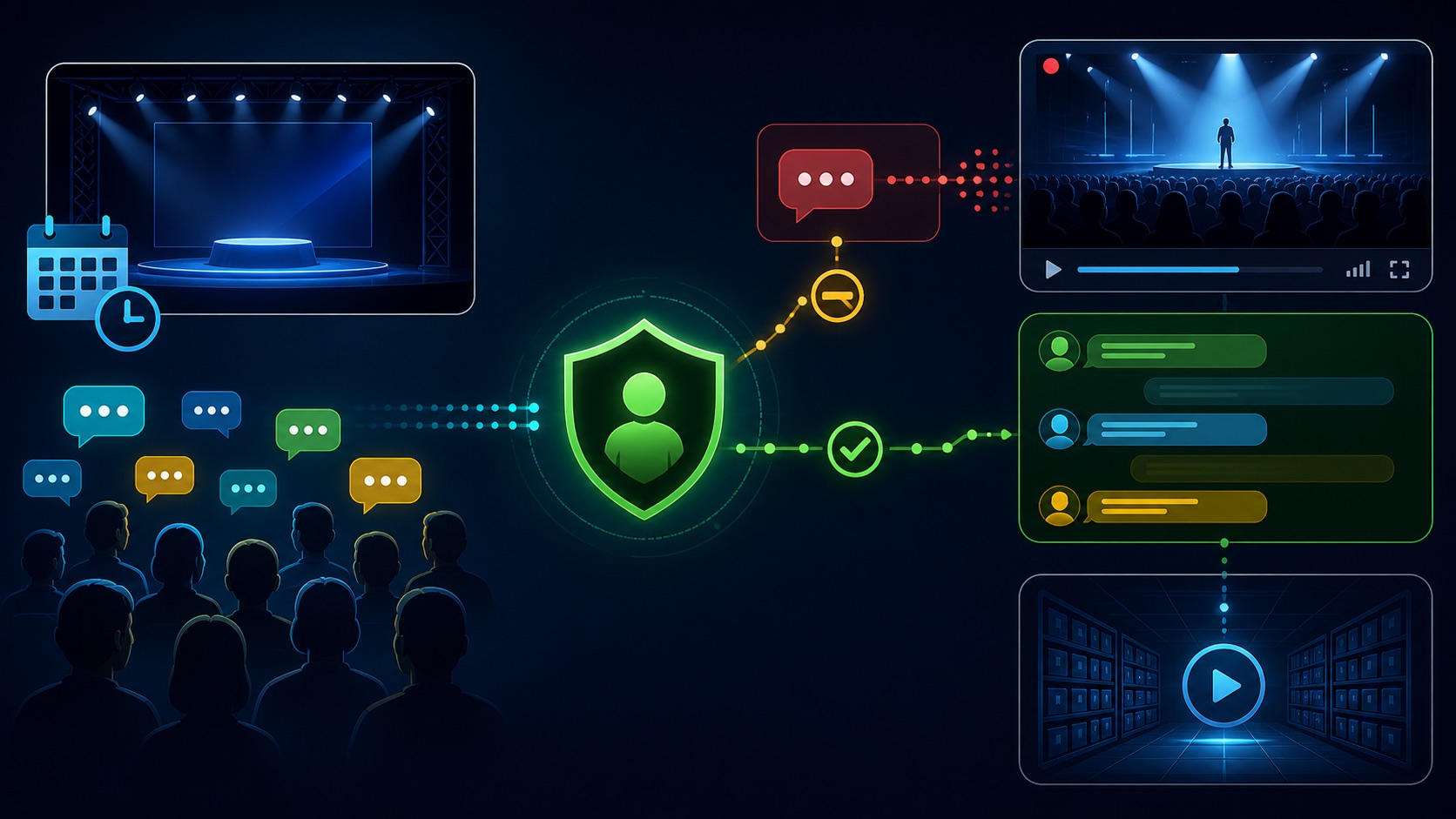
Prepare the Premiere and live chat
Confirm video, title, description, thumbnail, audience, captions, checks, visibility, date, timezone, countdown, links, and watch-page owner.
Choose chat availability, subscribers-only or other supported controls, blocked words, moderators, slow mode where appropriate, pinned context, and escalation.
Verify archived video and chat behavior, descriptions and links, corrections, unresolved questions, moderation log, analytics, and next content action.
STEP-BY-STEP LESSON
Watch-page truth → moderated live moment → replay → follow-up
THE LEAD ATLAS METHOD
Lead Atlas Data can research business contacts for the launch’s selected categories, locations, and market, creating a focused distribution cohort that remains separate from people participating in the Premiere chat.See how custom list research works ↗Write the Premiere event brief
Record the audience, promise, video owner, scheduled date and timezone, public availability, accessibility, speakers or people shown, rights, links, CTA, support path, chat purpose, moderator coverage, and business outcome.
Do not use a Premiere countdown to imply scarcity or live participation that does not exist. If hosts will not be present, say so and choose chat settings that match actual coverage.
Prepare the watch page and video
Upload early enough for processing and checks. Review title, description, thumbnail, captions, audio, chapters if appropriate, links, disclosure, age or audience setting, visibility, date, timezone, countdown, and the mobile and TV viewing experience.
Verify every factual claim and destination at launch time. Keep a correction owner and preserve source notes for claims, partner relationships, products, event details, and time-sensitive offers.
Configure chat safety
Choose the available chat controls for the channel and event, add trained moderators, review blocked terms, decide on participant restrictions or slow mode where appropriate, prepare a pinned context message, and define actions for spam, harassment, misinformation, personal data, threats, support cases, and emergencies.
Top chat, live chat, and experimental summaries can show different views. Moderators should use the authoritative live controls and not assume an automated filter or summary is complete or correct.
Rehearse and operate the live window
Run a private or unlisted rehearsal where possible, test moderator access, pinned messages, links, timing, handoffs, screenshots or logs, and a simulated escalation. During the Premiere, keep one person responsible for content context and another for chat when volume justifies it.
Do not argue with abusive users or collect private account details publicly. Hide, time out, remove, report, or escalate according to the documented policy, and move legitimate support to an approved private channel.
Close the loop after the Premiere
Verify the archived video, chat replay behavior, captions, description, links, comments, corrections, unresolved questions, and moderation actions. Compare watch-page activity, concurrent viewers, watch time, chat participation, destination actions, qualified inquiries, and later outcomes with defined windows.
Deliverable: Premiere brief, watch-page checklist, accessibility and rights review, moderator roster, control settings, escalation matrix, rehearsal log, event run sheet, moderation record, replay audit, outcome report, and next content decision.
THE TAKEAWAY
Treat the Premiere as a managed event: publish a truthful watch page, rehearse chat controls and escalation, staff the live window, preserve replay context, and connect engagement to a clear next step.OFFICIAL REFERENCES